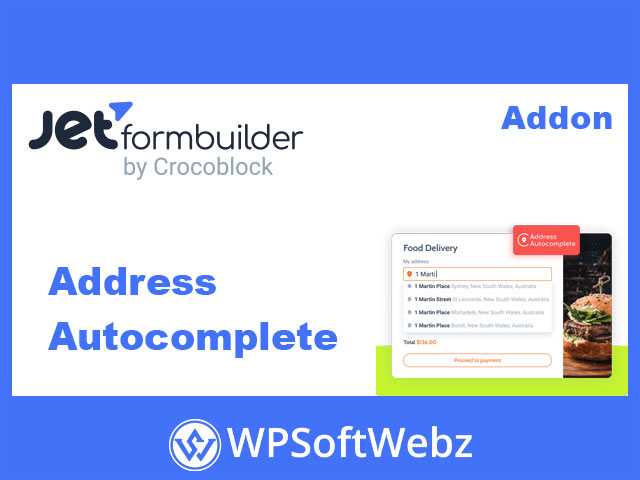

JetFormBuilder Address Autocomplete Addon: Smarter Address Fields for WordPress
JetFormBuilder Address Autocomplete Addon is a premium, GPL-licensed extension for JetFormBuilder that automatically suggests accurate, Google-powered addresses as users type in your form fields. By turning a standard address input into an intelligent lookup, it speeds up form completion, reduces typing errors, and improves the overall user experience on your WordPress site.
Key benefits of JetFormBuilder Address Autocomplete
- Faster form completion and fewer abandoned forms
- Fewer typos and invalid or incomplete addresses
- Cleaner address data for CRM, shipping, logistics, and analytics
- A smoother, more professional checkout or registration experience
- Works with any WordPress theme and modern page builders
Core features of JetFormBuilder Address Autocomplete Addon
Google Maps–based address suggestions
The add-on connects your JetFormBuilder forms to the Google Places/Maps Autocomplete service, showing relevant address suggestions as the user types. Instead of manually entering the full street, city, state, and postal code, the visitor selects one of the suggested results and the field is auto-filled with a properly formatted address.
Dedicated Address Autocomplete field type
Once activated inside JetFormBuilder, the plugin adds a dedicated “Address Autocomplete” field type to your form builder panel. You can insert this field anywhere in your form layout, just like other JetFormBuilder blocks, and configure it from the familiar form field settings side panel.
Key field options typically include:
- Field label, name (slug), and description
- Default value for pre-filled addresses
- Country restrictions for search results
- Place type or usage restrictions for more precise results
Multi-country support and filtering
For projects serving multiple regions, you can keep the search global or limit suggestions to specific countries. This helps you:
- Focus results on your actual service area
- Reduce confusion in regions that share similar city or street names
- Ensure that address data aligns with your shipping or delivery rules
Flexible styling in Gutenberg and Elementor
The Address Autocomplete field is built to blend into your existing design. You can apply custom styling to the embedded Google Maps search widget both in Gutenberg (WordPress block editor) and in Elementor-based layouts, maintaining consistent branding and layout on every page where the form appears.
Ideal use cases for JetFormBuilder Address Autocomplete
You can deploy address autocomplete in almost any form where location data matters, including:
- User registration and profile update forms
- Job application forms that require verified residential or workplace details
- Online surveys and feedback forms where typos in addresses must be minimized
- Voting or petition forms that need realistic, mailable addresses
- Order, booking, and request forms that depend on accurate shipping or service locations
How the JetFormBuilder Address Autocomplete Addon works in your stack
Because the addon is built specifically for JetFormBuilder, it fits naturally into your existing form workflows:
- Install and activate JetFormBuilder on your WordPress site.
- Activate the JetFormBuilder Address Autocomplete Addon from the JetFormBuilder Addons screen.
- Add your Google Maps / Places API key in the Address Autocomplete settings.
- Insert the Address Autocomplete field into any form and configure countries, place types, and labels.
- Publish the form and embed it on any page, post, or template.
From that point on, users see live address suggestions as soon as they start typing, and your site stores cleaner, more structured address data with far less manual input.
Who is JetFormBuilder Address Autocomplete Addon for?
The JetFormBuilder Address Autocomplete Addon is perfect for WordPress site owners, agencies, and developers who rely on forms to capture address information—whether for e-commerce, local services, real estate, delivery, events, membership, or lead generation.
If you already use JetFormBuilder Pro and want faster, more accurate address entry powered by Google’s autocomplete technology, this premium, GPL-licensed addon is a strong fit. Add JetFormBuilder Address Autocomplete Addon to your JetFormBuilder toolkit to streamline every address field on your site and make form filling effortless for your visitors.