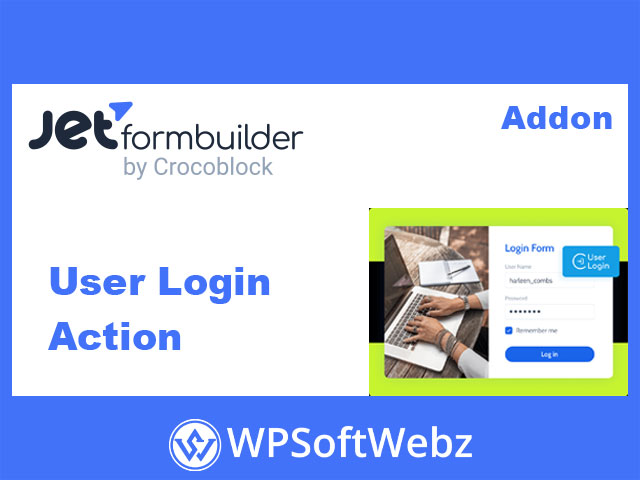

JetFormBuilder User Login Action Addon
The JetFormBuilder User Login Action Addon is a premium extension for JetFormBuilder that transforms your custom forms into fully functional, secure WordPress login forms. Instead of relying on the default WordPress login screen, you can build branded front-end login, “remember me,” and reset-password flows directly inside JetFormBuilder forms.
Turn Any Form Into a Secure Login Form
With this JetFormBuilder user login addon, you can attach a dedicated Login User post-submit action to any form. After submission, the addon authenticates users via their email/username and password using WordPress’s standard authorization methods, then logs them into your site seamlessly.
Because it integrates tightly with JetFormBuilder, you’re free to design the whole experience visually:
- Place login forms on any page or template.
- Match your brand styling via your theme or builder.
- Combine login with other actions, such as registration or email notifications.
- Use the same form builder interface you already know.
Key Features of JetFormBuilder User Login Action Addon
Post-Submit Login Action
- Adds a dedicated Login User action to JetFormBuilder’s post-submit actions.
- Authenticates users by email/login and password entered in the form.
- Works with standard WordPress user accounts, so no extra user system is required.
“Remember Me” & Secure Cookies
- Supports a Remember Me option so users stay logged in longer if they choose.
- Uses secure cookies in line with WordPress authentication practices to keep sessions safe.
- Reduces friction for returning users while maintaining a secure login experience.
Password Reset Form Integration
- Enables front-end reset password functionality via JetFormBuilder forms.
- Supports time-limited reset tokens, helping protect user accounts.
- Works perfectly with dedicated reset-password forms or multi-state login flows (e.g., “Forgot password?” → reset screen → back to login).
Flexible Field Mapping
- Lets you map specific form fields to login parameters (login/email, password, remember me, etc.).
- Gives you full control over field labels, placeholders, and layout.
- Allows you to adapt the login form to different audiences or flows while still using the same underlying user login action.
Flexible Front-End Login Flows
One of the standout advantages of the JetFormBuilder User Login Action Addon is how it plays with JetFormBuilder’s advanced features:
- Render States: Display different form states (e.g., login, registration, reset password) within a single form and switch between them dynamically.
- Pre-built templates: Use ready-made JetFormBuilder login templates that rely on the User Login Action, then customize to fit your brand and UX.
- Advanced validation: Apply strong password rules and validation logic right in your form fields.
This makes it easy to build:
- Simple single-step login forms.
- Combined “Sign Up / Log In / Reset Password” forms.
- Custom login experiences tailored for specific user roles or sections of your site.
Ideal Use Cases
The JetFormBuilder User Login Action Addon is designed to work smoothly across a wide variety of website types:
- Membership & subscription sites
Offer members a branded login page, integrated with registration and account-management forms. - E-commerce & WooCommerce shops
Replace the default store login with a custom form that matches your checkout and customer account area. - Multi-vendor directories & marketplaces
Provide vendors and partners with a dedicated front-end login that fits your portal layout. - Online courses, communities & intranets
Build clean, user-friendly login experiences for students, community members, or internal staff, all from the front-end.
Benefits for Site Owners & Developers
For Site Owners
- Better branding & UX – Replace the generic WordPress login with a coherent, on-brand flow.
- Higher engagement – A smoother login and reset experience can increase return visits and completed logins.
- Centralized management – Manage login, registration, and related post-submit actions all within JetFormBuilder.
For Developers & Implementers
- Consistent toolset – Use the same JetFormBuilder interface for login, registration, profile, and other forms.
- Full layout control – Build login layouts using your existing block editor, Elementor, or Bricks workflows.
- Extensible logic – Chain the User Login Action with other actions like registration, verification, profile update, or email notifications.
How It Fits Into the JetFormBuilder Pro Ecosystem
The JetFormBuilder User Login Action Addon is part of the JetFormBuilder Pro addon collection, extending the core free plugin with advanced post-submit actions. It complements:
- Register User actions for front-end registration.
- Email verification and token-based flows.
- Other Pro extensions that automate marketing, user management, and dynamic form logic.
Together, they allow you to build a complete login–registration–reset password system entirely in JetFormBuilder, without touching the default WordPress login screen.
Who Should Use JetFormBuilder User Login Action Addon?
Choose the JetFormBuilder User Login Action Addon if:
- You’re already using JetFormBuilder and want front-end WordPress login that matches your site design.
- You run a membership, e-commerce, directory, LMS, or community site and need flexible login flows.
- You want to combine registration, login, and reset password in one or more streamlined forms.
- You prefer using a visual form builder instead of coding custom login handlers.
If you’re building modern, user-friendly WordPress projects and want login forms that feel like a natural part of your site, the JetFormBuilder User Login Action Addon is a powerful Pro extension to include in your toolkit. Use it to centralize authentication inside JetFormBuilder, simplify user access, and deliver a polished login experience from the very first visit.
JetFormBuilder User Login Action Addon
The JetFormBuilder User Login Action Addon is a premium extension for JetFormBuilder that transforms your custom forms into fully functional, secure WordPress login forms. Instead of relying on the default WordPress login screen, you can build branded front-end login, “remember me,” and reset-password flows directly inside JetFormBuilder forms.
Turn Any Form Into a Secure Login Form
With this JetFormBuilder user login addon, you can attach a dedicated Login User post-submit action to any form. After submission, the addon authenticates users via their email/username and password using WordPress’s standard authorization methods, then logs them into your site seamlessly.
Because it integrates tightly with JetFormBuilder, you’re free to design the whole experience visually:
- Place login forms on any page or template.
- Match your brand styling via your theme or builder.
- Combine login with other actions, such as registration or email notifications.
- Use the same form builder interface you already know.
Key Features of JetFormBuilder User Login Action Addon
Post-Submit Login Action
- Adds a dedicated Login User action to JetFormBuilder’s post-submit actions.
- Authenticates users by email/login and password entered in the form.
- Works with standard WordPress user accounts, so no extra user system is required.
“Remember Me” & Secure Cookies
- Supports a Remember Me option so users stay logged in longer if they choose.
- Uses secure cookies in line with WordPress authentication practices to keep sessions safe.
- Reduces friction for returning users while maintaining a secure login experience.
Password Reset Form Integration
- Enables front-end reset password functionality via JetFormBuilder forms.
- Supports time-limited reset tokens, helping protect user accounts.
- Works perfectly with dedicated reset-password forms or multi-state login flows (e.g., “Forgot password?” → reset screen → back to login).
Flexible Field Mapping
- Lets you map specific form fields to login parameters (login/email, password, remember me, etc.).
- Gives you full control over field labels, placeholders, and layout.
- Allows you to adapt the login form to different audiences or flows while still using the same underlying user login action.
Flexible Front-End Login Flows
One of the standout advantages of the JetFormBuilder User Login Action Addon is how it plays with JetFormBuilder’s advanced features:
- Render States: Display different form states (e.g., login, registration, reset password) within a single form and switch between them dynamically.
- Pre-built templates: Use ready-made JetFormBuilder login templates that rely on the User Login Action, then customize to fit your brand and UX.
- Advanced validation: Apply strong password rules and validation logic right in your form fields.
This makes it easy to build:
- Simple single-step login forms.
- Combined “Sign Up / Log In / Reset Password” forms.
- Custom login experiences tailored for specific user roles or sections of your site.
Ideal Use Cases
The JetFormBuilder User Login Action Addon is designed to work smoothly across a wide variety of website types:
- Membership & subscription sites
Offer members a branded login page, integrated with registration and account-management forms. - E-commerce & WooCommerce shops
Replace the default store login with a custom form that matches your checkout and customer account area. - Multi-vendor directories & marketplaces
Provide vendors and partners with a dedicated front-end login that fits your portal layout. - Online courses, communities & intranets
Build clean, user-friendly login experiences for students, community members, or internal staff, all from the front-end.
Benefits for Site Owners & Developers
For Site Owners
- Better branding & UX – Replace the generic WordPress login with a coherent, on-brand flow.
- Higher engagement – A smoother login and reset experience can increase return visits and completed logins.
- Centralized management – Manage login, registration, and related post-submit actions all within JetFormBuilder.
For Developers & Implementers
- Consistent toolset – Use the same JetFormBuilder interface for login, registration, profile, and other forms.
- Full layout control – Build login layouts using your existing block editor, Elementor, or Bricks workflows.
- Extensible logic – Chain the User Login Action with other actions like registration, verification, profile update, or email notifications.
How It Fits Into the JetFormBuilder Pro Ecosystem
The JetFormBuilder User Login Action Addon is part of the JetFormBuilder Pro addon collection, extending the core free plugin with advanced post-submit actions. It complements:
- Register User actions for front-end registration.
- Email verification and token-based flows.
- Other Pro extensions that automate marketing, user management, and dynamic form logic.
Together, they allow you to build a complete login–registration–reset password system entirely in JetFormBuilder, without touching the default WordPress login screen.
Who Should Use JetFormBuilder User Login Action Addon?
Choose the JetFormBuilder User Login Action Addon if:
- You’re already using JetFormBuilder and want front-end WordPress login that matches your site design.
- You run a membership, e-commerce, directory, LMS, or community site and need flexible login flows.
- You want to combine registration, login, and reset password in one or more streamlined forms.
- You prefer using a visual form builder instead of coding custom login handlers.
If you’re building modern, user-friendly WordPress projects and want login forms that feel like a natural part of your site, the JetFormBuilder User Login Action Addon is a powerful Pro extension to include in your toolkit. Use it to centralize authentication inside JetFormBuilder, simplify user access, and deliver a polished login experience from the very first visit.