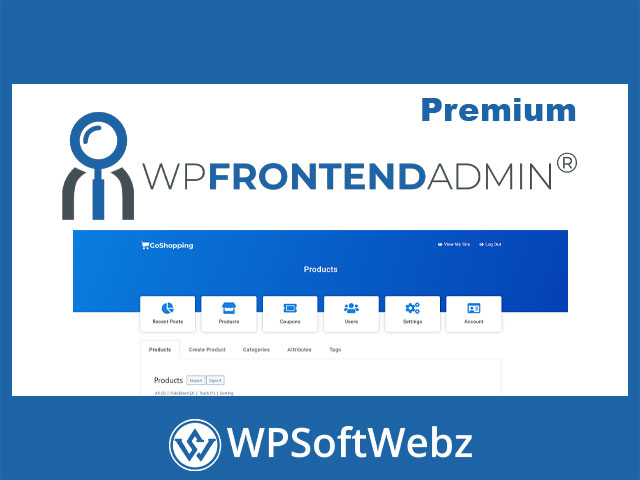

WP Frontend Admin Premium Overview
WP Frontend Admin Premium is a professional WordPress plugin that lets you display wp-admin pages on the front end of your website—so clients, staff, members, vendors, or site owners can manage specific admin tasks without ever entering the WordPress dashboard. Instead of building custom interfaces from scratch, you can convert existing WordPress and plugin admin screens into a clean, branded front-end experience and share access as part of a dashboard, portal, or web app.
If your goal is a safer, more user-friendly “frontend admin” workflow—while keeping WordPress powerful under the hood—WP Frontend Admin Premium is designed for exactly that.
WP Frontend Admin Premium: Display wp-admin Pages on the Front End
At its core, WP Frontend Admin Premium takes the admin pages you already rely on (WordPress settings, WooCommerce management, plugin screens, and more) and makes them accessible from the front end.
What this enables
- Show the same wp-admin page in the front end so users can work as “normal users” without the backend context
- Share a front-end link to specific admin functionality for clients or internal teams
- Turn WordPress plugins into white-label, client-friendly “web app” experiences
How It Works
WP Frontend Admin Premium is built around a simple dashboard-building workflow:
1) Create a normal WordPress page
Build your dashboard page using the editor or your preferred page builder.
2) Embed admin content where you want it
Place the plugin’s shortcode to load a chosen wp-admin screen inside your front-end layout.
3) Clean up and tailor the interface with a live editor
After embedding an admin page, you can use the plugin’s live editing approach to streamline the UI—removing unnecessary elements, adjusting texts, and shaping the page into a guided, user-friendly front-end admin panel.
Build Branded Frontend Dashboards With Any Page Builder
WP Frontend Admin Premium is designed to work with popular page builders, so you can create dashboards that match your site’s theme and UX patterns. This is especially useful for agencies and product teams who need a polished, white-label portal experience.
Dashboard design advantages
- Use Elementor, Gutenberg, Divi, Beaver Builder, Brizy, and similar tools
- Create tabbed dashboards, accordions, popups, and custom navigation layouts
- Import ready-made dashboard design templates to speed up launches (where available)
Practical Premium Use Cases
Because the premium version is built to display any wp-admin page, the use cases go far beyond basic post editing. You can build role-based or task-based dashboards such as:
Content and site management dashboards
- Front-end post creation and editing (including Gutenberg-based workflows)
- Managing users from the front end
- Updating site settings and permalink settings without backend access
- Managing comments, widgets, and navigation menus
WooCommerce management dashboards
- Edit WooCommerce products from the front end
- Create and manage coupons
- View sales reports and store stats
- Manage orders and store settings from a front-end portal
“WordPress as a Web App” workflows
WP Frontend Admin Premium is often used to convert plugin-powered admin screens into a streamlined SaaS-like experience—useful for building client portals, internal tools, and membership-based dashboards.
Multisite, WaaS, and Platform-Style Builds
For teams building platforms (multi-tenant setups, WordPress Multisite networks, and WaaS-style solutions), WP Frontend Admin Premium supports workflows like:
- A global front-end dashboard experience for managing sites in a network
- Front-end management for multiple sites from one interface
- Compatibility with platform tooling such as WP Ultimo (for membership/site provisioning use cases)
Integrations That Expand What You Can Do
WP Frontend Admin Premium is positioned to work with a wide ecosystem of WordPress plugins—so the “frontend dashboard” can become a hub for managing many different systems.
Common integration directions include:
- Page building workflows (Elementor and similar builders)
- eCommerce operations (WooCommerce)
- Forms and surveys (WPForms and comparable tools)
- LMS and course platforms (LearnPress / LearnDash-type workflows)
- Donations, events, analytics, and other plugin-driven admin areas
Licensing Notes for Professional Use
WP Frontend Admin Premium is described as split-licensed. The PHP component (and HTML rendered/generated by PHP) is covered by the GPL, while other bundled components may come with their own licenses depending on third-party dependencies. This matters for businesses that need clarity around distribution, modification, and compliance.
Conclusion: Who WP Frontend Admin Premium Is For
WP Frontend Admin Premium is best for agencies, site owners, and product teams who want to:
- Reduce reliance on wp-admin for non-technical users
- Build secure, branded frontend dashboards and client portals
- Enable specific admin workflows (content, WooCommerce, settings, users) on the front end
- Turn WordPress plugins into a more app-like, white-label experience—especially for platform or multisite scenarios
If you want to replace “log into wp-admin” with a cleaner, controlled, front-end admin experience, WP Frontend Admin Premium is a strong foundation to build on. Set up your first dashboard page, embed the key admin screens your users truly need, and deliver a simpler workflow that feels tailor-made.