
WooCommerce Boost Sales – Premium Upsell and Cross-Sell Plugin
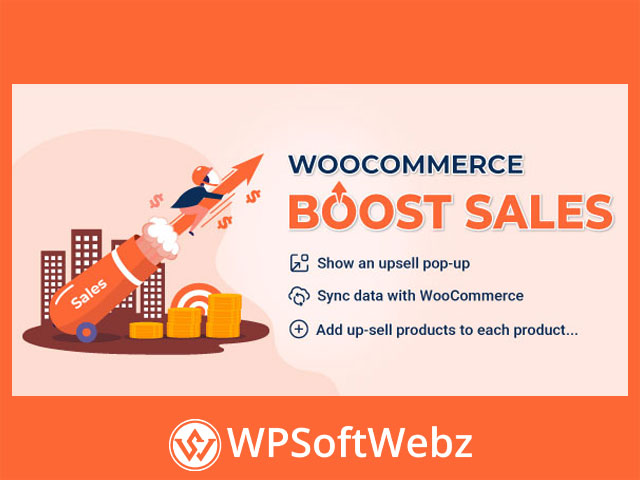
WooCommerce Boost Sales is a premium WooCommerce marketing plugin designed to help online stores increase average order value through targeted upsells, cross-sell bundles, frequently bought together recommendations, and coupon-based discount progress bars. It gives store owners several ways to recommend relevant products during the shopping journey without relying only on WooCommerce’s standard linked-product displays.
The plugin can present product suggestions after a customer adds an item to the cart, display complementary bundles on important store pages, and encourage shoppers to reach a defined cart total. Its combination of recommendation rules, flexible display positions, AJAX functionality, and visual customization makes it suitable for stores that want greater control over their product promotion strategy.
How WooCommerce Boost Sales Supports Store Revenue
WooCommerce stores often have opportunities to generate additional revenue from existing visitors. Instead of focusing exclusively on attracting more traffic, store owners can use upselling and cross-selling techniques to help customers discover upgraded products, useful accessories, and complementary items.
WooCommerce Boost Sales supports this strategy with several coordinated sales tools:
- Upsell product popups
- Cross-sell product bundles
- Frequently bought together sections
- Coupon discount progress bars
- AJAX add-to-cart functionality
- Flexible product recommendation rules
- Customizable popup and bundle designs
- Responsive layouts for mobile shoppers
These features can be configured independently, allowing merchants to create a sales experience that matches their catalog, store design, and promotional goals.
WooCommerce Upsell Popups
Recommend Products After Add to Cart
The premium plugin can display an upsell popup after a customer clicks the Add to Cart button. This creates an opportunity to introduce alternative or additional products while the shopper is actively making a purchase decision.
Store administrators can determine which products should appear in the popup for specific products or categories. Existing WooCommerce upsell relationships can also be synchronized and used by the plugin.
Possible upsell sources include:
- Manually selected products
- Products from selected categories
- Products in the same category
- Recently viewed products
- Products with matching tags
- Products with related attributes
- Upsells already configured in WooCommerce
This range of sources helps stores provide more relevant recommendations instead of showing the same generic products to every shopper.
Control Which Products Appear
WooCommerce Boost Sales includes filtering and exclusion controls for managing upsell recommendations. Store owners can prevent selected products or categories from triggering an offer and exclude specific items from appearing inside the popup.
Additional controls can be used to hide out-of-stock products or products that are already in the customer’s cart. Recommended items can also be sorted by criteria such as title, price, sales performance, publishing order, or random selection.
AJAX Add to Cart
Customers can add recommended upsell products without requiring a complete page reload. The available redirect controls can keep shoppers on the current page or send them to the cart or checkout, depending on the store’s preferred sales flow.
Cross-Sell Product Bundles
Create Complementary Product Offers
The cross-sell system allows merchants to group related products into bundles. These offers can be used to promote accessories, complementary items, product sets, or other combinations that make sense alongside the customer’s original selection.
Cross-sell bundles can appear in several locations, including:
- Single product pages
- Cart pages
- Checkout pages
- Popups
- Below the Add to Cart button
- Near the product description
- Custom hook positions
This flexibility lets store owners place relevant offers at different stages of the buying process.
Bundle Pricing and Discount Rules
WooCommerce Boost Sales supports pricing rules for cross-sell bundles. Merchants can configure percentage-based or fixed-amount discounts and apply rules according to bundle price ranges.
When several eligible bundles are available, the plugin can select which one to display according to configured criteria. Depending on the page and settings, stores can prioritize an applicable bundle based on price, quantity, or random selection.
Variable Product Support
Variable products can be included in cross-sell offers. Customers can select the required product attributes or variations from the offer interface, making the bundle system useful for products with options such as size, color, style, or configuration.
AJAX add-to-cart support helps customers add the selected bundle without unnecessary page reloads.
Frequently Bought Together Recommendations
The Frequently Bought Together feature provides another way to display related products on individual product pages. Recommendations can be sourced from the plugin’s upsell and cross-sell configurations or from the linked products already assigned through WooCommerce.
Store owners can position the section:
- After the add-to-cart form
- After the product summary
- After the product tabs
Horizontal and vertical layouts are available, while the mobile presentation can adapt to narrower screens. Administrators can control which products are selected by default, how variable product attributes are displayed, and what happens after the selected items are added to the cart.
A dedicated shortcode is also available for placing frequently bought together recommendations in custom content areas or compatible page layouts.
Coupon Discount Progress Bar
Encourage Customers to Reach a Cart Target
WooCommerce Boost Sales includes a discount progress bar that works with coupons created in WooCommerce. The bar can show customers how much more they need to spend before qualifying for the associated discount.
This creates a clear incentive for shoppers to add another product rather than leaving the store with a smaller order.
The discount bar can display:
- A promotional headline
- The remaining amount required
- A visual progress indicator
- A confirmation or congratulatory message
- A checkout action after the target is reached
Store owners can also configure an automatic checkout redirect after the customer satisfies the required cart
- A visual progress indicator
- A confirmation or congratulatory message
- A checkout action after the target amount.
Customize the Discount Message
The progress bar’s position, colors, background, text, and customer-facing messages can be adjusted. This helps the promotion remain consistent with the store’s branding and allows merchants to communicate the offer in a clear and persuasive way.
Flexible Front-End Design Controls
Customize Upsell and Cross-Sell Displays
The plugin provides design options for its customer-facing sales elements. Administrators can customize the appearance of upsell popups, cross-sell offers, gift icons, and discount bars.
Depending on the feature, available controls include:
- Popup layouts
- Products displayed per row
- Mobile product layouts
- Maximum visible recommendations
- Custom popup messages
- Add-to-cart button behavior
- Continue shopping button text and action
- Popup backgrounds and images
- Text and price colors
- Icon style, color, and position
- Initial popup timing
- Discount bar placement
- Custom CSS
These settings allow the premium WooCommerce upsell plugin to fit a broad range of storefront designs without forcing every store to use the same presentation.
Mobile, Multilingual, and RTL Support
WooCommerce Boost Sales is designed to work on mobile devices and includes separate display options for smaller screens. Mobile-friendly templates help product offers remain usable when shoppers browse from phones or tablets.
The plugin also supports multilingual stores using WPML or Polylang. RTL support makes it suitable for websites using right-to-left languages, including both administrative and front-end sales interfaces.
Practical Use Cases
Fashion and Apparel Stores
Recommend matching accessories, upgraded materials, coordinated products, or bundles that complete an outfit. Variable product support allows customers to choose relevant sizes and colors from supported offer displays.
Electronics Shops
Suggest cables, adapters, protective cases, storage devices, extended accessories, or higher-specification alternatives after customers add a device to their cart.
Beauty and Personal Care Stores
Create routines or product sets by combining complementary skincare, haircare, cosmetic, or grooming items.
Home and Lifestyle Stores
Promote related furnishings, replacement items, accessories, or coordinated collections through product bundles and frequently bought together sections.
General WooCommerce Retailers
Use the coupon progress bar to encourage customers to reach a promotional cart value while displaying contextual product recommendations throughout the purchase process.
Benefits of WooCommerce Boost Sales
WooCommerce Boost Sales combines several conversion-focused tools in one premium plugin. Rather than managing separate solutions for upsells, cross-sells, bundles, frequently bought together products, and cart incentives, merchants can coordinate these promotions from one system.
Key benefits include:
- More control over WooCommerce product recommendations
- Multiple opportunities to promote related products
- Flexible display locations across the shopping journey
- Support for product bundles and variable products
- Coupon-based cart value incentives
- AJAX-powered add-to-cart interactions
- Customizable customer-facing designs
- Responsive and multilingual store support
Conclusion
WooCommerce Boost Sales is suited to WooCommerce store owners, marketers, and agencies that want to create more structured upselling and cross-selling campaigns. It is especially useful for stores with complementary products, upgrade opportunities, bundle promotions, or cart-value discounts.
Use WooCommerce Boost Sales to present relevant offers at key purchasing moments, improve product discovery, and build a more effective sales journey for your customers.