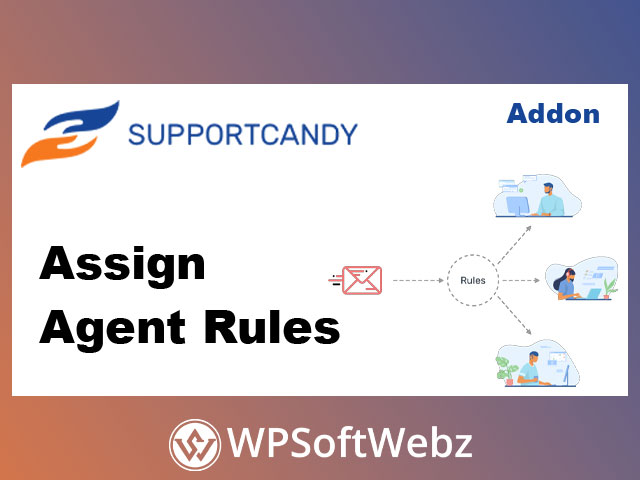

SupportCandy Assign Agent Rules is a premium add-on that automates ticket assignment in SupportCandy by conditionally assigning agents or agent groups to new tickets using rules you define. Instead of manually routing every incoming request, you can create smart, repeatable assignment logic that helps your helpdesk respond faster, reduce triage overhead, and keep workloads balanced across your team.
SupportCandy Assign Agent Rules: Automatic Ticket Assignment for SupportCandy
When your support inbox grows, manual assignment becomes a bottleneck. SupportCandy Assign Agent Rules is designed to streamline ticket routing by automatically applying your predefined rules whenever a customer submits a new ticket.
How SupportCandy Assign Agent Rules works
- An administrator creates assignment rules that include conditions plus the agents or agent groups to assign.
- When a customer creates a ticket, SupportCandy checks the ticket against all available rules.
- Agents from every matched rule are assigned to the ticket (and if multiple rules match, assignments from all matched rules apply).
This approach is ideal for teams that need consistent routing based on business logic and want fewer “unassigned” tickets sitting in queues.
Rule-Based Agent and Agent Group Assignment
SupportCandy Assign Agent Rules supports assigning both individual agents and groups, making it flexible for different support structures—single-person teams, multi-agent desks, and tiered support setups.
Assign agent groups automatically
The add-on provides multiple ways to assign agent groups depending on how you want visibility and responsibility handled:
- Assign agent groups only
Agent groups are treated as agents for assignment purposes. Group supervisors can view tickets when the group is assigned, and supervisors can further assign tickets to one or more group members (including themselves). - Assign the group and one member (including supervisors)
The system assigns the group and also assigns one agent member using workload or closest working hours logic. Supervisors are included among eligible members. - Assign the group and one member (excluding supervisors)
Similar to the above, but supervisors are excluded from the eligible member pool—useful when supervisors should oversee rather than take tickets.
Why Use SupportCandy Assign Agent Rules?
Automated routing improves both customer experience and internal efficiency—especially when you want tickets to reach the right team quickly and consistently.
Key benefits
- Reduce manual ticket triage and repetitive routing tasks
- Speed up first response by assigning ownership immediately
- Improve operational consistency with condition-based assignment
- Support scalable workflows as your agent team and ticket volume grow
- Distribute work more intelligently using workload or working-hours logic (when assigning a group + member)
Best Use Cases
SupportCandy Assign Agent Rules is especially useful for:
- Support teams handling multiple services, departments, or product lines
- Businesses that want quicker assignment for time-sensitive tickets
- Agencies managing support across multiple sites with consistent routing rules
- Helpdesks using agent groups with supervisors and structured escalation paths
Conclusion
If you want to eliminate manual ticket assignment and route new requests automatically based on clear conditions, SupportCandy Assign Agent Rules is a practical, workflow-focused upgrade for SupportCandy. It helps your team stay organized, improve response efficiency, and ensure tickets land with the right agents or groups from the start. Add SupportCandy Assign Agent Rules to your helpdesk setup and keep your support operations running smoothly.