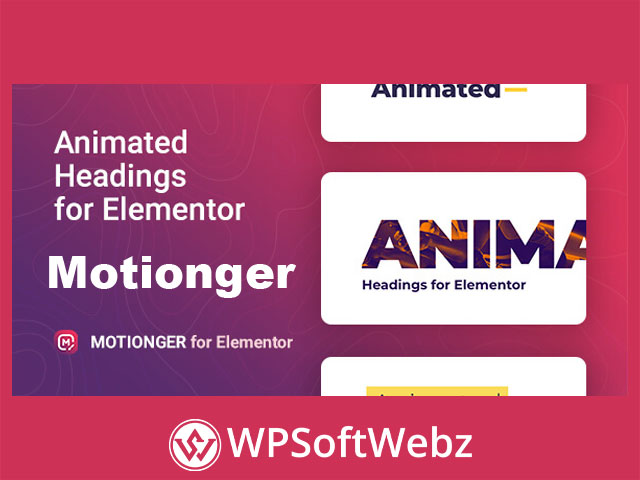

Motionger – Animated Heading for Elementor is a premium WordPress plugin that helps website creators build eye-catching animated titles directly within the Elementor editor. Designed as a flexible Elementor heading widget, it can animate an entire headline or selected words, making important messages, page introductions, promotional statements, and calls to action more engaging without requiring custom coding.
Motionger – Animated Heading for Elementor Features
Motionger extends Elementor with a dedicated animated heading widget that combines typography controls, motion effects, and visual styling options in one familiar interface. Users can create distinctive headings while controlling their appearance through Elementor’s visual editing tools.
The plugin is suitable for users who want to add movement to website content without manually building CSS or JavaScript animations. It can be adapted to different website styles, from clean corporate layouts to bold creative portfolios and promotional landing pages.
Animate Complete Headings or Individual Words
Motionger provides flexibility over which parts of a heading receive animation. Website creators can animate the complete headline or emphasize separate words within the text.
This makes the animated title widget useful for:
- Highlighting products or services
- Emphasizing important keywords
- Creating dynamic hero-section headlines
- Presenting changing promotional messages
- Drawing attention to calls to action
- Adding visual interest to page introductions
- Enhancing creative portfolio layouts
By applying motion selectively, users can create more focused visual effects instead of animating every element on the page.
Multiple Animated Heading Effects
The plugin includes a collection of animation types for creating moving, rotating, and visually dynamic headlines. Users can choose an effect that complements the design and purpose of each page.
Animated headings can help establish a clear visual hierarchy by directing visitor attention toward important content. They are especially useful in hero sections, service introductions, marketing banners, portfolio presentations, product showcases, and landing-page headlines.
Rotating Additional Header Text
Motionger supports rotating additional heading content, allowing selected words or text elements to change within the headline. This functionality can be used to present multiple services, benefits, audience groups, or descriptive terms in the same content area.
For example, an agency could use rotating text to present different capabilities, while an online store could highlight several product advantages within one heading. The exact wording, styling, and animation can be adjusted to match the website’s branding.
Customizable Typography and Colors
Motionger provides detailed styling options through the Elementor interface. Users can customize heading elements without modifying theme files or writing additional code.
Available styling controls include options for:
- Fonts and typography
- Text colors
- Borders
- Background colors
- Text gradients
- Background gradients
- Padding
- Margins
- Individual heading elements
These controls make it easier to coordinate animated headlines with an existing visual identity. Designers can create subtle professional headings, colorful promotional titles, or bold creative typography depending on the website’s purpose.
Text and Background Gradients
Gradient controls add another layer of visual customization. Users can apply gradients to text or heading backgrounds to create modern titles that stand out from standard static typography.
Gradient effects can be particularly effective for:
- Creative agency websites
- Technology landing pages
- Digital product presentations
- Startup websites
- Online portfolios
- Marketing campaigns
- Promotional banners
The plugin’s visual controls allow gradient styling to be configured within Elementor rather than through separate custom stylesheets.
Pre-Designed Animated Heading Templates
Motionger includes professionally prepared heading templates that can provide a faster starting point for new designs. These templates demonstrate how animation, typography, and layout settings can be combined to create engaging headline effects.
Users can begin with an included design and then customize its text, colors, fonts, backgrounds, spacing, and animation settings. This can reduce setup time while still allowing the final result to reflect the website’s branding.
The templates can also serve as inspiration for users who want to create their own animated title styles from the ground up.
Responsive Elementor Heading Widget
Motionger includes responsive settings that help users adapt animated headings for different screen sizes. This is important because a large animated title that works well on a desktop display may need different typography or spacing on a smartphone.
Responsive controls can help improve:
- Mobile headline readability
- Tablet layout consistency
- Text alignment across devices
- Spacing around animated content
- Visual balance on smaller screens
- Overall presentation of hero sections
Careful responsive configuration ensures that animation enhances the content without reducing readability or disrupting the layout.
No-Code Animated Text Customization
The plugin is designed to work through Elementor’s visual editing environment. Website owners, designers, marketers, and content managers can create and style animated headings without advanced programming knowledge.
A typical workflow involves:
- Adding the Motionger widget to an Elementor layout
- Entering the main and additional heading text
- Choosing an appropriate animation
- Configuring fonts, colors, gradients, and backgrounds
- Adjusting padding and margins
- Reviewing responsive settings
- Previewing the result before publishing
This visual workflow makes the plugin accessible to non-technical users while still offering useful customization options for professional designers.
Compatible with Elementor-Based WordPress Themes
Motionger is intended to work with WordPress themes built around Elementor. This gives users flexibility when adding animated typography to existing page designs rather than requiring a dedicated theme.
It can be used across many types of websites, including:
- Blogs and online magazines
- Creative portfolios
- Corporate websites
- eCommerce stores
- Digital and creative agencies
- Real estate websites
- Personal résumé and CV websites
- Restaurant websites
- Retail company websites
- Glossaries and content directories
Because the widget can be styled independently, it can be adapted to both minimal and highly visual layouts.
Lightweight Animated Heading Functionality
Motionger is positioned as a lightweight Elementor extension focused specifically on animated headings. Rather than adding a large collection of unrelated widgets, it provides dedicated functionality for creating dynamic title elements.
A focused plugin can be useful for website owners who only need animated typography and do not want to install a broader Elementor widget package. Actual website performance will still depend on hosting, theme configuration, media optimization, caching, installed plugins, and the number of animated elements placed on each page.
Translation and RTL Support
The plugin includes a translation file that can help users localize its interface for different languages. It also supports right-to-left text direction, making it more practical for multilingual websites and languages that use RTL layouts.
These capabilities are valuable for:
- International business websites
- Multilingual landing pages
- Localized marketing campaigns
- Regional eCommerce stores
- Websites serving diverse audiences
Content creators should still test typography and animation behavior with their chosen language, font, and responsive layout.
Cross-Browser Presentation
Motionger is designed to support major modern web browsers. This helps animated headings maintain a consistent presentation for visitors using different browsing environments.
Browser compatibility is especially important for animation-based elements because motion effects may otherwise behave differently across platforms. Website administrators should always test important animated headlines on desktop and mobile devices before publishing major campaigns or landing pages.
SEO-Friendly Animated Headings
Motionger is designed to create heading content that can remain part of the page structure rather than displaying important messages only through images or videos. This allows website creators to combine engaging animation with readable text-based content.
For effective on-page SEO, users should:
- Maintain a logical heading hierarchy
- Include keywords naturally
- Avoid excessive animation
- Keep headline text clear and readable
- Use concise wording
- Optimize surrounding page content
- Test usability on mobile devices
Animation can attract attention, but the heading should still communicate a meaningful message to visitors and search engines.
Benefits of Motionger for Elementor Websites
Improve Visual Engagement
Animated headings can make landing pages and hero sections feel more interactive while drawing attention to important messages.
Strengthen Content Hierarchy
Motion effects can distinguish primary headlines from supporting text and guide visitors toward key information.
Match Existing Branding
Typography, color, gradient, background, border, and spacing controls help animated titles blend naturally with the rest of the website.
Save Development Time
The visual Elementor workflow reduces the need to manually write and maintain custom animation code.
Support Different Website Types
The widget can be adapted to business websites, online stores, portfolios, blogs, agency sites, restaurants, personal pages, and other Elementor projects.
Who Should Use Motionger?
Motionger is suitable for Elementor users who want more dynamic headings without developing animation effects manually. It is particularly useful for:
- Web designers building Elementor websites
- Creative agencies developing promotional pages
- Freelancers creating portfolio websites
- Marketing teams building campaign landing pages
- Businesses highlighting products and services
- Online stores promoting offers or benefits
- Bloggers improving page introductions
- Developers seeking a focused animated title widget
Conclusion
Motionger – Animated Heading for Elementor provides a practical way to create animated titles, rotating text, gradient headlines, and responsive heading effects inside Elementor. Its visual customization options, flexible animation controls, templates, multilingual support, and compatibility with Elementor-based themes make it useful for many WordPress projects.
Choose Motionger – Animated Heading for Elementor to transform ordinary headlines into engaging visual elements that capture attention and reinforce your website’s most important messages.