
Backuply Pro – Reliable Backups for WordPress is a premium WordPress backup plugin built for site owners who want automated backups, one-click restores, remote storage options, and smoother migration workflows from a single dashboard. It is designed to help protect WordPress websites against crashes, faulty updates, hacks, and user error while making backup management easier for beginners, developers, agencies, and business owners alike.
Backuply Pro – Reliable Backups for WordPress Overview
For anyone managing a WordPress website, reliable backup and restore tools are essential. Backuply Pro – Reliable Backups for WordPress focuses on the core jobs that matter most: creating backups, restoring them quickly, moving websites between environments, and keeping copies in remote storage for better redundancy.
Unlike a basic backup solution that only stores local copies, Backuply Pro expands the workflow with automation, off-site backup destinations, migration support, and extra control over what gets included in each backup. This makes it a practical choice for website maintenance, disaster recovery, and WordPress site transfers.
Why Backuply Pro Stands Out
Backuply Pro is positioned as a backup and recovery solution for WordPress users who want convenience without giving up flexibility. It combines an easy-to-use interface with features that support more advanced workflows.
Key highlights include:
- Automated WordPress backups
- One-click restore
- WordPress migration and cloning support
- Remote and cloud backup destinations
- One-click local backup download
- Selective backup exclusions
- Website uptime monitoring
- Website blacklist monitoring
- WP-CLI support for advanced users
Core Features of Backuply Pro
Automated WordPress Backups
One of the biggest benefits of Backuply Pro – Reliable Backups for WordPress is backup automation. Instead of relying only on manual backups, you can schedule recurring backups and choose the timing that fits your workflow. This is especially useful for active websites that publish new content, process orders, or receive regular updates.
For users who need even more control, the official documentation also covers custom auto backup setups using cron-based scheduling.
One-Click Restore for Faster Recovery
When something goes wrong, speed matters. Backuply Pro includes one-click restore functionality, helping you recover site files and databases without a complicated multi-step process. This makes it valuable for recovering from plugin conflicts, bad updates, file corruption, or accidental changes.
A simple restore workflow is one of the main reasons many WordPress users look for a premium backup plugin, and Backuply Pro is clearly built around that convenience.
Migration and Cloning Support
Backuply Pro is also suitable for WordPress migration and cloning tasks. The official documentation shows workflows for migrating a site from a backup stored remotely or from a local folder, which is helpful when moving a website to a new server, domain, or staging-style environment.
This makes the plugin useful not only for protection, but also for site deployment and maintenance tasks.
Remote Storage and Cloud Backup Options
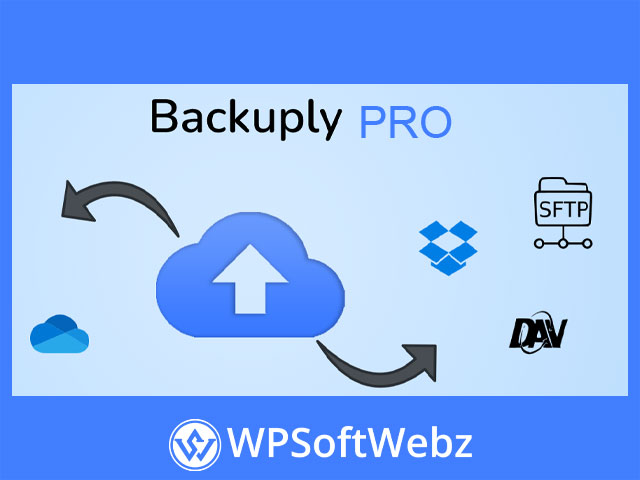
A strong off-site backup strategy is one of the most important parts of WordPress security. Backuply Pro – Reliable Backups for WordPress extends backup storage beyond local copies by supporting multiple remote destinations documented on the official site.
Supported Backup Destination Types
Backuply Pro documentation includes setup guides for:
- FTPS
- SFTP
- WebDAV
- Google Drive
- Microsoft OneDrive
- Dropbox
- Amazon S3
- S3-compatible storage options such as DigitalOcean Spaces, Linode Object Storage, Vultr Object Storage, and Cloudflare R2
These off-site storage options are especially valuable for businesses and agencies that want stronger redundancy and more flexible backup planning.
One-Click Download
In addition to remote storage, Backuply also supports one-click download for locally stored backups. That gives users a convenient way to keep an offline copy when needed for manual archiving, migration, or extra recovery planning.
Flexible Backup Control
Select What to Back Up
Backuply lets users create backups for the database, directories and files, or both together. That flexibility can help when you only need to protect certain parts of a site or want a faster workflow for specific maintenance tasks.
Exclude Files, Folders, and Database Tables
For more control, the official documentation also confirms exclusion settings for database tables, files, and directories. This is useful when you want to reduce backup size, skip temporary data, or avoid storing unnecessary folders in every backup cycle.
For developers and advanced users, that level of control can make backup jobs more efficient and easier to manage.
WP-CLI Support
Backuply Pro also supports WP-CLI commands for tasks such as listing backups or locations, creating backups, restoring backups, syncing cloud backups, stopping processes, and checking progress. This adds real value for technical users who prefer command-line workflows or need backup operations integrated into a more advanced maintenance routine.
Monitoring and Website Protection Features
Backuply Pro is not limited to backup creation alone. The official product page also highlights website monitoring tools that add another layer of practical value.
Monitoring Tools Included
- Website uptime monitoring
- Website blacklist monitoring
These features help site owners keep an eye on site availability and whether the website is flagged as unsafe for browsing, which can be useful as part of a broader WordPress maintenance setup.
Who Backuply Pro Is Best For
Backuply Pro – Reliable Backups for WordPress is a strong fit for:
- WordPress site owners who want automated backups
- Agencies managing multiple client websites
- Developers handling migrations and restores
- Business websites that need off-site backup storage
- Content sites that need dependable recovery options
- Users who want both beginner-friendly tools and advanced controls
Final Thoughts on Backuply Pro – Reliable Backups for WordPress
Overall, Backuply Pro – Reliable Backups for WordPress is a well-rounded premium backup plugin for users who need more than simple local backups. With scheduled backups, one-click restore, migration support, remote storage integrations, selective exclusions, and monitoring tools, it offers a practical mix of convenience and control for serious WordPress maintenance.
If you want a WordPress backup plugin that helps protect your site, simplify recovery, and support off-site backup workflows, Backuply Pro – Reliable Backups for WordPress is a solid option worth considering.