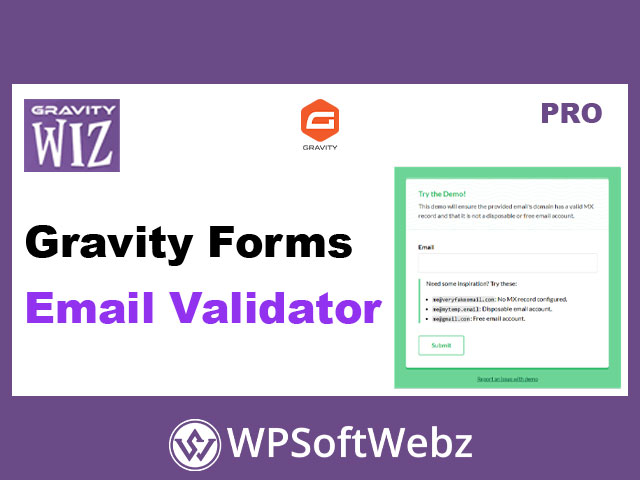

Gravity Forms Email Validator is a premium Gravity Perks add-on that upgrades standard Gravity Forms Email fields with automatic email address verification and domain-based validation. It’s designed to help you stop fake sign-ups, reduce bounce-prone addresses, and build cleaner lists by validating emails at submission—while also saving validation metadata you can use for filtering entries and powering smarter conditional logic.
Gravity Forms Email Validator for cleaner, more trustworthy submissions
Email fields are often the #1 target for spam, disposable inboxes, and typo-ridden entries. Gravity Forms Email Validator adds a practical layer of protection and quality control so you can confidently use form submissions for marketing automation, newsletters, user registration, and lead generation.
What it helps you achieve
- Reject fake, disposable, or invalid email addresses at the point of entry
- Improve list quality and deliverability by preventing risky addresses from entering your CRM or email marketing platform
- Create more reliable user registration and account-based workflows
- Reduce manual cleanup and support overhead caused by typos and junk submissions
Key features
Email address validation (submission-time verification)
Gravity Forms Email Validator validates emails on submission, ranging from basic checks (like confirming MX records) to more advanced verification through supported validator services. This helps ensure the email submitted is usable—before it reaches your notifications, feeds, and automations.
Domain validation with allowlists and blocklists
Need tighter control than “valid/invalid”? Use domain validation to allow or block specific email domains regardless of other validation results. You can list one domain per line and also control submissions by top-level domain (TLD), enabling workflows like:
- Allow only certain organizational domains
- Block known spammy domains
- Restrict submissions by TLD (e.g., allow
.eduonly, or block specific country-based TLDs)
Validation insights in the WordPress dashboard
Successful validation results include status and technical details that are visible in the entry view. This makes it easier to audit form quality, troubleshoot rejects, and understand why an email was flagged.
Use validation metadata for filters and conditional logic
Validation results are stored in entry meta, which means you can:
- Filter entry lists by validation status (e.g., show “risky” entries)
- Use statuses and technical details in conditional logic for notifications and email feeds
- Build moderation workflows (e.g., route “risky” emails for manual review)
Validator services and how they differ
Gravity Forms Email Validator offers multiple validator services so you can choose the level of validation detail you need.
Basic validator (default, local)
The built-in Basic service provides practical validation without third-party accounts. It supports default rules and optional custom rules, including:
- Require configured MX record (helps confirm the domain can receive email)
- Block disposable/temporary emails (prevents throwaway inbox submissions)
- Block free email accounts (useful when you want business-only addresses)
- Flag Gmail “plus trick” addresses and save a sanitized email (captures the base address to reduce duplicate workarounds)
Kickbox integration (advanced verification + “Did you mean?”)
For deeper email verification, you can connect Kickbox. It supports:
- Live and Sandbox modes (useful for testing)
- Selectable rejection criteria (e.g., reject undeliverable by default; optionally handle risky/unknown)
- Extra technical insights such as deliverability result, reasons, disposable/free/role indicators, accept-all detection, and a quality score
- Optional typo help: a “Did you mean?” suggestion when a likely mistype is detected
ZeroBounce integration (advanced verification with expanded statuses)
ZeroBounce adds another advanced verification option with:
- Live and Sandbox modes
- Selectable rejection criteria (including catch-all, unknown, invalid, do-not-mail, spam trap, abuse)
- Technical details such as status/sub-status, domain age, free-email indicator, MX presence, SMTP provider, and processing timestamp
Practical use cases
- Lead gen forms: reduce junk leads and protect your pipeline
- Newsletter signups: prevent disposable emails and improve deliverability
- User registration: ensure accounts are created with real, reachable emails
- B2B forms: block free email services and encourage professional addresses
- Compliance or internal workflows: restrict submissions to approved domains/TLDs
Admin-friendly troubleshooting and visibility
When an email is rejected, form editors can see an additional “editor-only” message explaining the rejection reason. You can also use Gravity Forms logging and view Email Validator logs in the Gravity Forms Logging area to debug validator responses and settings issues.
Developer-friendly customization
Gravity Forms Email Validator includes hooks for deeper control, including options to:
- Disable Email Validator by default (globally or per form)
- Customize validation error messaging
- Filter the validation result programmatically
Notes and known limitations
- If the Gmail “plus trick” sanitization is enabled, Gravity Forms’ “No Duplicates” behavior may not be honored as expected for plus-address variations.
- Domains that are explicitly allowed can still be blocked if the email fails validation—domain rules don’t override a failed validation outcome.
Conclusion: who Gravity Forms Email Validator is for
If you rely on Gravity Forms for signups, registrations, quotes, or lead capture, Gravity Forms Email Validator is built for you—especially if you want fewer fake submissions, cleaner lists, and more dependable automations. Add it to your forms to validate emails intelligently, reduce spam, and keep your data quality high with Gravity Forms Email Validator.