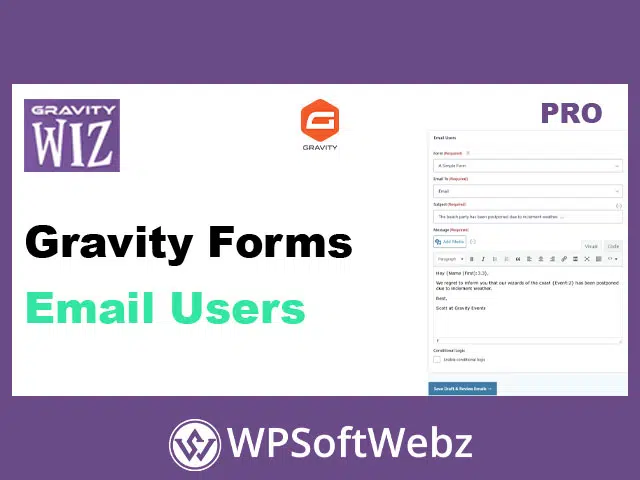

Gravity Forms Email Users is a premium Gravity Perks add-on that lets you send personalized, entry-based emails to people who’ve submitted your Gravity Forms. Instead of exporting lists or rebuilding segments elsewhere, you can pull recipients directly from form entries, tailor messages with merge tags, and deliver targeted follow-ups—all from your WordPress dashboard.
Gravity Forms Email Users: targeted follow-ups from your form entries
When you’re running surveys, events, donations, applications, or ticketed registrations, the fastest way to communicate is often the simplest: email the people who already interacted with your form. Gravity Forms Email Users (also known as GP Email Users) gives you a dedicated admin interface to build and send a message to submitters of a selected form—using the email addresses captured in their entries.
Ideal for quick, practical outreach
Use this perk when you need to:
- Send follow-up surveys after a submission
- Share event updates with registrants or ticket buyers
- Provide fundraising progress updates to donors
- Notify previous participants about a new program or upcoming event
- Deliver segmented announcements based on what users selected in the form
Core features that make emailing submitters easy
Email entry submitters from WordPress
Choose a form, select the Email field you want to send to, and compose your message in a streamlined workflow inside the WordPress admin. This makes it simple to reach past submitters without leaving your site.
Filter recipients using conditional logic
Send to the right people—not everyone. With conditional logic filtering, you can segment recipients based on values stored in their entries (for example: product choice, survey answers, age range, donation level, or registration type). This is especially useful for targeted updates and audience-specific follow-ups.
Rich text editor for polished messages
Create well-formatted emails using a WYSIWYG editor—great for clean typography, links, and images—without hand-coding HTML. It’s an efficient way to produce professional-looking emails for confirmations, updates, and reminders.
Merge tags for personalized content everywhere
Personalization is built in. Gravity Forms Email Users supports merge tags so you can insert entry data throughout your email—helpful for addressing users by name, referencing what they selected, or including any submitted details. Merge tags can be used not only in the message body, but also in key email fields like subject and sender-related fields for consistent personalization.
Email previews before sending
Before you send, preview the exact email each recipient will receive. Previews populate merge tags with the recipient’s actual entry data, helping you verify personalization and formatting with confidence.
Save drafts and return later
Not ready to send? Save your work. Draft support helps you pause, refine messaging, and come back later—ideal when coordinating approvals or timing communications around events.
Deliverability-friendly workflow (and when to use a dedicated sender)
Gravity Forms Email Users uses WordPress’s core email sending functionality, making it a lightweight option for straightforward outreach. For larger sends or stronger deliverability control, pair your site with an SMTP plugin and/or a dedicated email sending service to improve reliability and reduce spam-folder risk.
Admin access and operational considerations
Because this is an admin-side emailing tool, access is managed through WordPress capabilities. If you use role-management plugins, you may need to explicitly grant the perk’s capability to the appropriate roles so trusted team members can access the Email Users interface.
Built for extensions and developer control
For power users and developers, GP Email Users includes hooks to tailor sending behavior and performance—such as adjusting send limits, controlling duplicate sends, modifying message content/options before sending, and customizing unsubscribe-related behavior.
Conclusion: who Gravity Forms Email Users is for
If you want a streamlined way to message form submitters without exporting lists, Gravity Forms Email Users is a practical, admin-friendly solution for follow-ups, event communication, donor updates, and segmented announcements. Set up your audience filters, personalize with merge tags, preview each message, and send with confidence—then keep your communication workflow inside WordPress with Gravity Forms Email Users.