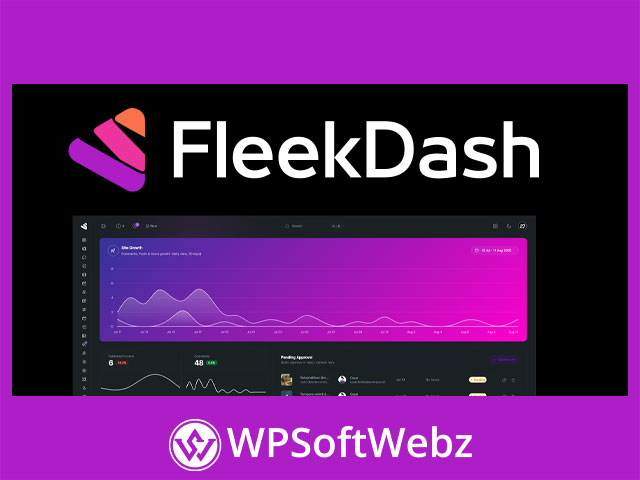

FleekDash WordPress Admin Customization Plugin
FleekDash is a premium WordPress admin customization plugin designed to replace the standard, cluttered wp-admin experience with a cleaner, more modern, and more organized workspace. Based on verified information from the official FleekDash website and documentation, the plugin focuses on improving the WordPress backend through dashboard customization, branded admin design, smarter navigation, media organization, content management tools, analytics, AI-assisted workflows, user and role management, and custom login features.
For agencies, freelancers, WordPress site managers, content teams, and client-focused developers, FleekDash provides a more polished way to manage WordPress websites from the inside. Instead of forcing users to work through the default admin layout, this WordPress admin dashboard plugin creates a centralized control experience that can feel more intuitive, branded, and efficient.
Why Choose FleekDash?
FleekDash is built for WordPress users who want a better backend workflow. The default WordPress admin area is powerful, but it can become crowded with plugin menus, notices, settings pages, media files, user screens, and content management tasks. FleekDash helps simplify this experience by organizing important tools into a modern dashboard interface.
It is especially useful for:
- WordPress agencies managing client websites
- Freelancers delivering branded admin experiences
- Website owners who want a cleaner dashboard
- Content teams managing posts, pages, comments, and media
- Developers who need role-based admin organization
- Businesses that want a white-label WordPress admin interface
- Teams that want faster navigation and search inside WordPress
Key Features of FleekDash
Modern WordPress Admin Dashboard
FleekDash transforms the WordPress backend into a modern admin workspace. The plugin is designed to reduce clutter, improve navigation, and make important website management tasks easier to access.
This makes it useful for both experienced WordPress professionals and non-technical clients who need a simpler backend experience.
Theme and Brand Manager
The FleekDash Theme and Brand Manager allows users to customize the admin interface with branding elements such as logos, brand names, palettes, and appearance settings. This is especially valuable for agencies and freelancers who want to deliver a more professional white-label WordPress admin experience.
Branding options can help make the backend feel like part of the client’s website rather than a generic WordPress installation.
Menu Builder and Navigation
FleekDash includes menu and navigation management tools that help users move around the admin area more efficiently. The menu builder can support cleaner navigation and more relevant admin access depending on the workflow or user role.
This is useful for reducing confusion, especially on websites with many plugins, settings screens, and content sections.
Command Bar and Search
The Command Bar and Fleek Search feature helps users quickly find screens, actions, and items without manually clicking through multiple admin menus. It supports keyboard-based access, making it practical for power users who want faster WordPress administration.
This feature can improve productivity by helping users jump directly to the tools they need.
Smart Media Manager
FleekDash includes a Smart Media Manager for organizing and managing WordPress media files. The official documentation highlights media organization tools such as folder-based navigation, toolbar controls, grid and list views, upload options, drag-and-drop workflows, and filtering.
For media-heavy websites, this can make image, document, and asset management easier than relying only on the default WordPress media library.
Content Grid and In-Place Editing
FleekDash supports content-focused workflows through grid-style management and in-place editing patterns. This helps users manage posts, pages, and other editable data with fewer unnecessary page loads.
For content teams, inline editing and organized grids can make routine updates faster and more convenient.
User and Role Manager
The User and Role Manager gives WordPress administrators a centralized place to manage users and roles without code. The documentation describes a user list experience with role management capabilities, making it useful for websites with editors, authors, clients, team members, and custom user roles.
This is especially helpful for agencies, membership sites, business websites, and teams that need more structured backend access control.
Productivity and Workflow Tools
Window Manager
FleekDash includes a Window Manager designed to help users move between tasks more smoothly. With window controls, minimized screens, and restore options, users can avoid losing their place while working across different parts of the admin area.
This can be useful when switching between content editing, settings, media, analytics, and user management.
Settings Center
The Settings Center groups important FleekDash and common configuration areas into a more centralized settings experience. This helps reduce the need to hunt across disconnected admin screens when managing plugin behavior and dashboard preferences.
A centralized settings area is especially valuable for agencies and site managers working across multiple WordPress websites.
Notification Center and Comment Management
FleekDash documentation includes tools related to notifications and centralized comment management. These features can help site owners stay aware of important activity and manage WordPress comments from a more organized interface.
For blogs, content websites, and business sites with active discussions, this can help streamline moderation and response workflows.
AI, Analytics, and Growth Features
AI Assistant
FleekDash includes an AI Assistant feature that can be opened from the dashboard or command bar. The official documentation describes it as a way to get help within the FleekDash workflow without leaving the admin interface.
This can support faster content, admin, or productivity tasks depending on the enabled AI configuration.
Analytics Dashboard
FleekDash includes an Analytics Dashboard designed as a dedicated analytics screen. The documentation references KPI cards, summary metrics, charts, visitors, and popular posts, giving users a visual way to understand site activity from inside the admin experience.
For website owners and agencies, having analytics closer to daily admin workflows can make performance monitoring more convenient.
Growth Tracker
The Growth Tracker helps users review progress through achievements and a growth score. This feature is designed to provide a visual breakdown of what is driving success over time.
For agencies and client websites, growth-focused reporting can help communicate progress in a more accessible way.
Custom Login and White-Label Experience
Custom Login System
FleekDash includes a Custom Login System with branded login page and layout options. This allows site owners and agencies to create a more professional login experience that aligns with the website or client brand.
A branded login page can be especially useful for client portals, membership websites, editorial teams, and managed WordPress projects.
White-Label WordPress Admin Use Cases
Because FleekDash includes branding, menu customization, login customization, and role-focused admin tools, it is well suited for white-label WordPress projects. Agencies can use it to simplify the admin area, reduce unnecessary distractions, and present a more polished backend experience to clients.
Best Use Cases for FleekDash
FleekDash is a strong fit for WordPress websites where backend usability, branding, and workflow organization matter.
Ideal use cases include:
- White-label WordPress admin dashboards
- Client website handoff experiences
- Agency-managed WordPress projects
- Content-heavy websites
- Business websites with multiple users
- WordPress sites with many plugins and admin menus
- Branded login and dashboard experiences
- Media-heavy websites needing better file organization
- Teams that need faster search and navigation
- Websites requiring clearer user and role management
SEO and Business Value
While FleekDash is not primarily an SEO plugin, it can support better website operations by making content management, media organization, analytics review, and administrative workflows easier. A cleaner admin experience can help teams publish updates more consistently, manage site assets more effectively, and reduce friction in daily WordPress maintenance.
For agencies and freelancers, the biggest business value comes from delivering a more professional backend experience to clients. A branded, organized WordPress dashboard can make client handoffs smoother and reduce confusion for non-technical users.
Conclusion
FleekDash is a premium WordPress admin customization plugin for users who want a cleaner, more branded, and more productive backend experience. With features such as a modern dashboard interface, Theme and Brand Manager, Smart Media Manager, Command Bar and Search, AI Assistant, Analytics Dashboard, Growth Tracker, User and Role Manager, Settings Center, Menu Builder, and Custom Login System, it provides a broad toolkit for improving WordPress administration.
FleekDash is best suited for agencies, freelancers, content teams, business owners, and WordPress professionals who want to replace the default admin experience with a more organized and client-friendly workspace. Use FleekDash to create a modern WordPress dashboard, simplify admin workflows, and deliver a more polished backend experience.