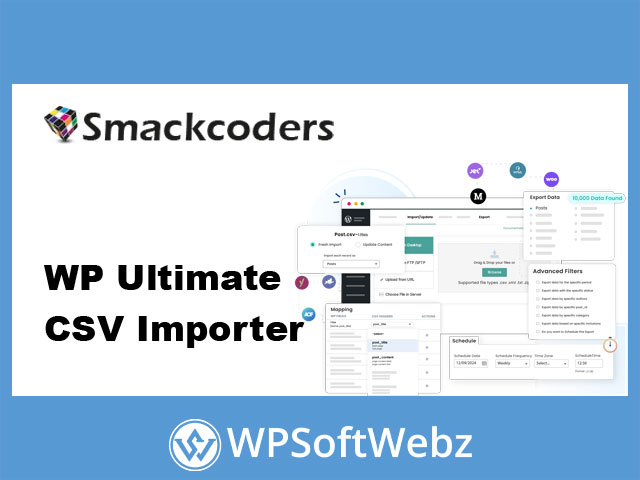

WP Ultimate CSV Importer Pro is a premium WordPress import, export, update, and migration plugin built for managing large amounts of website data with greater accuracy and control. It can process posts, pages, custom post types, taxonomies, users, comments, WooCommerce records, custom fields, multilingual content, media details, and SEO metadata using structured files and connected data sources.
The plugin supports practical workflows ranging from a simple CSV post import to recurring WooCommerce inventory updates, complex custom field migrations, filtered exports, and transfers between WordPress websites. Its visual field-mapping interface, reusable templates, scheduling tools, duplicate handling, conditional rules, and iteration-based processing make it suitable for store owners, developers, agencies, content teams, and administrators managing data-intensive WordPress projects.
WP Ultimate CSV Importer Pro for WordPress Data Management
Manually creating or updating hundreds of WordPress records can require significant administrative effort. WP Ultimate CSV Importer Pro streamlines this work by mapping columns from a structured file to corresponding WordPress fields.
The plugin can be used to import and manage data such as:
- WordPress posts and pages
- Custom post types
- Categories, tags, and custom taxonomies
- Users and user metadata
- Comments
- WooCommerce products and variations
- Orders and customer information
- Coupons and product reviews
- Featured images and media details
- Custom fields and serialized metadata
- SEO titles, descriptions, and related metadata
- Multilingual records and translation relationships
This broad content support makes the premium CSV importer useful for website launches, catalog management, directory creation, content migration, data synchronization, and recurring bulk updates.
Import Data from Multiple File Formats
Although its name emphasizes CSV files, WP Ultimate CSV Importer Pro supports several structured data formats and external sources.
Depending on the workflow, administrators can work with:
- CSV files
- XML files
- Excel spreadsheets
- TSV files
- Google Sheets
- Shared file URLs
- Supported cloud-hosted files
- Compressed migration packages
This flexibility allows teams to prepare information in a familiar spreadsheet application, export data from another platform, or connect a maintained Google Sheet to WordPress.
Import Directly from Google Sheets
Google Sheets integration is useful for teams that manage product information, editorial schedules, user records, property listings, or other structured content collaboratively.
A shareable sheet can be connected to an import configuration and used as the source for scheduled updates. When the source data changes, a recurring import can apply the latest information to the appropriate WordPress records according to the saved mapping and update settings.
Visual Drag-and-Drop Field Mapping
WP Ultimate CSV Importer Pro includes a visual field-mapping interface that connects columns from an uploaded file with WordPress fields.
Instead of requiring every spreadsheet heading to match an internal database field, administrators can assign each incoming column to the correct destination. This provides greater flexibility when importing files created by external applications, suppliers, clients, or legacy systems.
Mappings can cover standard fields such as:
- Post titles
- Content and excerpts
- Publication status
- Authors
- Dates
- Slugs
- Categories and tags
- Featured images
- Product prices and stock values
- Custom fields
- SEO metadata
- User information
Careful mapping helps reduce incorrect field assignments and gives administrators control over how source data is interpreted.
Save Reusable Mapping Templates
Complex imports may involve many fields and configuration choices. The plugin allows mappings to be saved as reusable templates, reducing the need to rebuild the same setup for every file.
Templates are particularly helpful for:
- Recurring supplier catalog imports
- Regular inventory updates
- Client website migrations
- Scheduled content feeds
- Repeated user imports
- Standardized agency workflows
- Testing and production environments
Saved templates can improve consistency when several imports use the same data structure.
Bulk Import and Update WordPress Content
The plugin can create new records and update existing WordPress data in bulk. Administrators can choose which fields should be changed instead of replacing every available value.
Existing records can be identified using values such as:
- WordPress ID
- Post or product title
- Slug
- Custom field value
- Other configured unique identifiers
Selective updating is useful when only certain information needs to change. A WooCommerce store, for example, may update stock and prices while preserving product descriptions and manually optimized content.
Duplicate Detection and Record Handling
Repeated imports can unintentionally create duplicate posts, products, or users. WP Ultimate CSV Importer Pro includes duplicate-handling controls that compare incoming records with existing WordPress data using configured identifiers.
When a matching record is found, the import can follow the selected update or skip behavior. This gives administrators more control over recurring synchronization and helps keep large content libraries organized.
Duplicate detection is especially valuable for:
- Supplier data feeds
- Product inventory synchronization
- Event imports
- Directory listings
- Membership records
- Property databases
- Frequently updated content catalogs
Schedule Imports and Exports
Recurring data operations can be automated through scheduled imports and exports. Supported workflows include retrieving data from URLs, Google Sheets, FTP, or SFTP sources and processing it at configured intervals.
Scheduled automation can support tasks such as:
- Updating product inventory
- Refreshing prices
- Importing new property listings
- Synchronizing event information
- Publishing prepared content
- Updating directory records
- Exporting recurring backups
- Sending data files to remote storage
Automation reduces repetitive manual work and helps keep frequently changing WordPress information aligned with an external source.
WooCommerce Product and Store Data Management
WP Ultimate CSV Importer Pro includes extensive support for WooCommerce data. Store owners can use structured files to create, update, export, or migrate important eCommerce records.
Supported WooCommerce workflows include data associated with:
- Simple products
- Variable products and variations
- Product categories and attributes
- Pricing and sale information
- Stock and inventory
- Product images and galleries
- Orders
- Customers
- Coupons
- Product reviews
- Custom product metadata
The plugin also supports data structures used by various WooCommerce extensions, including solutions for subscriptions, product bundles, variation swatches, chained products, and tiered pricing.
Compatibility may vary according to the extensions and customizations used by a particular store, so complete imports should be tested on a staging website before processing production data.
Import Custom Post Types and Taxonomies
Many WordPress websites rely on custom post types instead of standard posts and pages. WP Ultimate CSV Importer Pro can import custom content structures and associated taxonomies created by supported plugins and development frameworks.
This makes it useful for websites containing:
- Real estate properties
- Business directory listings
- Events
- Courses
- Job listings
- Team profiles
- Portfolio projects
- Vehicles
- Classified advertisements
- Membership records
- Booking information
- Product catalogs
Custom taxonomy terms can be mapped with the corresponding records, helping preserve the organizational structure of imported content.
Advanced Custom Fields and Complex Metadata
The plugin integrates with popular custom field solutions, including ACF, JetEngine, Meta Box, Toolset Types, Pods, CMB2, Custom Field Suite, and related custom content tools.
It can process both straightforward metadata and more complex field structures, including:
- Text and number fields
- Select and checkbox fields
- Repeater fields
- Relationship fields
- Flexible content fields
- Nested values
- Serialized data
- Custom tables supported by compatible integrations
The ability to import complex fields is valuable for developers and agencies migrating websites that depend heavily on structured metadata.
Create Custom Fields During Import
WP Ultimate CSV Importer Pro can create new WordPress custom fields during the mapping process. This can reduce setup work when the incoming file contains metadata that has not already been registered as a standard field.
Administrators can map a source column as a new custom field and import the corresponding values with the rest of the record.
Import Images and Media Information
The plugin can import images from local files or supported external sources. Images can be assigned as featured images, product gallery media, or content-related attachments according to the selected mapping.
Associated media information can include:
- Image title
- Alternative text
- Caption
- Description
- File name
- Featured image assignment
- Gallery relationships
Import logs can identify failed media transfers, allowing administrators to review problems and retry affected files.
SEO Metadata Import and Export
Moving content without its SEO metadata can result in incomplete pages and additional optimization work. WP Ultimate CSV Importer Pro supports fields used by established WordPress SEO plugins.
Supported integrations include tools such as:
- Yoast SEO
- Rank Math
- All in One SEO
- SEOPress
- Slim SEO
Depending on the integration, administrators can import or export information such as SEO titles, meta descriptions, focus keywords, slugs, and other plugin-specific fields.
This makes the WordPress import plugin useful for migrations where optimized metadata needs to remain connected to the corresponding posts, pages, products, or custom content.
Multilingual WordPress Imports
WP Ultimate CSV Importer Pro supports multilingual workflows through integrations with plugins such as WPML and Polylang.
Records can be assigned to specific languages using language codes, and translated content can be connected to its original record. This helps administrators import several language versions without manually creating and linking each translation inside WordPress.
Multilingual import functionality is valuable for:
- International company websites
- Multilingual WooCommerce stores
- Regional directories
- Translated editorial publications
- Global product catalogs
- Localized landing pages
Conditional Import Rules
Not every row in a source file needs to be imported. The plugin includes condition-based filtering that allows administrators to process records only when they meet defined criteria.
Conditions can be based on values such as:
- Category
- Status
- Author
- Product stock state
- User role
- Post type
- Specific spreadsheet column values
This can help a store import only available products, allow a directory to process approved listings, or enable a content team to publish only records marked as ready.
Filtered and Developer-Focused Exports
WP Ultimate CSV Importer Pro also provides flexible export functionality. Administrators can choose the required content type, select an output format, and apply filters to extract a more focused dataset.
Export filters can include:
- Record status
- Post or product ID
- Title
- Author
- Category or taxonomy
- Publication date
- Language
- Custom field values
- Date ranges
WP_Query-based export controls offer additional flexibility for developers who need to define precise conditions for exported WordPress records.
Process Large Data Files in Batches
Large imports can place significant demands on a WordPress server. The plugin uses iteration-based processing to divide extensive datasets into smaller batches.
Batch processing is designed to reduce the risk of timeouts and memory-related interruptions while importing substantial product catalogs, content libraries, or user databases. Results will still depend on hosting resources, file complexity, image sizes, plugin integrations, and server configuration.
Detailed logs help administrators monitor processed, skipped, and failed records throughout the operation.
Rollback and Import Logs
WP Ultimate CSV Importer Pro records import activity and provides information about completed, skipped, and unsuccessful records. Logs can help administrators identify mapping errors, unavailable images, invalid values, or other issues that require attention.
A rollback feature can be used to reverse supported import changes when an operation does not produce the intended result. Maintaining a separate website and database backup before any large import or update remains a recommended precaution.
WordPress Website Migration
The plugin includes migration functionality for moving structured content between WordPress installations. Content, mappings, relationships, images, taxonomies, and supported settings can be packaged for import into another website.
This can simplify workflows such as:
- Moving from staging to production
- Transferring content to a new domain
- Consolidating several websites
- Duplicating structured content
- Migrating WooCommerce catalogs
- Rebuilding an existing website
- Moving client data between installations
Individual records can also be exported and imported when transferring an entire dataset is unnecessary.
Elementor and Plugin Integrations
The importer supports Elementor-related content and integrates with a wide range of WordPress plugins used for custom fields, SEO, multilingual publishing, eCommerce, learning management, memberships, directories, events, and booking systems.
Notable supported ecosystems include:
- WooCommerce
- Elementor
- Advanced Custom Fields
- JetEngine
- Meta Box
- Toolset
- Pods
- WPML
- Polylang
- Yoast SEO
- Rank Math
- All in One SEO
- SEOPress
These integrations allow the plugin to manage more than standard WordPress fields and make it useful for complex websites assembled from several connected plugins.
AI-Assisted Content Generation During Import
WP Ultimate CSV Importer Pro includes integrations with supported AI services for generating text or images during an import. Administrators can provide prompts and use imported values as part of a content-generation workflow.
Potential uses include generating:
- Product summaries
- Initial post content
- Short descriptions
- Supporting text
- Featured image concepts
AI-generated content should always be reviewed for accuracy, originality, brand consistency, and suitability before publication.
Key Benefits of WP Ultimate CSV Importer Pro
The premium plugin combines import, export, update, scheduling, and migration capabilities in one WordPress data-management solution.
Key benefits include:
- Importing several structured file formats
- Drag-and-drop field mapping
- Reusable import templates
- Bulk creation and selective updates
- Duplicate record handling
- Conditional import rules
- Scheduled imports and exports
- WooCommerce data support
- Custom post type and taxonomy imports
- Complex custom field processing
- Multilingual content management
- SEO metadata migration
- Image and media imports
- Filtered and WP_Query-based exports
- Iteration-based large-file processing
- Import logs and rollback controls
- Google Sheets connectivity
- FTP and SFTP automation
- Single-record transfers
- WordPress website migration tools
Who Should Use WP Ultimate CSV Importer Pro?
The plugin is suitable for WordPress administrators who regularly manage structured data or need greater control than the standard WordPress importer provides.
It is particularly useful for:
- WooCommerce store owners
- WordPress developers
- Web design agencies
- Data migration specialists
- Content publishers
- Directory website operators
- Marketplace administrators
- Multilingual website managers
- SEO teams
- Businesses maintaining large catalogs
- Freelancers managing several client websites
Simplify WordPress Imports, Exports, and Migrations
WP Ultimate CSV Importer Pro provides a comprehensive toolkit for transferring, updating, organizing, and exporting WordPress data. Its support for WooCommerce, custom fields, multilingual content, SEO metadata, scheduled automation, conditional processing, and reusable mappings makes it a versatile choice for both routine administration and complex migration projects.
Choose WP Ultimate CSV Importer Pro to reduce repetitive data entry, improve the consistency of bulk operations, and manage WordPress content more efficiently.