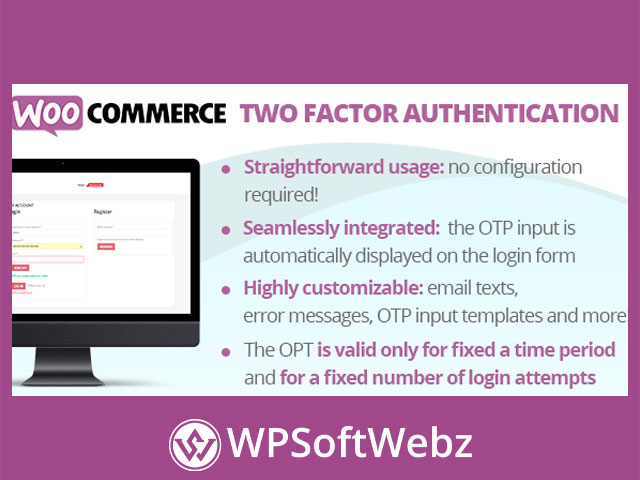

WooCommerce Two Factor Authentication — add 2FA to WooCommerce logins for stronger account security
WooCommerce Two Factor Authentication is a premium WooCommerce security plugin that inserts a second verification step into the standard store login. By requiring a one-time verification code after the password, it helps prevent account takeover, protects saved addresses and orders, and builds trust at checkout. If you want a simple, store-friendly way to enable 2FA (two-step verification) on the WooCommerce login form—including “My Account” and checkout login—this plugin keeps the experience familiar for shoppers while hardening your storefront.
What WooCommerce Two Factor Authentication does
- Hooks directly into the WooCommerce login flow to prompt customers for a second factor (a short, time-sensitive code) after password entry.
- Adds two-step verification to customer sign-ins without changing your catalog, cart, or checkout layouts.
- Reduces the risk from credential stuffing, password reuse, and brute-force attempts.
Key features (at a glance)
- Seamless WooCommerce integration: Works with the native WooCommerce login on the “My Account” page and the checkout login panel.
- One-time verification code: Requires an additional code during sign-in to confirm the user’s identity.
- Friction-aware UX: Keeps the login process familiar—just one extra step—so legitimate customers can sign in confidently.
- Storewide security uplift: Helps safeguard order history, addresses, and saved preferences tied to customer accounts.
Note on specifics: The official listing confirms WooCommerce login integration and a two-factor challenge. It does not publicly detail the exact delivery method(s) for the verification code. If you require a particular method (e.g., authenticator app/TOTP, email OTP, SMS), evaluate in a staging site to confirm it aligns with your policy and compliance needs.
Benefits for merchants
- Mitigate account takeover (ATO): A second factor blocks most automated attacks even when passwords are leaked.
- Protect customer trust: Stronger login security reassures shoppers, especially on stores with saved details.
- Low operational overhead: Add 2FA without reworking checkout, catalog, or shipping/payment settings.
Practical use cases
- High-value or repeat-purchase stores that retain customer details.
- Memberships or subscriptions where account access has monetary value.
- B2B portals with negotiated pricing and sensitive order data.
How it fits into your workflow
- Customer enters email/username and password on the WooCommerce login.
- The plugin prompts for a secondary code (two-factor step).
- On success, the user is authenticated, and WooCommerce proceeds as usual (account dashboard, checkout, etc.).
Who is it for?
Store owners who want a straightforward, WooCommerce-native 2FA layer to harden customer logins and reduce support issues tied to compromised accounts.
Conclusion
If you need simple, effective login hardening inside WooCommerce, WooCommerce Two Factor Authentication adds a familiar two-step verification experience that protects customers and reduces risk without disrupting your storefront. Strengthen your login security today with WooCommerce Two Factor Authentication.