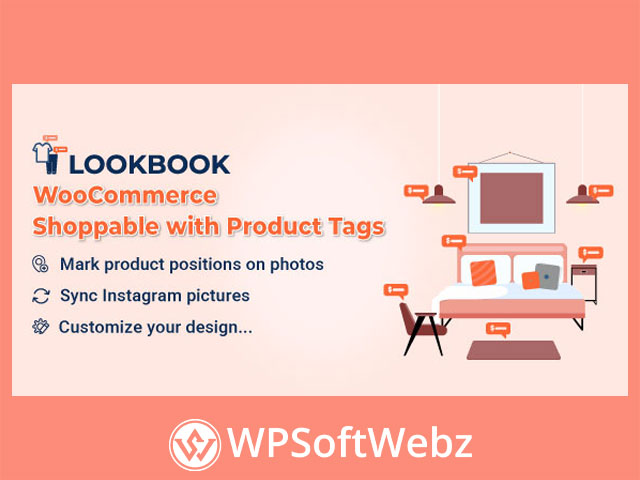

WooCommerce LookBook – Shoppable with Product Tags Overview
WooCommerce LookBook – Shoppable with Product Tags is a premium WooCommerce plugin that transforms your product photos and Instagram feed into fully shoppable lookbooks. Instead of static images, you can showcase outfits, room designs, lifestyle scenes or product bundles and let customers click directly on product tags to view details and add items to their cart without leaving the page.
With this WooCommerce lookbook plugin you can build a “Shop the Look” experience across your store, connect your catalog to Instagram content, and create visually driven shopping journeys that boost engagement and conversions.
Turn Images into Interactive, Shoppable Lookbooks
At the core of WooCommerce LookBook is the ability to turn any image into an interactive product hotspot experience.
Node-based product tagging
Use “nodes” (hotspots) to mark exactly where a product appears on an image and connect it to your WooCommerce catalog:
- Add unlimited nodes to each lookbook image.
- Drag and drop nodes to any position on the photo for pixel-perfect placement.
- Show key product info when a node is clicked: name, short description, price and more.
- Let customers add products directly to their cart from the lookbook.
This approach is ideal for:
- Fashion lookbooks (full outfits with multiple products).
- Furniture and interior design scenes (entire rooms tagged with products).
- Lifestyle and editorial photography (bundles, sets and curated looks).
Lookbook sliders and multi-image experiences
Instead of a single static image, you can group lookbooks and display them as a slide show:
- Combine several lookbook images into a slider on the front end.
- Enable autoplay so the slider advances automatically.
- Control the autoplay interval to match your design and UX goals.
Product-aware lookbooks on product pages
WooCommerce LookBook can automatically detect where a product appears:
- Lookbooks that include a given product can be displayed on that product’s page.
- This helps customers see how the item looks in context and encourages them to buy full looks or complementary items.
Smart link behavior for standard and affiliate products
For each node you can control what happens when customers click:
- Single product redirect – send users straight to the WooCommerce product page.
- External/Affiliate redirect – for external products, send visitors to the affiliate or external URL instead of the product page.
QuickView Popups for Fast Shopping
To keep shoppers engaged on the current page, WooCommerce LookBook includes a built-in QuickView experience:
- Clicking a node can open a QuickView popup with product name, short description and price.
- Customers can select quantity and add the product to their cart directly from the popup.
This reduces friction in the buying journey and is especially powerful on homepage lookbooks, landing pages or Instagram-inspired galleries where you want instant, inline shopping.
Shop by Instagram: WooCommerce Instagram Shop Integration
WooCommerce LookBook is also built as a WooCommerce Instagram shop solution, connecting your store to real Instagram content.
Sync Instagram images into WooCommerce
- Connect the plugin to any public Instagram account by username.
- Sync published Instagram photos into your store and reuse them as lookbooks or sliders.
- Control how many images are imported at a time.
Automated Instagram workflows
To keep your content fresh, you can automate Instagram syncing:
- Set a schedule so photos are pulled from Instagram automatically.
- Choose the default status for imported images: draft, pending or published.
Instagram-focused front-end experience
Make your Instagram content feel native to your store:
- Display Instagram-based lookbooks in either carousel or gallery layouts.
- Optionally display a “View on Instagram” button in QuickView, taking visitors to the original Instagram post for social proof and engagement.
Flexible Design & Branding Control
WooCommerce LookBook – Shoppable with Product Tags offers extensive design options so your lookbooks match your brand.
Node and label styling
- Choose from multiple node icon types: default dot, numbered markers, map-style marker or alphabet labels.
- Customize node colors, including main color, background and border.
- Decide whether to show product titles beside nodes and style their text and background colors.
Popup and slider design
- Customize the QuickView popup’s text color, background and border radius.
- Show or hide the popup’s close button.
- Show or hide a “See more” button that leads to the product page for deeper information.
- Adjust slider size (width and height) to fit your theme’s layout.
- Toggle slider pagination and navigation controls for a clean or guided experience.
Advanced customization
- Add custom CSS directly within the plugin to fine-tune visuals without touching theme files.
- Choose from multiple loading icons to match your site aesthetics.
Shortcodes and Integration Options
WooCommerce LookBook integrates cleanly with your WooCommerce store and supports flexible placement via shortcodes.
Powerful shortcode options
Use shortcodes to insert lookbooks wherever you need them:
- Single lookbook image on any page or post.
- Galleries of multiple lookbooks.
- Carousels showcasing several lookbooks.
- Carousels or galleries built from Instagram photos.
These shortcodes make it easy to build custom “Shop the Look” sections in landing pages, blog posts, sales funnels, or page builder layouts.
Compatibility and usability
WooCommerce LookBook is designed for practical use in modern WordPress setups:
- Works with WooCommerce-based stores and popular page builders.
- Supports right-to-left (RTL) languages for global shops.
- Includes an intuitive admin interface so store managers can create and manage lookbooks without technical skills.
- Supports automatic updates when connected with your valid purchase code.
Who Is WooCommerce LookBook For?
WooCommerce LookBook – Shoppable with Product Tags is ideal for:
- Fashion and apparel stores wanting “Shop the Look” outfits.
- Furniture and home décor brands showcasing fully styled rooms.
- Lifestyle and beauty brands using editorial imagery to sell curated sets.
- Instagram-first businesses looking to bridge social content and WooCommerce.
- Any WooCommerce store that wants to turn static images into interactive, shoppable experiences.
If you want to make your product imagery do more than just “look good” and instead drive real sales, WooCommerce LookBook – Shoppable with Product Tags gives you the tools to create immersive shoppable lookbooks, build a WooCommerce Instagram shop, and guide customers from inspiration to checkout in just a few clicks. Start turning your visuals into high-converting, shoppable content today.