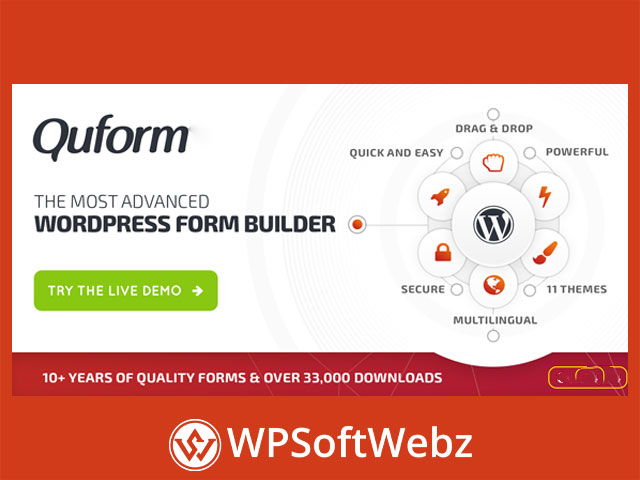

What is Quform – WordPress Form Builder?
Quform – WordPress Form Builder is a premium, drag-and-drop WordPress form plugin for creating professional contact forms, quote requests, surveys, registrations, applications, and more—without writing code. It combines a visual builder, flexible logic, and robust entry management to help you publish high-converting, mobile-ready forms on any WordPress site.
Why choose Quform – WordPress Form Builder?
- Build complex or simple forms visually with drag-and-drop and one-click options.
- Add conditional logic for fields, pages, confirmations, and notifications.
- Use a rich set of form elements (text, email, selects, file uploads, dates, times, ratings, signature, sliders, matrix, and more).
- Protect forms with reCAPTCHA (v2 Invisible & v3), image CAPTCHA, and honeypot anti-spam.
- Manage, search, label, and edit entries in WordPress; export to CSV/Excel/ODS/HTML.
- Style everything with a theming system, responsive layouts, columns, and ready-made design options.
Builder, logic & validation
Visual creation
- Drag-and-drop fields, duplicate elements, and preview while building.
- Create multi-page forms with page breaks, progress, and conditional branching.
Smart rules
- Show/hide fields, set recipients, or trigger confirmations based on user input.
- Apply validators and filters to ensure clean, high-quality data.
Embedding & display
Seamless placement
- Insert forms via shortcode, widget/popup, or template tag—wherever you need them on your site.
Polished presentation
- Responsive by default with column layouts, tooltips, enhanced selects, and file-upload progress.
- Full control over colors, spacing, labels, and custom CSS for pixel-perfect design.
- RTL and translation-ready for multilingual sites.
Entries, notifications & compliance
Inbox for submissions
- View detailed entries in the dashboard, edit submissions, add notes, and apply labels for organization.
- Export entries for reporting or handoff to other teams and tools.
Email workflows
- Send unlimited notifications, autoreplies, attachments, CC/BCC, and conditional recipients.
- Works with SMTP plugins for reliable delivery.
Privacy & security
- Anti-spam tools (reCAPTCHA, image CAPTCHA, honeypot).
- Hooks available for data encryption at rest when required.
- Options and guides to help with GDPR-friendly setups.
Integrations & automation
Marketing & CRM
- Connect forms to Mailchimp, MailerLite, MailPoet, Campaign Monitor, ActiveCampaign, Newsletter, Mailrelay, and more.
- Send leads to Zoho CRM or other systems via guides and webhooks.
Analytics & workflows
- Track events and conversions with Google Analytics and Google Ads.
- Automate tasks via Zapier and “send data to another script” guides.
eCommerce-style flows (via guides)
- Redirect to PayPal after submission or add Stripe payments with a helper add-on and custom code. (Not built-in gateways.)
Advanced capabilities for power users
- Calculations, geolocation, Google Places address autocomplete.
- Create WordPress users or posts from form data; login/logout and BuddyPress registration examples.
- Repeatable groups, dynamic select options, word/character counters, unique reference numbers, and more developer hooks.
Who is it for?
Agencies, freelancers, and site owners who need a pro WordPress form builder that balances ease-of-use with deep configuration—ideal for contact, lead-gen, booking/request, support, intake, and signup workflows.
Conclusion
If you want a flexible, premium WordPress form plugin with powerful logic, polished styling, and extensive integrations, Quform – WordPress Form Builder is a strong choice. Build better forms, streamline data collection, and automate follow-ups today with Quform – WordPress Form Builder.