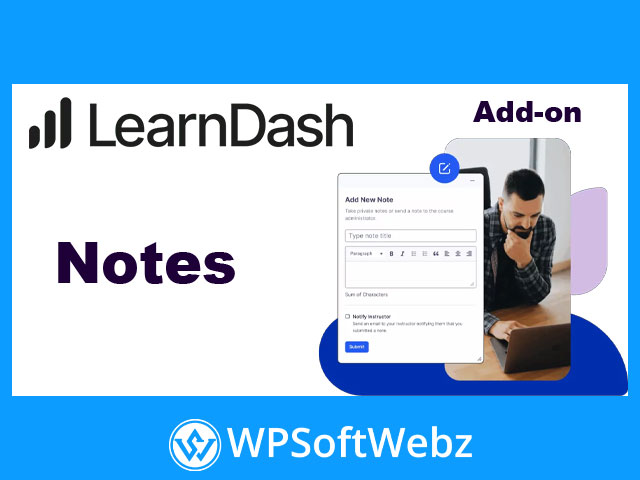

Notes by LearnDash (Premium Add-On)
Designed to boost learner engagement and retention, Notes by LearnDash adds modern, front-end note-taking and two-way communication to your WordPress LMS. Students can capture ideas directly on course content, highlight key information, and ask questions as they learn—while instructors and group leaders respond asynchronously to keep momentum high.
Why choose Notes by LearnDash?
This premium LearnDash add-on blends intuitive note capture with a lightweight instructor feedback workflow. It fits seamlessly into your courses, supports flexible placement, and provides a centralized history of a learner’s notes for better study and review.
Key Features & Benefits
- Inline student notes on course content – Enable learners to jot down reflections and key takeaways without breaking flow.
- Two-way communication – Open a simple feedback channel so instructors or group leaders can reply to learner questions.
- Flexible front-end implementation – Add an on-page note form, a movable pop-up launcher, or an embedded notes list where it makes sense.
- Full notes history for each learner – Display a chronological list of all notes to aid revision and self-assessment.
- Download & print – Let learners export notes for offline study and record-keeping.
- Instructor notifications – Email alerts and dashboard tools help reviewers respond efficiently.
- Accessibility-minded UI – A refreshed, streamlined interface designed for clarity and ease of use across devices.
How It Improves Learning Outcomes
- Active learning: Note-taking encourages reflection and deeper processing of material.
- Timely support: Asynchronous instructor replies unblock learners without scheduling delays.
- Contextual questions: Students can attach questions to specific lessons, topics, or quizzes for precise guidance.
Flexible Placement & Shortcodes
Use simple shortcodes to:
- Add a new note form anywhere in your LMS pages.
- Launch a pop-up notepad that learners can move as they study.
- Show a notes list on the current lesson/topic/quiz.
- Render a full notes history page that aggregates a user’s notes site-wide.
This flexibility makes it easy to place note-taking exactly where it drives the most engagement.
Instructor & Group Leader Workflow
- Centralized review: View incoming notes from the WordPress dashboard.
- Reply in context: Post responses that notify learners and appear alongside their original notes.
- Group-aware access: Group leaders see notes from their assigned learners, keeping oversight organized.
Customization & Controls
- Labels & styling: Adjust terminology and visual styles to match your brand.
- Visibility options: Decide which course content types show note tools by default.
- Editor enhancements: Offer formatting options and character counts to guide better note quality.
Ideal Use Cases
- Cohort-based programs needing light, structured instructor interaction
- Self-paced courses where learners benefit from guided reflection
- Compliance and professional training that requires auditable study notes
- Membership academies looking to increase course completion and satisfaction
Conclusion
If you want a simple, scalable way to drive reflection, questions, and feedback directly inside your LMS, Notes by LearnDash is a focused, premium solution. Empower your learners, streamline instructor communication, and elevate outcomes—start enhancing your LearnDash courses with Notes today.