
My Sticky Elements Pro – Floating Contact Form and Social Chat Plugin for WordPress
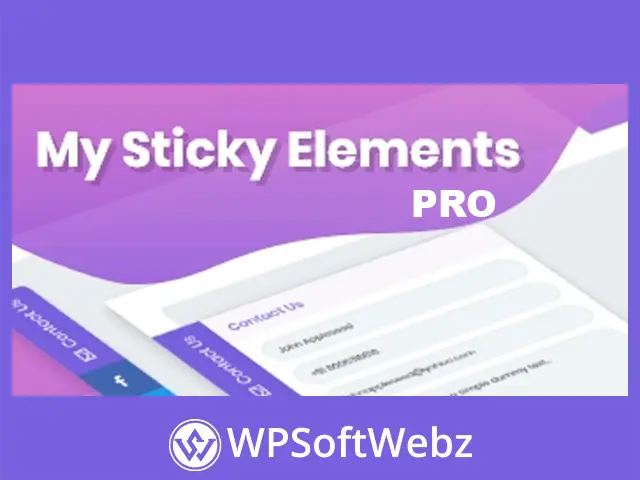
My Sticky Elements Pro is a powerful WordPress plugin that helps website owners connect with visitors through floating contact forms, social media buttons, and instant messaging channels. By keeping essential communication options visible as users browse, it makes it easier for potential customers to ask questions, request information, and get in touch without searching for a contact page.
Developed by Premio, this premium WordPress plugin combines customizable sticky widgets, advanced display targeting, lead collection, and engagement tracking in one solution. Whether you manage a business website, online store, agency portfolio, or landing page, My Sticky Elements Pro helps create a more accessible and convenient communication experience.
Key Features of My Sticky Elements Pro
Floating Contact Forms
Add a customizable contact form that stays accessible while visitors scroll through your website. Users can open the form from a sticky tab and send inquiries without leaving the page they are viewing.
- Create floating contact forms with customizable fields.
- Collect names, email addresses, phone numbers, and messages.
- Add text areas, dropdown menus, dates, numbers, and website fields.
- Allow visitors to upload files and attachments.
- Add consent checkboxes to your forms.
- Customize confirmation messages and redirect visitors after submission.
- Send contact form submissions directly to your email.
This approach makes it easier for visitors to contact your business at the moment they need assistance.
Unlimited Social Media and Chat Channels
My Sticky Elements Pro allows you to display multiple communication channels within a floating sidebar.
Supported options include:
- Facebook Messenger
- X (Twitter)
- Telegram
- Skype
- SMS and phone calls
- Custom links and communication channels
Visitors can choose their preferred way to contact you, making communication more convenient across different platforms.
Customizable Sticky Widgets
Customize the appearance of your floating contact bar to complement your website’s branding.
- Adjust widget colors, icons, and sizes.
- Choose positioning for desktop and mobile devices.
- Upload custom icons or select from available icons.
- Customize contact form styling and typography.
- Add entry effects and animations.
- Apply custom CSS for additional design control.
These customization options help your communication tools blend naturally with your existing website design.
Multiple Widgets and Advanced Page Targeting
Create different sticky widgets for different sections of your website.
For example, you can display a general inquiry form on your homepage while showing a sales-focused contact widget on product pages.
Available targeting options include:
- Specific pages and posts
- WordPress categories and tags
- WooCommerce product pages
- Products currently on sale
- Visitor countries
- Traffic sources
- Specific days and hours
This flexibility allows you to show more relevant contact options based on where visitors are and how they reach your website.
Smart Display Triggers
Control when your floating contact form or social buttons become visible.
My Sticky Elements Pro supports display triggers based on:
- Time spent on a page
- Percentage of page scrolled
- Targeting and visibility conditions
These settings help you introduce communication options at suitable moments during the visitor’s browsing experience.
Mailchimp and MailPoet Integration
Connect your contact forms with popular email marketing platforms to simplify lead collection.
- Integrate forms with Mailchimp.
- Connect contact submissions to MailPoet.
- Send collected leads to your email inbox.
- Build email lists through contact form submissions.
These integrations can help businesses organize inquiries and support their email marketing workflows.
Google Analytics and Widget Performance Tracking
Understand how visitors interact with your floating communication buttons.
My Sticky Elements Pro supports analytics features that help you evaluate:
- Clicks on social media and chat channels
- Widget engagement
- Unique clicks
- Click-through rates
- Google Analytics events
These insights can help identify the communication channels that attract the most interaction.
Google reCAPTCHA Spam Protection
Protect your floating contact forms from unwanted automated submissions using Google reCAPTCHA integration.
The plugin supports reCAPTCHA v2 and v3, helping reduce spam while keeping contact forms accessible to genuine visitors.
WooCommerce Targeting
For WooCommerce websites, My Sticky Elements Pro provides additional targeting flexibility.
You can configure floating widgets for selected product pages or products currently on sale. This makes it possible to display relevant contact options when shoppers are exploring specific items.
Why Use My Sticky Elements Pro?
A website’s contact options should be easy to find, especially when visitors are considering a purchase or requesting a service.
My Sticky Elements Pro brings several communication tools into a single floating interface, reducing the need for separate contact buttons and social media widgets.
Its main advantages include:
- Making contact options accessible throughout the browsing experience.
- Offering multiple communication channels in one widget.
- Collecting inquiries without requiring visitors to navigate away.
- Displaying different widgets for different audiences and pages.
- Integrating contact submissions with email marketing tools.
- Measuring engagement with analytics and tracking features.
- Maintaining consistent branding through extensive customization.
Who Should Use My Sticky Elements Pro?
Business and Service Websites
Make it convenient for prospective clients to request quotes, ask questions, or contact your team directly.
WooCommerce Stores
Provide accessible messaging and contact options on product pages to help shoppers reach your business.
Digital Agencies and Freelancers
Collect project inquiries and offer direct communication through WhatsApp, email, and other preferred channels.
Landing Pages
Add floating contact forms and messaging options to support lead generation campaigns without redesigning the page layout.
Blogs and Content Websites
Help readers connect with you through social platforms and direct messaging while keeping communication options accessible.
Improve Website Communication with My Sticky Elements Pro
My Sticky Elements Pro combines floating contact forms, social chat buttons, lead collection, targeting rules, and engagement analytics in a customizable WordPress plugin.
Instead of sending visitors to separate pages to contact you, it keeps useful communication tools within easy reach.
Add My Sticky Elements Pro to your WordPress website and give visitors a simpler way to connect with your business.