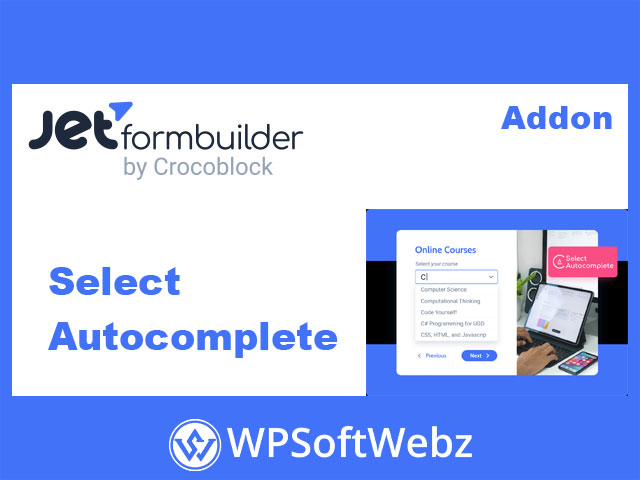

JetFormBuilder Select Autocomplete Addon
The JetFormBuilder Select Autocomplete Addon is a premium extension that adds smart, type-ahead search to JetFormBuilder Select fields. Instead of forcing users to scroll through long dropdowns, it lets them start typing and instantly see matching options, making complex forms faster and more user-friendly.
What Is JetFormBuilder Select Autocomplete Addon?
The JetFormBuilder Select Autocomplete Addon is a form-enhancing tweak for the Select field type. It turns a regular dropdown into an autocomplete input that:
- Suggests relevant options as the user types
- Works in any frontend JetFormBuilder form
- Is dedicated specifically to Select fields
Because it’s part of the JetFormBuilder Pro addons family, it works with any WordPress theme supported by JetFormBuilder and integrates directly into the existing Select field settings.
Key Features of JetFormBuilder Select Autocomplete Addon
Auto-Fill Select Fields with Type-Ahead Search
- Converts standard Select fields into searchable dropdowns.
- Suggests options that match the user’s input as they type.
- Ideal for forms with long lists (countries, cities, products, services, posts, etc.).
This significantly reduces friction for visitors and helps them find the right option in seconds instead of scrolling through huge lists.
AJAX-Powered, Real-Time Suggestions
The addon’s autocomplete behavior is powered by AJAX requests:
- Loads matching options from the server in real time.
- Can supply up-to-date dynamic data for busy or data-rich sites.
- Helps maintain performance even when the list of options is large.
This makes it particularly useful when Select values come from dynamic sources, such as posts, terms, or custom data.
Works with Any Frontend JetFormBuilder Form
- Compatible with any frontend form, as long as it uses a Select field.
- You can drop it into registration forms, checkout-style forms, booking requests, quote forms, surveys, and more.
- The autocomplete behavior is configured per Select field, giving you granular control over which dropdowns get enhanced.
Core Settings of Select Autocomplete
Once the addon is installed and activated, new options appear in the Select field block settings.
“Use Autocomplete” Toggle
- Turns the Select Autocomplete behavior on or off for that specific field.
- When enabled, the Select field gets a text input that lets users search among options instead of scrolling.
This is the main switch that controls whether the JetFormBuilder Select Autocomplete Addon is active on a given dropdown.
“Loading via AJAX” Toggle
- When enabled, the field loads options via AJAX, querying the server as users type.
- Improves performance and user experience on forms with many potential options.
- Particularly effective for busy sites or large datasets where loading all options at once would be heavy.
“Minimum Input Length” Setting
- Defines the minimum number of characters a user must type before the search runs.
- Helps reduce unnecessary AJAX requests (for example, waiting until the user types 2–3 characters).
- Lets you fine-tune performance and relevance for your specific form use case.
How to Configure JetFormBuilder Select Autocomplete Addon
- Install & activate the addon
- Navigate to JetFormBuilder → Addons in your WordPress Dashboard.
- Find Select Autocomplete, click Install Addon, then Activate Addon.
- Add or edit a Select field
- Go to JetForms → Forms and open an existing form or create a new one.
- Add a Select Field block to your form layout.
- Enable autocomplete
- Select the field and open its settings sidebar.
- Toggle Use Autocomplete to ON.
- Optionally enable Loading via AJAX and set the Minimum input length.
- Publish the form
- Place the form on any page, post, or template.
- On the frontend, users will now see smart suggestions whenever they type into that Select field.
Typical Use Cases for Select Autocomplete
Shipping & Billing Forms
- Speed up address-related choices such as regions, cities, or shipping methods.
- Make checkout-style forms smoother and less frustrating for users with long option lists.
Order & Product Selection Forms
- Let customers quickly search for products or services by name within a Select field.
- Ideal for custom order forms, special requests, or B2B bulk ordering interfaces.
Booking & Appointment Forms
- Use autocomplete for locations, room types, services, or staff members in booking forms.
- Reduce confusion when many similar options exist.
Directory, Listings & Dynamic Data Forms
- Enhance Select fields that pull from dynamic sources like posts, taxonomies, or custom data.
- Help users quickly find the exact listing, category, or item they need in complex directories.
Benefits for Site Owners & Developers
Faster, Friendlier Forms
- Reduces the time users spend searching within dropdowns.
- Minimizes abandoned forms caused by long, unwieldy Select fields.
- Improves the overall UX for high-traffic or data-heavy forms.
Scalable Performance with AJAX
- AJAX loading keeps forms lightweight, even when underlying data grows.
- Server-side queries ensure users always see current options rather than stale snapshots.
Flexible, Per-Field Control
- Enable autocomplete only on the Select fields that truly need it.
- Adjust minimum input length and AJAX behavior based on field importance and data size.
Native JetFormBuilder Integration
- Appears in the standard Select field settings—no extra interfaces to learn.
- Works with any JetFormBuilder-powered form and any compatible WordPress theme.
Who Should Use JetFormBuilder Select Autocomplete Addon?
The JetFormBuilder Select Autocomplete Addon is ideal if you:
- Build forms with long or dynamic Select lists, like cities, products, services, or posts.
- Run eCommerce, booking, directory, or membership sites where users must choose from many options.
- Want to make complex forms feel light and responsive through type-ahead search.
- Use JetFormBuilder Pro and need an easy, integrated way to enhance dropdown usability.
If your forms rely on large Select fields and you want to make them faster, more intuitive, and more scalable, the JetFormBuilder Select Autocomplete Addon is a powerful upgrade. Enable it on your key dropdowns to streamline selection, improve user satisfaction, and help visitors complete forms with ease.