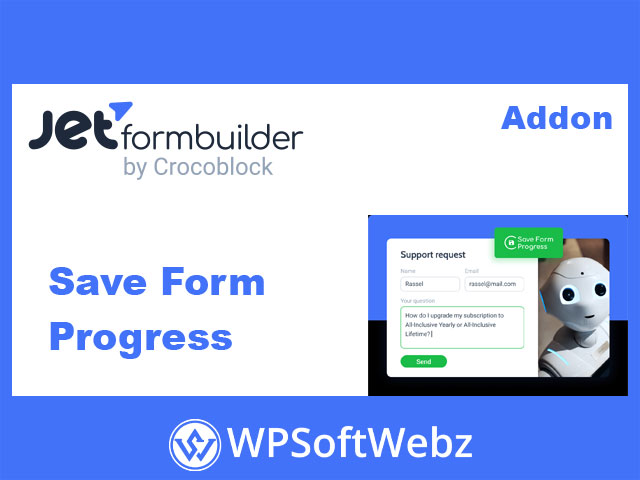

JetFormBuilder Save Form Progress Addon
The JetFormBuilder Save Form Progress Addon is a premium JetFormBuilder extension that automatically autosaves form progress and inputted data whenever the filling process is interrupted. This browser-specific addon works for both logged-in WordPress users and guests, helping protect long, complex, or business-critical forms such as job applications, orders, support requests, event registrations, surveys, and quote requests from data loss.
Why Use JetFormBuilder Save Form Progress Addon?
Abandoned forms are often the result of accidental page closes, lost connections, or users simply needing to step away. Re-typing everything is frustrating and leads to lower completion rates. The Save Form Progress addon quietly stores a visitor’s input in the browser as they type, so when they return to the form in the same browser, their answers are still there and they can continue where they left off.
This makes it especially valuable for:
- Long or multi-step forms
- Detailed questionnaires and surveys
- Order, booking, and registration flows
- Request-a-quote and application forms that collect a lot of information
Key Features of JetFormBuilder Save Form Progress Addon
Browser-Based Autosave with Local Storage
The JetFormBuilder Save Form Progress Addon uses the browser’s Local Storage to save form values, tying them to the specific form ID. That means:
- Form progress is stored locally in the user’s browser, not on the server.
- Data remains available as long as it’s not cleared from the browser.
- Users can return to the same page and continue filling the form without starting over.
Because it’s a browser-specific addon, it works smoothly for both logged-in users and visitors, without requiring an account to benefit from autosave.
Support for Long & Multi-Step Forms
The addon is designed with long and multi-step forms in mind:
- Completed steps in multi-step forms remain active on the progress bar if the form is abandoned mid-way.
- Users see where they left off, making it easier to resume instead of redoing every step.
- Ideal for complex onboarding flows, multi-page applications, and detailed booking forms where users may take longer to finish.
Autosave for Calculations and Conditional Logic
The Save Form Progress addon doesn’t just remember plain text fields:
- Calculation results are pre-saved and then updated as users change field values, so all calculated totals and derived fields stay in sync with saved input.
- Triggered conditions—for example, fields or sections shown/hidden based on previous answers—are saved as well, preserving the dynamic state of the form when a user returns.
This ensures that the entire form state, not just individual fields, is restored consistently.
Handling Uploaded Files and Autocomplete Fields
To keep complex submissions intact, the addon also supports:
- Uploaded media files – any media files attached to the form before an interruption are preserved, so users don’t need to upload them again.
- Autocomplete fields – values in Select Autocomplete and Address Autocomplete fields are saved, which is especially helpful when users have already looked up specific options or addresses.
These capabilities make the addon a strong fit for forms that rely on file uploads (CVs, IDs, screenshots) or location and search-driven fields.
Configuration & Workflow
Simple Toggle in Form Settings
Once installed and activated, the addon adds a Form Progress section to each JetFormBuilder form’s settings. Inside this section you’ll find a single, clear toggle:
- Save form progress – enable or disable autosave for that particular form.
Switching this toggle ON activates the form progress saving mode, instantly upgrading that form with autosave behavior while keeping it optional on a per-form basis.
Works with Any JetFormBuilder Form
Because it’s part of the JetFormBuilder Pro addon suite, the JetFormBuilder Save Form Progress Addon:
- Works with any WordPress theme supported by JetFormBuilder.
- Integrates with other JetFormBuilder features, including:
- Multi-step (page break) forms
- Calculated fields
- Conditional logic
- Autocomplete-related addons
You keep using the same Gutenberg-based builder and simply enable Save Form Progress wherever needed.
Ideal Use Cases
Job Application & Career Forms
Job applications often require detailed information and document uploads. With Save Form Progress enabled:
- Candidates can pause and come back without losing data.
- Uploaded CVs and supporting files are retained.
- Multi-step flows feel safer and more professional, even if users need extra time.
Order, Quote & Complex Request Forms
For businesses collecting detailed order specs or quote requests:
- Users can step away to gather details and then return to the partially completed form.
- Saved calculations and conditions keep complex pricing forms intact.
- Fewer lost leads due to interruptions or back-button mistakes.
Event Registration & Booking Flows
When combined with tools like JetAppointment or JetBooking, the addon becomes a key part of a seamless booking experience:
- Long registration or booking forms become less risky to fill out.
- Users can safely navigate away from the page without fear of losing everything.
- Increased completion rates for event sign-ups and appointment requests.
Surveys & Research Questionnaires
For surveys or research forms that require thoughtful responses:
- Participants can take their time, knowing their answers are being saved.
- Less frustration if a tab closes by accident or the browser refreshes.
- More complete data for analysts and researchers.
Benefits for Site Owners & Developers
Better User Experience & Completion Rates
By protecting users’ input against common interruptions, the JetFormBuilder Save Form Progress Addon:
- Reduces friction and frustration on long forms.
- Encourages users to finish what they started.
- Helps improve form completion and conversion rates for critical funnels.
Lightweight, Native Integration
- No extra screens or complicated configuration panels—just a single toggle per form.
- Built specifically for JetFormBuilder and the Gutenberg editor.
- Keeps your stack lean while adding high-value functionality.
Perfect Fit for Advanced JetFormBuilder Setups
The addon is particularly effective when combined with:
- Multi-step forms and advanced form layouts.
- Appointment and booking scenarios with JetAppointment and JetBooking.
- Other JetFormBuilder Pro addons like scheduling or response limiting, forming a comprehensive solution for managing long and time-sensitive form flows.
Who Is JetFormBuilder Save Form Progress Addon For?
The JetFormBuilder Save Form Progress Addon is ideal if you:
- Build long, multi-step, or high-value forms where losing data is costly.
- Run job boards, booking systems, support portals, or quote-heavy businesses.
- Need to protect users’ input across complex calculations, conditional logic, uploads, and autocomplete fields.
- Work as a WordPress implementer, freelancer, or agency and want to offer a more forgiving, user-friendly form experience.
If you want to reduce form abandonment, safeguard user input, and make complex JetFormBuilder forms more comfortable to complete, the JetFormBuilder Save Form Progress Addon is a powerful Pro extension to add to your WordPress toolkit. Enable it on your key forms to protect data, boost completion rates, and deliver a smoother experience for every visitor.