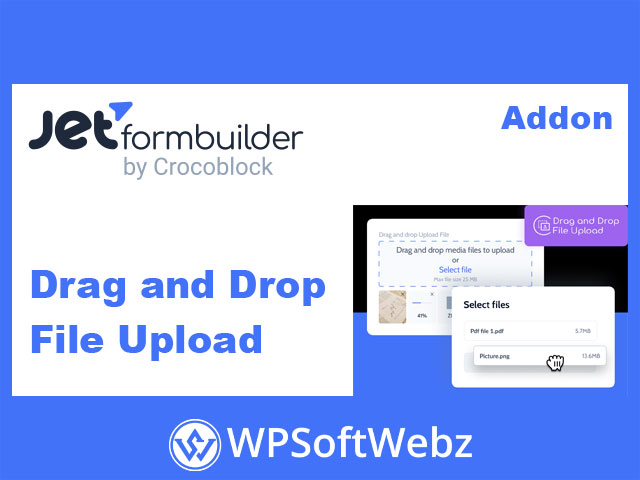

The JetFormBuilder Drag and Drop File Upload Addon is a premium extension that enhances JetFormBuilder forms by adding an advanced drag-and-drop file upload field. It allows users to easily attach documents, images, or other files by simply dragging them into a designated area—providing a smoother, modern, and user-friendly upload experience for your WordPress site.
JetFormBuilder Drag and Drop File Upload Addon overview
This addon replaces the standard file input field with a visually engaging, AJAX-powered upload interface. Users can drag one or multiple files directly into the upload zone, and the files are uploaded asynchronously—meaning no page reloads are required.
The uploaded files are automatically linked to the form submission and can be attached to emails, saved to the WordPress Media Library, or included in post creation actions.
Perfect for applications, job submissions, project proposals, or any form that requires supporting documents, the JetFormBuilder Drag and Drop File Upload Addon ensures a faster and more reliable file upload process.
Key features and functionality
- Drag-and-drop upload interface — Let users upload files intuitively by dragging them into the upload area.
- Multiple file uploads — Supports both single and multiple file attachments depending on your form configuration.
- AJAX-based uploads — Files are uploaded instantly without refreshing the page, improving UX and speed.
- Progress indicators — Users can see upload progress and confirmation messages for successful file uploads.
- File validation controls — Restrict file types, sizes, and number of files directly in the field settings.
- Seamless JetFormBuilder integration — Add and configure the upload field block within the Gutenberg form editor.
- Media Library integration — Option to automatically store uploaded files in the WordPress Media Library.
- Secure uploads — Files are validated and sanitized to ensure WordPress security standards are maintained.
How it works
Step 1: Add the upload field
After activating the addon, a new “File Upload” block becomes available in the JetFormBuilder form editor. Insert it wherever you need users to upload files.
Step 2: Configure settings
Within the field settings panel, you can specify:
- Accepted file types (e.g.,
.jpg,.pdf,.docx) - Maximum upload size per file
- Whether multiple files can be uploaded
- Whether to save uploads to the Media Library
- Field label, description, and placeholder text
Step 3: User uploads files
Users can drag files into the drop area or click to select files manually. The files upload automatically via AJAX, showing progress bars and visual feedback.
Step 4: Files attached to submission
Uploaded files are linked to the JetFormBuilder submission and can be included in:
- Email notifications
- Post creation actions (Insert/Update Post)
- Custom integrations like CRMs or storage tools
Use cases for the JetFormBuilder Drag and Drop File Upload Addon
- Job and career application forms — Let applicants upload resumes, portfolios, or certificates easily.
- Customer support and service requests — Allow users to attach screenshots, invoices, or documents.
- Project submission portals — Collect project files, design drafts, or proposals.
- Event registration or booking forms — Accept participant photos or ID documents.
- E-commerce order forms — Enable customers to upload files for product customization or proof of payment.
Advanced options and developer flexibility
- Custom error messages — Personalize the text for validation errors, file size limits, or unsupported formats.
- Dynamic upload directories — Define custom upload folders for better file organization.
- Integration with conditional logic — Show or hide the upload field based on user selections.
- Works with other JetFormBuilder add-ons — Combine with email marketing, automation, and signature features for robust form workflows.
Benefits of using the addon
- Enhanced user experience — The drag-and-drop interface feels intuitive and professional.
- Faster form interactions — AJAX uploads save time and prevent reloading.
- Improved data management — Uploaded files are automatically tied to form entries.
- Full control and security — You decide which files are allowed, their size limits, and storage method.
Who should use the JetFormBuilder Drag and Drop File Upload Addon?
The JetFormBuilder Drag and Drop File Upload Addon is ideal for businesses, agencies, and developers that need an advanced, professional, and reliable file upload solution on WordPress. From HR teams and designers to educators and event organizers, this addon makes handling user-uploaded content seamless and efficient.
Enhance your JetFormBuilder forms with modern, fast, and user-friendly file uploads—start using the JetFormBuilder Drag and Drop File Upload Addon today to elevate your WordPress form experience.