
JetFormBuilder Advanced Color Picker: Advanced Color Selection for WordPress Forms
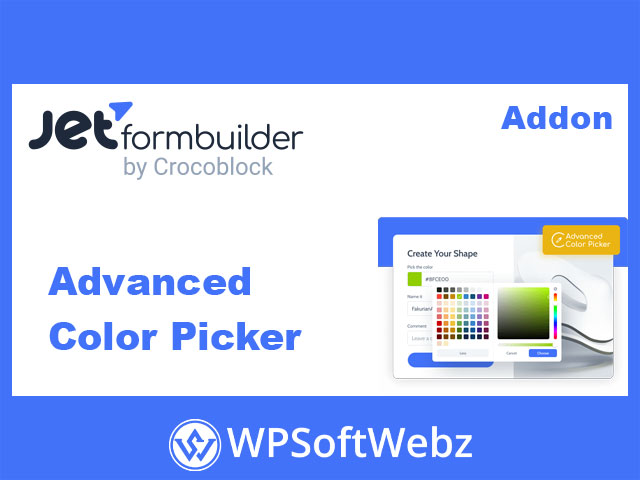
JetFormBuilder Advanced Color Picker is a premium, GPL-licensed addon for JetFormBuilder that upgrades the default Color Picker field with professional-level controls. It adds a modern, interactive color picker to your frontend forms, supporting HEX and RGB formats, opacity selection, and a more intuitive UI so users can choose precise colors in just a few clicks.
Why add an advanced color picker to your forms?
Enhancing your forms with a dedicated color picker field helps you:
- Let users visually choose brand or theme colors instead of typing codes
- Collect consistent color data for design, branding, and personalization
- Improve usability and reduce errors from manual HEX/RGB entry
- Offer a more polished, app-like experience inside standard WordPress forms
By extending the core JetFormBuilder Color Picker, this addon turns simple color inputs into a powerful visual control.
Key features of JetFormBuilder Advanced Color Picker
Palette and picker containers
The addon adds rich color selection options to the Color Picker field, giving users access to both:
- A palette for choosing colors quickly
- A picker container for fine-tuning exact shades
This combination makes it easy to move from a broad color choice to a precise tone that matches your brand, layout, or product.
HEX and RGB color value formats
With JetFormBuilder Advanced Color Picker, you can define how selected colors are stored in your form submissions:
- Save values as HEX for common web and brand palettes
- Save values as RGB if your workflows or integrations prefer that format
- Optionally use “no format” when you just need the raw picker value
This flexibility is ideal when color values are reused in design systems, custom styling, or external tools.
Opacity (alpha) control
Beyond the base color, the addon can expose an alpha (opacity) slider, allowing users to:
- Create highlight or lowlight variations of a main brand color
- Adjust transparency for backgrounds, overlays, and accents
- Precisely control the intensity of chosen colors in design-related forms
This is especially useful for designers, store owners, or clients who need subtle variations rather than solid, fully opaque colors only.
Seamless JetFormBuilder integration
The addon is built specifically for JetFormBuilder, so it:
- Extends the existing Color Picker Field block rather than adding a completely new control
- Appears directly inside the Field Settings panel when editing forms
- Can be enabled or disabled per field via a simple “Use Advanced Color Picker” toggle
- Works with any WordPress theme and fits into your Gutenberg-based form layouts
Because it integrates at field level, you can selectively apply advanced color controls only where they’re needed.
Easy configuration options
Once activated, the JetFormBuilder Advanced Color Picker addon gives you extra field-level settings such as:
- Use Advanced Color Picker – toggle to switch the advanced UI on or off
- Value Format – choose between no format, HEX, or RGB as the stored value
- Show Alpha (opacity) – turn opacity control on or off to match your use case
You stay in full control of what your users see and how the color data is saved.
Use cases for JetFormBuilder Advanced Color Picker
You can place the advanced color picker anywhere you need a user to choose a color visually. Typical scenarios include:
- User registration & profiles
Let users pick a profile accent color and store it in user meta to style dashboards, badges, or profile cards. - Post or content submission forms
Allow contributors to choose highlight colors for sections, headings, or featured boxes on their posts. - Vendor or directory applications
Capture a company’s primary brand color so you can style their listing or storefront with consistent branding. - Order and product customization forms
Let customers choose colors for packaging, gift wrapping, labels, or product details. - Design and creative briefs
Add color picker fields to design request forms so clients can specify their preferred palette for interiors, graphics, or web layouts.
How JetFormBuilder Advanced Color Picker fits into your workflow
The addon follows the familiar JetFormBuilder setup flow:
- Install and activate JetFormBuilder on your WordPress site.
- Enable JetFormBuilder Advanced Color Picker from the JetFormBuilder → Addons screen.
- Open or create a form and add a Color Picker Field block.
- In the Field Settings, toggle Use Advanced Color Picker to enable the enhanced interface.
- Select your desired value format (HEX/RGB) and turn opacity on or off.
- Save the form and embed it on any page, post, or template.
From then on, your visitors get a smooth, visual way to select colors, while you receive standardized color data ready for styling or automation.
Who is JetFormBuilder Advanced Color Picker for?
JetFormBuilder Advanced Color Picker is ideal for WordPress site owners, agencies, and developers who:
- Build design- or branding-focused forms
- Need reliable color data for styling, personalization, or theming
- Want to enhance the default JetFormBuilder Color Picker with professional options
- Prefer GPL-licensed, Pro-grade addons that integrate seamlessly into existing workflows
If you use JetFormBuilder Pro and need more than a basic color field, adding JetFormBuilder Advanced Color Picker will give your forms a modern, visual color selection experience and help you capture consistent, design-ready color data across your site.