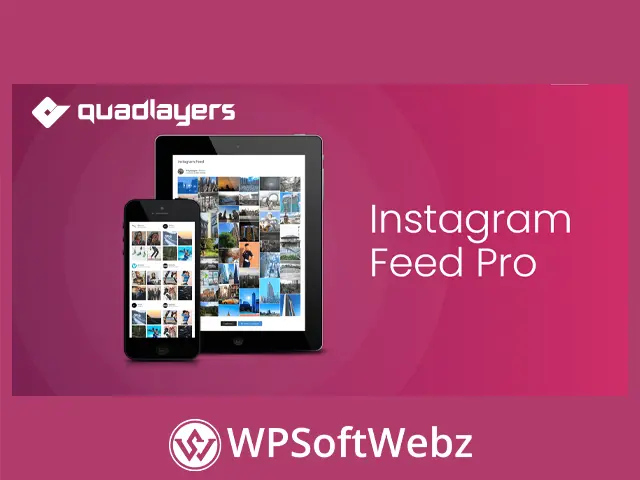

Instagram Feed Pro by QuadLayers is a premium WordPress plugin for displaying Instagram photos and videos in customizable website feeds. It helps businesses, creators, online stores, agencies, photographers, restaurants, and personal brands transform Instagram content into responsive galleries, carousels, masonry layouts, and highlighted displays without manually uploading every post to WordPress.
Display Instagram Content with Instagram Feed Pro
Instagram Feed Pro connects WordPress websites with authorized Instagram accounts and retrieves available media for display on pages or posts. Once an account is connected, website administrators can create feeds, select a layout, customize the presentation, and embed the finished gallery using a generated shortcode.
The plugin is suitable for showcasing:
- Brand photography
- Product images and videos
- Customer-generated content
- Portfolio projects
- Restaurant dishes
- Travel photographs
- Fashion collections
- Event highlights
- Fitness content
- Creative work
- Social media campaigns
- Company updates
By displaying Instagram media directly on a website, businesses can maintain a stronger connection between their social presence and their WordPress content.
Multiple Instagram Accounts and Feeds
Instagram Feed Pro supports multiple Instagram accounts, allowing website owners to create feeds from different profiles. Each connected account can have its own gallery settings, layout, and visual presentation.
Multiple account functionality is useful for:
- Agencies managing several brands
- Companies with regional Instagram profiles
- Websites featuring different departments
- Multi-location businesses
- Teams with separate creator accounts
- Online stores operating several product brands
- Publishers displaying content from multiple contributors
Website administrators can also create multiple feeds and place them on the same page or across different areas of the website. This makes it possible to build separate galleries for campaigns, products, teams, locations, or content categories.
Flexible Instagram Feed Layouts
The premium Instagram gallery plugin includes several built-in layouts for presenting social media content. Each layout serves a different visual and content-marketing purpose.
Grid Layout
The grid layout displays Instagram posts in an organized row-and-column structure. It is a practical option for portfolio pages, brand galleries, product showcases, and homepage sections that require a clean and balanced appearance.
Carousel Layout
The carousel layout presents Instagram media in a sliding format. It can display more content within a compact page area, making it useful for homepages, landing pages, side sections, and promotional content blocks.
Carousel settings allow website owners to control how the feed moves and behaves according to the selected configuration.
Masonry Layout
The premium masonry layout arranges images in a flexible structure that accommodates different media proportions. This creates a more dynamic gallery and can be particularly effective for photography, fashion, travel, food, and lifestyle websites.
Highlight Layout
The highlight layout helps selected Instagram posts stand out from the rest of the feed. Posts can be highlighted according to a defined pattern, specific post identifiers, or a hashtag included in the caption.
This feature can be used to emphasize:
- Featured products
- Promotional campaigns
- Important announcements
- Popular visual content
- New collections
- Seasonal offers
- Sponsored posts
- Branded hashtags
Instagram Photo and Video Popups
Instagram Feed Pro includes a popup gallery that lets visitors view available photos and videos without leaving the website. When a user selects an item, the media can open in a larger lightbox-style presentation.
Popup functionality creates a more immersive viewing experience while keeping visitors on the current WordPress page. Depending on the feed settings and available account data, the popup can also present supporting information such as captions and engagement details.
This feature is valuable for websites that rely heavily on visual storytelling, including:
- Photography portfolios
- Creative agencies
- Fashion websites
- Beauty brands
- Hotels and travel businesses
- Restaurants and food blogs
- Fitness professionals
- Product-focused online stores
Customizable Feed Appearance
The plugin provides built-in styling controls for adapting Instagram feeds to the website’s branding. Administrators can customize individual feeds rather than applying the same design to every gallery.
Available presentation controls include options for:
- Feed background colors
- Image spacing
- Internal padding
- Rounded borders
- Gallery containers
- Image dimensions
- Popup presentation
- Text appearance
- Image overlays
- Hover effects
- Buttons and button colors
These customization options help Instagram galleries feel like an integrated part of the website rather than an unrelated external element.
Image Cards and Media Information
Instagram Feed Pro offers image card options for presenting additional information when visitors interact with feed items. Administrators can configure card styling and choose which available details to display.
Depending on the connected Instagram account type and accessible API data, image cards may include:
- Post captions
- Caption length
- Like counts
- Comment information
- Font size
- Background color
- Border radius
- Media popup details
Instagram determines which information is accessible through its APIs. Some engagement and tag-related data may require an eligible business account rather than a personal account.
Image Masks and Hover Effects
The WordPress Instagram feed plugin includes image mask settings that can add visual effects when users interact with gallery media.
Website owners can configure elements such as:
- Mask colors
- Overlay effects
- Hover presentation
- Like indicators
- Comment counters
- Additional comment controls
Image masks can make a gallery more interactive while helping important engagement information remain visible. Colors can also be adapted to match the website’s overall design.
Custom Instagram Buttons
Feed images can include a customizable button that directs visitors to the original post on Instagram. Administrators can control the button’s text, background color, and hover color.
This functionality can encourage website visitors to:
- View the original Instagram post
- Explore additional social content
- Interact with the connected profile
- Discover related posts
- Continue engaging with the brand on Instagram
Custom button styling helps ensure that the call to action remains consistent with the website’s visual identity.
Load More Instagram Posts
Instagram Feed Pro includes a load more button that allows visitors to reveal additional media without displaying every available item immediately.
This approach helps website owners create a cleaner initial gallery while still giving users access to more Instagram content. It is particularly helpful for accounts with extensive media libraries or pages where space needs to be managed carefully.
The load more feature can improve browsing by:
- Keeping the initial feed compact
- Reducing visual clutter
- Allowing visitors to control content expansion
- Supporting galleries with many posts
- Maintaining a focused page layout
Profile Information in Feed Headers
The premium plugin can display profile or tag information within the Instagram feed header. Available header content may include an avatar, username, and custom description.
Profile information helps visitors understand where the displayed content originates and can reinforce the connection between the WordPress website and the associated Instagram presence.
This is useful when displaying:
- Multiple brand accounts
- Creator profiles
- Team member feeds
- Regional business accounts
- Campaign-specific galleries
- Hashtag-related content
Reliable Instagram Feed Caching
Instagram Feed Pro uses data caching to reduce repeated requests to Instagram and improve content delivery. Instead of retrieving the same information during every page load, the plugin can temporarily store feed data and refresh it according to the configured schedule.
Caching can help:
- Reduce unnecessary Instagram API requests
- Minimize repeated data retrieval
- Improve feed loading efficiency
- Lower server resource consumption
- Keep frequently visited pages responsive
The plugin also includes backup caching designed to keep existing feed content available when communication with the Instagram API is temporarily interrupted.
Administrators can configure how frequently the feed cache refreshes from the plugin settings.
Responsive and Mobile-Optimized Galleries
Instagram Feed Pro is designed to display content across desktop computers, tablets, and smartphones. Responsive galleries automatically adapt to the available screen area, helping Instagram media remain accessible on different devices.
Responsive presentation is especially important for social media content because many visitors browse visual content using mobile devices.
A mobile-friendly Instagram gallery helps maintain:
- Readable captions
- Properly sized media
- Accessible carousel controls
- Usable popup galleries
- Consistent image spacing
- Clear profile information
- Functional load more controls
Website owners should review each gallery on multiple screen sizes after customizing its layout and styling.
Embed Instagram Feeds with Shortcodes
After creating and customizing a feed, the plugin generates a shortcode that can be placed within WordPress content.
Shortcodes can be added to:
- WordPress pages
- Blog posts
- Gutenberg Shortcode blocks
- Classic Editor content
- Widget-ready areas that process shortcodes
- Compatible page builder elements
- Theme template areas with shortcode support
Each feed has its own shortcode, making it possible to place different Instagram galleries throughout the website.
This workflow allows administrators to manage a feed centrally while displaying it in the most relevant content area.
Compatible with WordPress Themes
Instagram Feed Pro is designed to work with WordPress themes, while its responsive layouts and customization controls help administrators adapt each gallery to the surrounding design.
The plugin can be used on websites built for:
- Corporate brands
- Creative portfolios
- eCommerce stores
- Fashion companies
- Beauty businesses
- Restaurants and cafés
- Hotels and tourism
- Personal blogs
- Marketing agencies
- Fitness professionals
- Photographers
- Event organizers
Final appearance may vary according to the active theme, page builder, custom CSS, and other plugins installed on the website.
Personal and Business Instagram Accounts
The plugin can connect supported personal or business Instagram accounts. However, the information available to a WordPress feed depends on Instagram’s API permissions and the type of account being used.
Business account access may be required for features involving:
- Public hashtag feeds
- Like counts
- Comment counts
- Certain profile information
- Additional engagement data
Website owners should connect the account type that supports the content and information they intend to display.
Important Pro Installation Requirement
Instagram Feed Pro extends the functionality of the free Instagram Feed Gallery plugin. The official documentation states that the free plugin must remain installed and active when using the premium extension.
This means the Pro edition works alongside the core plugin rather than replacing it completely. Both components should be maintained to ensure that premium functionality remains available.
Benefits of Instagram Feed Pro
Instagram Feed Pro combines flexible layouts, multiple account support, media popups, customization controls, and caching in one WordPress social feed solution.
Key benefits include:
- Display Instagram photos and videos on WordPress
- Connect multiple Instagram accounts
- Create multiple independent feeds
- Use grid, carousel, masonry, and highlight layouts
- Highlight selected posts by pattern, identifier, or caption hashtag
- Open media in an on-site popup gallery
- Add a load more button
- Customize feed colors and spacing
- Configure rounded borders and backgrounds
- Display profile information in feed headers
- Add customizable Instagram buttons
- Show available captions and engagement details
- Apply image masks and hover effects
- Generate shortcodes automatically
- Cache Instagram data to reduce repeated requests
- Maintain backup feed data during temporary API issues
- Present responsive galleries on mobile devices
Who Should Use Instagram Feed Pro?
Instagram Feed Pro is suitable for businesses, influencers, photographers, agencies, eCommerce stores, restaurants, travel companies, fashion brands, and content creators that want to integrate Instagram media into WordPress.
Its multiple account support, premium gallery layouts, highlighted posts, popups, load more functionality, flexible styling, and reliable caching make it a practical solution for building engaging social media galleries. Choose Instagram Feed Pro to bring Instagram content into your website, strengthen visual storytelling, and give visitors more ways to explore your brand.