
Image Upload for bbPress Pro — inline image attachments for WordPress forums
Image Upload for bbPress Pro is a premium bbPress add-on that lets members upload and insert images directly into topics and replies with an intuitive drag-and-drop uploader and built-in lightbox, making forum threads more visual and engaging.
Why choose Image Upload for bbPress Pro?
Bring media-rich conversations to your WordPress forum without complicating moderation or storage. This plugin integrates neatly with bbPress and the WordPress admin, giving you granular controls over who can upload, how images are optimized, and where they’re stored.
Key features of Image Upload for bbPress Pro
- Drag-and-drop uploader with support for inserting multiple images inline.
- Automatic thumbnails + lightbox so readers can click to view larger versions without leaving the thread.
- Animated GIF support with preserved animation.
- Role-based permissions to restrict which user roles can upload.
- Per-post limits to cap how many images can be added to a topic or reply.
- Auto-resize & compression controls to reduce file size (set JPEG/PNG compression and maximum dimensions).
- Format normalization to convert uploads to a preferred format for consistency.
- Stats dashboard to track total image counts and storage usage.
- Optional remote storage via Amazon S3 (through a dedicated add-on) for offloading media from your server.
Storage & performance made simple
Choose a storage engine that fits your forum: keep uploads on the local filesystem in a path you define, or offload to Amazon S3 with the companion add-on. Admin-set resizing, compression, and format rules help control disk space and bandwidth while preserving front-end quality.
Control & moderation that fit your community
Fine-tune who can upload (by WordPress role), how many images can appear per topic/reply, and the maximum file size/dimensions. These safeguards help maintain performance and keep threads readable—without turning off rich media entirely.
Smooth forum experience on every device
Members can add images inline from desktop or mobile. Thumbnails keep threads compact; the integrated lightbox provides quick, distraction-free enlargement when needed. The uploader UI blends with bbPress so users don’t have to learn a new workflow.
Admin-friendly configuration
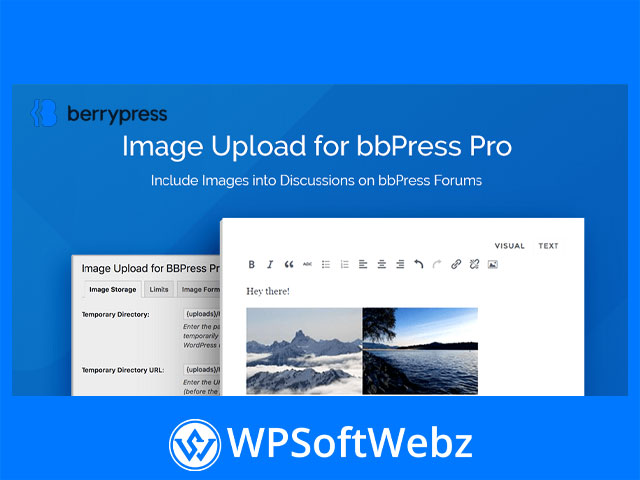
After activation, settings are organized in clear tabs, including Image Storage, Limits, Image Format, Frontend Display, Statistics, and Translation—so you can tailor the uploader, labels, and behaviors to your forum’s style and policies.
Compatibility & use cases
- Works with WordPress themes that follow coding standards used by bbPress.
- Ideal for support forums, product communities, hobby groups, and photo-centric threads where context matters.
- Great for tutorials, bug reports, and showcases where screenshots and visuals elevate the conversation.
Who is it for?
Site owners and community managers who want a reliable, configurable way to add image attachments to bbPress without sacrificing performance or moderation control.
Conclusion
If you run a bbPress-powered forum and need streamlined, configurable image attachments, Image Upload for bbPress Pro delivers an elegant, scalable solution. Enhance engagement, keep threads tidy, and give members the visual tools they need—try Image Upload for bbPress Pro on your WordPress forum today.