
Gravity Forms Media Library for Smarter File Upload Management
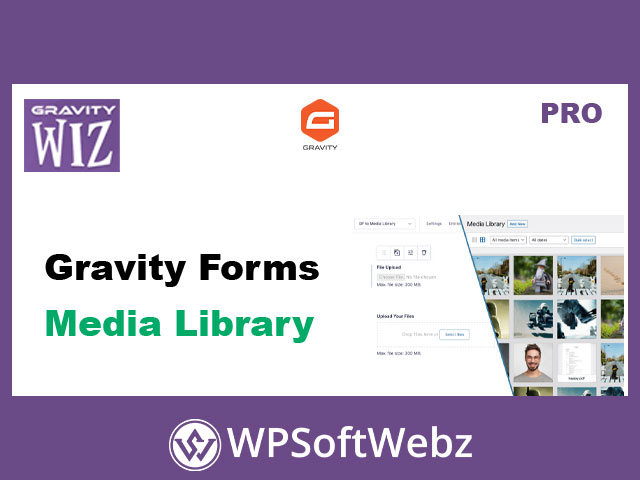
Gravity Forms Media Library is a premium Gravity Wiz add-on for Gravity Forms that automatically imports files uploaded through Gravity Forms into the WordPress Media Library. Instead of leaving user-submitted images, documents, and files only inside form entries, this Gravity Forms media management plugin helps make uploaded files easier to find, reuse, display, process, and organize across your WordPress website.
Designed for site owners, developers, agencies, and content-driven businesses, Gravity Forms Media Library is especially useful for forms that collect images, documents, profile media, post assets, product files, or other user-submitted uploads that need to become part of the standard WordPress media workflow.
What Gravity Forms Media Library Does
Gravity Forms Media Library enhances Gravity Forms File Upload fields with an option to upload submitted files directly to the WordPress Media Library when a form is submitted. Once enabled on a File Upload field, files and images are imported in a way that follows the normal WordPress media upload process.
This means uploaded files can benefit from the same WordPress media handling behavior as files uploaded manually through the WordPress admin area. For websites that rely on user-generated content, frontend submissions, profile images, directories, galleries, or document collection, this creates a cleaner and more practical file management workflow.
Key Features of Gravity Forms Media Library
Gravity Forms Media Library includes several verified features that make it a practical premium add-on for Gravity Forms upload workflows.
Automatic Uploads to the WordPress Media Library
The plugin can automatically send files uploaded through Gravity Forms File Upload fields to the WordPress Media Library. This helps site administrators manage user-submitted media from the familiar WordPress media interface instead of searching only through individual form entries.
Support for Single and Multi-File Uploads
Gravity Forms Media Library supports both single-file uploads and multi-file uploads. This makes it useful for simple forms that collect one document as well as more advanced forms that collect multiple images, attachments, or media files at once.
Advanced Custom Fields Support
The plugin supports Advanced Custom Fields workflows, including ACF image and file fields. This is valuable for websites that use Gravity Forms to collect frontend content and then need uploaded media connected to custom fields, posts, user profiles, or structured content layouts.
Image Thumbnails and Merge Tags
Gravity Forms Media Library supports image output in Gravity Forms notifications and confirmation messages through merge tags. Available image sizes can include standard WordPress image sizes and supported custom sizes, helping site owners display uploaded images in a more controlled and optimized way.
GravityView Integration Benefits
For websites using GravityView, Gravity Forms Media Library can improve display workflows by allowing views to use resized image thumbnails rather than relying on large original uploaded images. This can help make frontend displays of submitted media more efficient and user-friendly.
Simple Gravity Forms Field Setting
The plugin integrates directly into Gravity Forms field settings. After adding a File Upload field, users can enable the upload-to-media-library option from the field’s Perks settings, making the feature straightforward to apply without building a custom upload system.
Practical Use Cases for Gravity Forms Media Library
Gravity Forms Media Library is useful for many WordPress projects that collect files through forms and need those files available in the media library.
Common use cases include:
- Uploading user-submitted images into the WordPress Media Library
- Collecting documents through Gravity Forms and organizing them in WordPress
- Adding submitted media to Advanced Custom Fields image or file fields
- Supporting frontend content submission workflows
- Managing profile images or user-submitted media
- Displaying uploaded images in confirmation messages or email notifications
- Creating workflows for directories, listings, galleries, portfolios, or product submissions
- Improving file organization for sites that receive frequent uploads
Better File Organization for User-Submitted Content
Without a dedicated media workflow, user-uploaded files can become harder to manage over time. Gravity Forms Media Library helps solve this by placing submitted media into the WordPress Media Library, where administrators can browse, search, reuse, and manage files through the standard WordPress interface.
This is especially helpful for websites that receive regular uploads from members, customers, clients, contributors, students, applicants, or vendors.
Works With Image Optimization and Offloading Workflows
Because files are imported into the WordPress Media Library, they can participate in normal media-related processing on the site. This can include image resizing, thumbnail generation, optimization, and media offloading workflows when compatible third-party tools are used.
For websites that collect many images through Gravity Forms, this helps uploaded media fit more naturally into the site’s existing WordPress performance and storage strategy.
A Strong Add-On for Gravity Forms and ACF Workflows
Gravity Forms Media Library is particularly valuable when Gravity Forms is used as a frontend content collection tool. When paired with Advanced Custom Fields, it can support more advanced publishing workflows where submitted files need to connect with custom fields, user profiles, generated posts, or structured content.
This makes the plugin a useful option for developers and agencies building custom WordPress applications with Gravity Forms, ACF, and user-submitted media.
Who Should Use Gravity Forms Media Library?
Gravity Forms Media Library is best suited for WordPress site owners, agencies, developers, and businesses that use Gravity Forms to collect images, documents, or other uploads and want those files stored in the WordPress Media Library. It is especially useful for websites built around frontend submissions, user-generated content, Advanced Custom Fields, GravityView displays, or organized file management.
In conclusion, Gravity Forms Media Library is a focused premium Gravity Forms add-on that improves how uploaded files are stored, accessed, displayed, and reused in WordPress. For anyone managing file uploads through Gravity Forms, Gravity Forms Media Library provides a cleaner and more professional media workflow.