
Gravity Forms Material Design
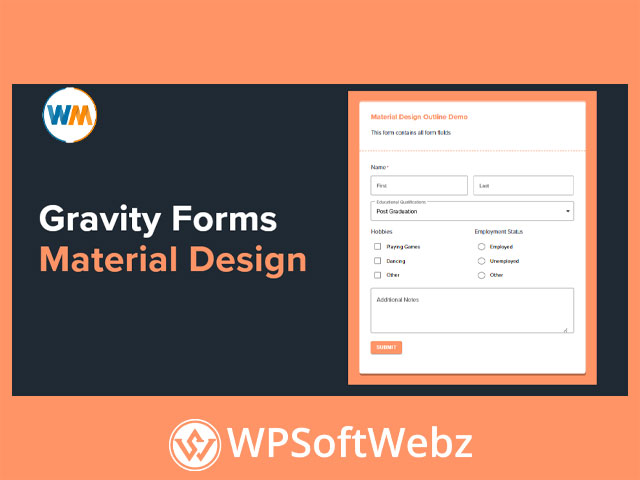
Gravity Forms Material Design is a premium styling addon for Gravity Forms that helps you transform standard forms into a cleaner Material Design interface with one click. Built to work with Booster for Gravity Forms, it focuses on improving the visual experience of your forms without custom CSS, while giving you live preview controls to refine the final look before publishing.
Why Choose Gravity Forms Material Design?
For site owners, agencies, and developers who want more polished Gravity Forms styling, Gravity Forms Material Design offers a fast way to modernize form layouts. Instead of manually rebuilding form styles, you can apply a Material Design-inspired look, adjust the presentation, and keep the editing process simple.
Key benefits
- Convert Gravity Forms to Material Design with one click
- Preview design changes live before saving
- Choose between filled and outlined styles
- Customize theme color and typography settings
- Add ripple effects to interactive elements
- Use floating labels and sub-labels for a cleaner form UI
- Turn checkboxes into switch-style controls
- Style supported Gravity Forms fields without coding
Gravity Forms Material Design Features
One-click Material Design styling
The main strength of Gravity Forms Material Design is simplicity. Once enabled for a form, the addon applies a Material Design-style interface immediately, helping your forms look more modern and engaging without a complicated setup process.
This makes it especially useful for:
- Contact forms
- Inquiry forms
- Registration forms
- Booking and application forms
- Lead generation forms
Live preview customization
A major advantage of this Gravity Forms design addon is its live preview workflow. As you make design changes, you can see how the form looks in real time, which helps reduce trial and error and speeds up the styling process.
That visual editing experience is valuable for users who want professional-looking forms without digging into theme files or writing CSS manually.
Filled and outlined form styles
Gravity Forms Material Design supports filled and outlined design options, giving you flexibility in how your forms appear across different website styles. This helps you match the addon to minimalist websites, business sites, landing pages, or more visually branded layouts.
Typography and spacing controls
The addon includes multiple typography-related controls so you can fine-tune how your form content appears. Verified options include settings for:
- Font family
- Font size
- Line height
- Letter spacing
- Font style
- Helper text typography
These controls can help create a more consistent and readable form design across labels, descriptions, choice text, and buttons.
Theme color and interaction effects
The theme color setting controls the primary accent color used in active borders and other key interface elements. The addon also includes ripple effects for radio buttons, checkboxes, and submit buttons, which can make form interactions feel more dynamic and visually refined.
Floating labels and switch-style checkboxes
Another standout feature of Gravity Forms Material Design is support for floating labels and sub-labels. This design pattern can help forms feel cleaner and more compact while keeping labels visible. The addon also includes an option to convert checkboxes into switches, which may suit modern UI-focused websites.
Supported Use Cases for Gravity Forms Material Design
Better-looking Gravity Forms without CSS
If you want to improve the appearance of Gravity Forms without custom development work, this addon is a strong fit. It is designed for users who need a more polished form experience while keeping setup straightforward.
Consistent form design across different projects
Because the plugin focuses on visual styling controls, it can be useful for freelancers and agencies managing multiple client websites. It helps create a more consistent form presentation while reducing manual styling time.
Styling many common Gravity Forms fields
According to the official guidance, the addon supports many commonly used Gravity Forms fields, including text, number, email, website, date, phone, name, select, shipping, checkbox, radio, and address-related fields. That makes it practical for a wide range of business and marketing forms.
Who Is Gravity Forms Material Design Best For?
Gravity Forms Material Design is ideal for WordPress users who rely on Gravity Forms and want a more modern form interface without coding. It is well suited to agencies, marketers, designers, and business owners who want to improve form presentation, user experience, and visual consistency across their website.
Final Thoughts on Gravity Forms Material Design
If you want a premium Gravity Forms styling addon that adds Material Design-inspired layouts, live preview customization, and cleaner interaction elements, Gravity Forms Material Design is a compelling choice. It is best for users who want to upgrade the look of their forms quickly and professionally. For anyone aiming to make Gravity Forms more modern and visually engaging, Gravity Forms Material Design is well worth exploring.