
FoodBook Online Food Ordering System for WordPress
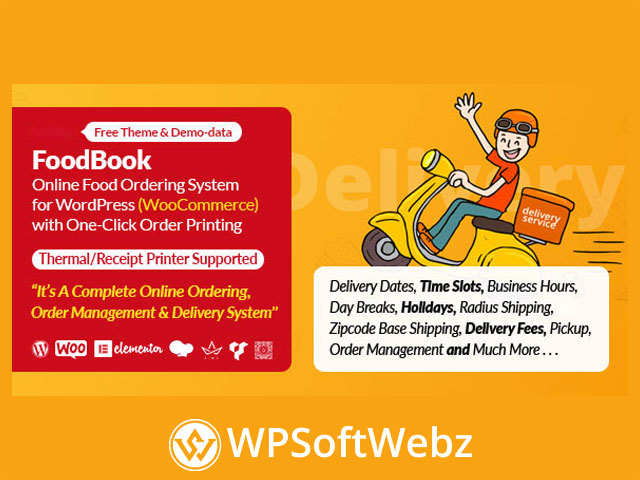
FoodBook Online Food Ordering System for WordPress is a premium WooCommerce-based food ordering and delivery plugin designed for restaurants, cafes, takeaway shops, cloud kitchens, fast food businesses, pizza stores, burger shops, and local food delivery websites. Verified information from the official CodeCanyon listing and ThemeLooks product page shows that FoodBook provides a complete online order management workflow for WordPress, including delivery and pickup ordering, invoice printing, restaurant dashboards, product filtering, time slot controls, and location-based delivery availability.
Built around WooCommerce, FoodBook helps restaurant owners accept online food orders directly through their own WordPress website. Instead of relying only on third-party food delivery platforms, restaurants can create a branded ordering experience with menu browsing, cart functionality, delivery options, order notifications, and management tools for staff roles.
Why Choose FoodBook Online Food Ordering System for WordPress?
FoodBook is designed for food businesses that need more than a basic menu display. It combines ordering, delivery management, pickup scheduling, order status updates, and restaurant workflow tools in one WordPress plugin.
This makes it useful for businesses that want to:
- Accept delivery orders online
- Offer pickup or takeaway ordering
- Display food menus with search and filtering
- Manage restaurant orders from dedicated dashboards
- Print invoices and order receipts
- Set delivery time slots and order limits
- Check delivery availability by address or zip code
- Build a restaurant ordering website using WooCommerce
Key Features of FoodBook
WooCommerce-Based Food Ordering
FoodBook works with WooCommerce, allowing restaurants to use a familiar eCommerce foundation for food ordering. Products can be used as food items, while WooCommerce supports checkout, customer details, payment flow, and order handling.
This makes FoodBook a practical solution for restaurant owners who want a WordPress food ordering plugin that fits into the WooCommerce ecosystem.
Delivery and Pickup Order Options
FoodBook supports delivery, pickup, or both delivery and pickup order types. Restaurant owners can configure the ordering workflow according to their business model, whether they only deliver food, only offer takeaway, or provide both options.
This flexibility makes the plugin suitable for:
- Local restaurants
- Takeaway shops
- Cafes
- Bakeries
- Fast food outlets
- Cloud kitchens
- Pizza and burger shops
- Small food delivery businesses
Single Page Cart System
FoodBook includes a single page cart system designed to simplify the ordering experience. Customers can browse food items, add products to the cart, and continue ordering without a complicated multi-step browsing process.
A smoother ordering flow can help reduce friction and make it easier for customers to place food orders quickly.
Ajax Search, Filtering, and Pagination
FoodBook includes Ajax quick search, category filtering, and pagination features. These tools help customers find food items faster, especially when a restaurant has a large menu.
Useful browsing features include:
- Live food search
- Category-based filtering
- Ajax pagination
- Product list and grid views
- Menu layout controls
- Sidebar and search bar display options through shortcode attributes
Restaurant Order Management Features
Built-In Order Management Workflow
FoodBook includes order management tools for restaurant operations. Orders can be filtered and handled through different statuses such as new order, cooking process, cooking complete, on the way, and delivery complete.
This helps restaurants organize order progress and improve communication between order-taking, kitchen, and delivery staff.
Staff Dashboard Support
FoodBook includes dedicated dashboard interfaces for restaurant staff roles such as branch manager, kitchen manager, and delivery person. These dashboards allow staff to manage relevant order tasks without giving them full WordPress admin access.
This is especially useful for restaurants that need role-based order handling and a more organized internal workflow.
Real-Time Order Updates and Notifications
FoodBook supports real-time order table updates, status updates, notification updates, and statistics updates. It also includes new order popup notifications with sound for admin and manager dashboards.
These notification tools help restaurant teams respond faster when new orders arrive.
Delivery, Scheduling, and Location Controls
Delivery Time Slot Settings
FoodBook provides delivery and pickup time selection options, including delivery time slot settings. Restaurant owners can manage available ordering times, delivery schedules, and order limits for time slots.
This is useful for food businesses that want to avoid accepting too many orders during busy periods.
Pre-Order Taking System
FoodBook includes a pre-order taking system, allowing customers to place orders ahead of time. This is valuable for restaurants that accept scheduled orders, catering-style preparation, or next-day food requests.
Pre-order management can help restaurant teams prepare more efficiently and improve delivery planning.
Delivery Availability Checker
FoodBook includes delivery location availability checking by address or zip code. The plugin also supports location-related tools using Google APIs for address and distance functions.
This helps restaurants confirm whether a customer’s location is within the service area before the order is completed.
Shipping and Delivery Fee Options
FoodBook includes delivery fee options, radius shipping, zip code based shipping, and order amount settings for free shipping. These controls help restaurant owners create delivery rules that match their local service model.
Menu and Product Display Features
Product Extras and Item Instructions
FoodBook supports extra item options and item instructions. This allows customers to customize food items or provide special notes for preparation.
Examples may include:
- Extra toppings
- Add-ons
- Special preparation notes
- Ingredient preferences
- Menu item customization
The plugin also includes options related to required product extras and minimum or maximum required extra selections.
Product Gallery and Nutrition Information
FoodBook supports product galleries and nutrition information fields. This helps restaurants present food items more clearly and provide additional product details for customers.
A better menu presentation can improve customer confidence and make the ordering experience more informative.
Shortcode-Based Display
FoodBook provides shortcode functionality for displaying food products on WordPress pages. Shortcode attributes allow control over columns, layout, categories, sidebar visibility, and search bar visibility.
This makes it easier to place ordering sections into different website layouts and pages.
Invoice and Printing Features
One-Click Order Printing
FoodBook includes one-click order printing functionality. This is useful for restaurant staff who need to print order details quickly for kitchen preparation, packing, or delivery coordination.
Thermal and Receipt Printer Layout
The plugin supports a thermal or receipt printer invoice layout. It also includes invoice customization options such as logo upload, header text, and footer text.
These printing features are helpful for restaurants that use printed kitchen tickets or customer receipts as part of their daily order workflow.
Theme and Builder Compatibility
FoodBook Theme Included
FoodBook includes a dedicated FoodBook theme that can be customized with Elementor. Demo data and one-click demo import support are also available, helping users create a ready-made restaurant ordering website structure more efficiently.
Works With Different WordPress Themes
FoodBook can also be used with other WordPress themes. The product information states that it works with visual page builders through shortcode placement, including builders such as Elementor, WPBakery, Visual Composer, KingComposer, Brave Builder, and Gutenberg.
This gives site owners flexibility when integrating the plugin into an existing restaurant website.
Best Use Cases for FoodBook
FoodBook Online Food Ordering System for WordPress is best suited for food businesses that want to control their own online ordering process through WordPress and WooCommerce.
Ideal use cases include:
- Restaurant ordering websites
- Online food delivery websites
- Pickup and takeaway ordering systems
- Pizza shop ordering pages
- Burger and fast food websites
- Cafe and bakery ordering systems
- Cloud kitchen order management
- Local delivery service websites
- WooCommerce restaurant stores
- Food menu and checkout websites
SEO and Business Benefits
FoodBook can support a restaurant’s online growth by helping customers order directly from the restaurant website. A branded WordPress food ordering system can improve local visibility, strengthen customer trust, and reduce dependence on external marketplace-style delivery platforms.
With WooCommerce integration, food menu pages, order workflows, delivery settings, and restaurant-specific dashboards, FoodBook helps turn a WordPress website into a functional food ordering and delivery platform.
Conclusion
FoodBook Online Food Ordering System for WordPress is a powerful premium restaurant ordering plugin for WordPress users who want WooCommerce-based food ordering, delivery and pickup options, real-time order management, invoice printing, delivery availability checks, time slot controls, and staff dashboards.
FoodBook Online Food Ordering System for WordPress is ideal for restaurants, cafes, fast food stores, cloud kitchens, takeaway businesses, and local delivery brands that want to manage online food orders directly from their own website. Use it to create a professional food ordering experience, streamline restaurant operations, and give customers a convenient way to order online.