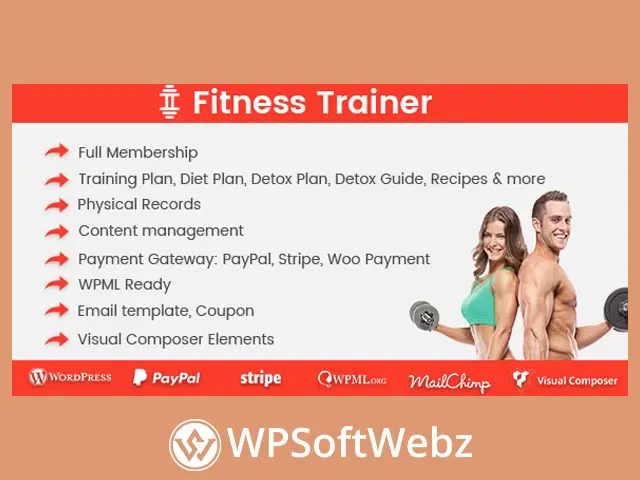

Fitness Trainer Training Membership Plugin is a premium WordPress membership and fitness management solution for personal trainers, gym coaches, wellness professionals, and online training businesses. It combines paid membership packages, client profiles, workout planning, diet and detox programs, physical records, trainer dashboards, payment processing, and member communication within one integrated platform.
The plugin is designed to help fitness professionals build a structured online training portal without assembling separate tools for subscriptions, client management, exercise plans, progress records, and payment history. Members can access their plans through a front-end account area, while trainers can manage assigned clients and update relevant fitness information.
Fitness Trainer Training Membership Plugin for WordPress
Fitness Trainer Training Membership Plugin transforms a WordPress website into a membership-based fitness platform. Administrators can create training packages, assign trainers, register members, collect payments, and provide personalized plans through protected customer accounts.
The plugin can support websites operated by:
- Personal trainers
- Fitness coaches
- Gym instructors
- Nutrition and diet professionals
- Wellness consultants
- Yoga trainers
- Bodybuilding coaches
- Online workout providers
- Sports instructors
- Health and lifestyle membership businesses
Its fitness-focused features make it more specialized than a general WordPress membership plugin. Instead of only restricting pages, it provides tools for managing training plans, client records, dietary content, reports, and trainer-member relationships.
Create Flexible Fitness Membership Packages
The premium fitness membership plugin allows administrators to create different packages for their services. Packages can be structured around the type of access, billing method, training program, or customer group.
Supported membership arrangements include:
- Free accounts
- One-time payment packages
- Recurring subscriptions
- Free trial memberships
- Paid trial memberships
- Variable payment packages
This flexibility enables fitness businesses to create several service levels. A basic package may provide access to general workout content, while a premium package may include personalized training plans, diet guidance, progress reviews, and communication with an assigned trainer.
Members can manage their subscriptions from the front-end account area. Depending on the configured package and payment method, customers can upgrade, downgrade, renew, or cancel their membership.
Sell Daily, Weekly, Monthly, or Yearly Subscriptions
Fitness Trainer Training Membership Plugin supports flexible subscription periods. Administrators can configure packages for short-term programs, recurring coaching, or long-term fitness memberships.
Possible subscription models include:
- Daily access
- Weekly training programs
- Monthly coaching memberships
- Yearly fitness plans
- Fixed-term transformation programs
- Ongoing recurring subscriptions
- Trial-based memberships
This makes the plugin suitable for both short fitness challenges and long-term online coaching services.
A trainer could create a short introductory program for new members, a recurring monthly coaching package for regular clients, and a longer premium membership for customers who require continuous support.
Accept Payments Through Multiple Methods
The plugin includes payment functionality for selling memberships and fitness packages directly through WordPress.
Supported payment options include:
- PayPal Express Checkout
- Stripe subscription plans
- WooCommerce payment gateways
- WooCommerce subscription workflows
WooCommerce integration allows businesses to use compatible payment gateways available through their WooCommerce setup. This can be helpful when a store already relies on WooCommerce for order processing or needs a payment method beyond the plugin’s direct PayPal and Stripe options.
The final payment functionality depends on the payment gateway, WooCommerce extensions, and subscription configuration used on the website.
Manage Stripe Subscription Plans
Fitness Trainer Training Membership Plugin can synchronize membership packages with Stripe subscription plans.
This allows businesses to collect recurring payments for ongoing coaching, gym memberships, digital fitness programs, or personalized training services. Customers can subscribe to eligible packages and manage their membership according to the available account options.
Stripe subscription support can be useful for:
- Monthly personal training
- Recurring online coaching
- Premium workout libraries
- Nutrition support memberships
- Fitness communities
- Long-term transformation programs
Store administrators should test subscription creation, renewals, cancellations, and failed payment behavior before making the platform available to customers.
Use WooCommerce Payment Gateways
WooCommerce integration gives fitness website owners additional payment flexibility. Membership registration can connect with WooCommerce so customers can complete payment through a compatible gateway.
This may allow businesses to use payment methods already active in their WooCommerce store while keeping fitness memberships connected to the plugin’s account and package system.
WooCommerce support is especially useful for businesses that sell both:
- Fitness memberships
- Physical gym products
- Workout equipment
- Digital resources
- Training accessories
- Coaching services
Using WooCommerce can help centralize applicable order and payment activity within the existing ecommerce workflow.
Build Personalized Training Plans
A central feature of Fitness Trainer Training Membership Plugin is its fitness training management system.
Training plans can be displayed in calendar and list formats, giving members an organized view of their scheduled workouts. Trainers can create plans for assigned clients from the front-end My Account area.
A training plan may include:
- Workout dates
- Exercise instructions
- Training descriptions
- Embedded media
- Trainer comments
- Supporting images
- Session schedules
- Program guidance
Calendar-based presentation helps members understand what they should complete on each day, while list views provide a straightforward way to review the complete program.
Manage Diet, Detox, and Recipe Content
The plugin supports more than standard exercise planning. It also provides dedicated content areas for diet plans, detox programs, guides, and recipes.
Fitness professionals can use these features to organize:
- Daily meal plans
- Nutrition schedules
- Detox plans
- Diet guidance
- Recipe collections
- Healthy eating instructions
- Program-specific food recommendations
- Lifestyle support content
Diet and detox plans can be presented through calendar or list layouts, helping members follow a structured program alongside their workouts.
These tools are intended for presenting content and coaching information. Businesses providing nutrition or health guidance remain responsible for ensuring that their recommendations are appropriate, qualified, and compliant with applicable professional requirements.
Assign Trainers to Membership Packages
Administrators can connect a trainer with a membership package. This creates a clearer relationship between the service purchased by the customer and the professional responsible for managing the training program.
Trainer assignment can support businesses with:
- Multiple personal trainers
- Specialized fitness coaches
- Different training departments
- Package-specific instructors
- Online coaching teams
- Gym staff managing separate member groups
For example, a strength-training package can be assigned to a bodybuilding coach, while a wellness package can be assigned to a trainer focused on general fitness and lifestyle improvement.
Front-End Trainer Dashboard
Trainers can manage relevant client information through the front-end My Account interface. This reduces the need to provide every trainer with unrestricted access to the main WordPress administration dashboard.
From the front-end area, a trainer can manage activities such as:
- Creating client training plans
- Viewing assigned customer plans
- Adding client records
- Editing existing records
- Reviewing member information
- Creating client reports
- Managing workout-related posts
- Adding professional comments
This workflow can make the platform easier to use for trainers who do not need access to general WordPress settings.
A dedicated trainer role also helps separate trainer responsibilities from standard member and administrator permissions.
Member My Account Area
Registered members receive a front-end account section where they can manage their profile, subscription, plans, and fitness information.
Available account features include:
- User settings
- Social profile information
- Password management
- Training plans
- Diet plans
- Detox plans
- Diet and detox guides
- Physical records
- Subscription upgrades
- Subscription downgrades
- Subscription cancellation
- Payment history
The account area provides a central location where members can review their program rather than searching through separate pages or email messages.
Track Physical Records
Fitness Trainer Training Membership Plugin allows members and trainers to create and manage physical records.
These records can be used to store fitness-related information relevant to the training program. Administrators can configure record fields according to the needs of the business.
Potential physical record fields may include:
- Weight
- Body measurements
- Fitness goals
- Training observations
- Progress notes
- Uploaded progress images
- Assessment details
- Custom client information
Trainers can review member records and add professional comments or reports. Members can then access relevant feedback from their account area.
The exact data collected should be limited to information genuinely required for the service. Website owners should also configure appropriate privacy, access control, and data retention practices when storing personal or health-related information.
Generate PDF Fitness Reports
The plugin allows users and trainers to create PDF reports.
PDF reporting can help organize client progress information into a portable document that can be saved, reviewed, or shared according to the business workflow.
Reports may be useful for:
- Progress assessments
- Training summaries
- Physical record reviews
- Client consultations
- Program completion reports
- Trainer feedback
- Offline reference
Administrators can configure the fields used in reports, helping them determine which information should be included.
Because reports may contain personal information, businesses should ensure that generated documents are handled securely.
Display Progress and Payment Charts
The member management system includes visual reporting options for applicable account and payment information.
Charts can help present information in a format that is easier to review than raw records alone. The plugin includes line and dimensional chart options for relevant data.
Visual reporting may support:
- Payment history review
- Physical record monitoring
- Progress comparisons
- Membership administration
- Trainer assessments
The usefulness of each chart depends on the information entered and the fields configured by the website administrator.
Add Personal Trainer Comments
The personal comment module helps trainers communicate feedback related to a member’s progress or records.
A coach may use comments to provide:
- Workout feedback
- Progress observations
- Program adjustments
- Motivational guidance
- Record reviews
- Preparation instructions
- Follow-up recommendations
Members can view relevant comments from their account area. Email notifications can also inform customers when a trainer or expert adds feedback to a record.
This creates a more interactive coaching experience than simply publishing a static workout plan.
Create Membership Pricing Tables
Fitness Trainer Training Membership Plugin includes pricing table functionality for displaying available fitness packages.
A clear pricing table can help potential members compare:
- Package names
- Subscription periods
- Training access
- Included services
- Trial options
- Payment structures
- Trainer support levels
Administrators can use pricing tables to guide customers toward the package that best matches their goals and preferred level of coaching.
Package descriptions should clearly explain what is included, how often billing occurs, and whether the service renews automatically.
Offer Signup Coupons
The plugin includes coupon functionality for membership registration.
Administrators can create promotional codes and connect them to selected packages. Coupon controls include usage limits and expiration settings.
Signup coupons can support:
- New member promotions
- Seasonal fitness campaigns
- Referral offers
- Limited registration events
- Gym launch promotions
- Customer retention campaigns
- Discounted trial programs
Package-specific coupons provide greater control than applying every promotion to all available memberships.
Customize Registration and Profile Fields
Administrators can add fields to the signup and customer profile forms.
Custom fields can help collect information required to deliver the membership or training service. Depending on the business, these fields could request:
- Fitness objectives
- Training preferences
- Experience level
- Preferred workout type
- Contact information
- Availability
- General profile details
Only necessary information should be requested. Sensitive health or medical data requires particularly careful handling and may be subject to privacy or regulatory requirements.
The plugin also provides different signup presentation options, allowing the registration process to better match the website’s design.
Create User Roles from Membership Packages
Fitness Trainer Training Membership Plugin can create user roles based on packages.
Package-based roles can help administrators control how different members are categorized within WordPress. They may also support additional access rules when used with compatible WordPress functionality.
Examples could include:
- Free fitness member
- Premium training member
- Nutrition program member
- Personal coaching client
- Trial member
- Long-term subscriber
Role creation can make it easier to distinguish between membership levels and build more organized user management workflows.
Configure Automated Email Templates
The plugin provides editable email templates for important membership and transaction events.
Available email communications include:
- Member welcome messages
- Password recovery emails
- Customer order emails
- Administrator order notifications
- Subscription reminder emails
- Contact form auto-replies
- Contact form administrator notifications
Customizable email templates allow fitness businesses to use their own wording and brand voice while keeping customers informed.
Effective emails can explain:
- How to access the member account
- What happens after registration
- Where to find training plans
- When a subscription is due
- How to contact the trainer
- What to expect from the program
Integrate New Members with Mailchimp
Mailchimp integration can add new registrants to a selected mailing list.
This allows businesses to continue communicating with members through email marketing campaigns, newsletters, fitness tips, program announcements, and promotional messages.
Potential Mailchimp campaigns include:
- Weekly workout guidance
- Nutrition content
- New program announcements
- Membership renewal reminders
- Fitness challenges
- Trainer updates
- Member engagement emails
Website owners should ensure that mailing list enrollment follows applicable consent and privacy requirements.
Build Public Member Profiles and Directories
The plugin supports public user profiles and member directories.
A public profile can display selected member or trainer information, depending on how the website is configured. User directories can help visitors browse available trainers, experts, coaches, or community members.
These features may be useful for:
- Trainer directories
- Gym staff pages
- Fitness communities
- Coach discovery platforms
- Member networking
- Multi-trainer websites
Administrators should carefully choose which profile fields are public and avoid exposing private customer information.
Customize Fitness Content Pages
Fitness-related information is stored using WordPress custom post types. This allows the content to work within the familiar WordPress publishing structure.
Custom post types can help organize:
- Workouts
- Training plans
- Diet plans
- Detox guides
- Recipes
- Fitness resources
- Trainer content
Because the content uses WordPress structures, compatible SEO plugins can be used to optimize applicable public pages.
The plugin also provides support for customizing listing detail pages through WPBakery Page Builder. It is listed as compatible with Elementor, but the exact editing workflow may vary according to the page, theme, and builder configuration.
Responsive Fitness Membership Interface
The plugin is designed to work across desktop, tablet, and mobile devices.
Responsive access is important for fitness websites because members may review plans while training at a gym, exercising at home, shopping for meal ingredients, or traveling.
A mobile-friendly member portal can make it easier to:
- Check the daily workout
- Review diet instructions
- Read trainer comments
- Update physical records
- View subscription information
- Access recipes
- Review scheduled plans
Website owners should test all important member and trainer workflows on different screen sizes before launching the service.
Multilingual Fitness Website Support
Fitness Trainer Training Membership Plugin is compatible with WPML and includes translation resources for multiple languages.
Multilingual support can help fitness professionals serve customers across different regions or provide training information in the language preferred by their audience.
The plugin also includes resources for right-to-left languages. The final translation quality and layout depend on the translated content, active theme, WordPress configuration, and other installed plugins.
Automatic Page and Settings Creation
When installed, the plugin creates the core pages, email templates, and settings required for its main workflows.
Automatic setup can reduce the amount of manual page creation needed at the beginning of a project. Administrators should still review every generated page and setting before accepting real registrations.
Important areas to inspect include:
- Registration page
- Login page
- Member account
- Pricing tables
- Payment settings
- Subscription packages
- Email templates
- Trainer roles
- Profile fields
- Privacy information
Generated pages may also need styling adjustments to match the active WordPress theme.
Benefits of Fitness Trainer Training Membership Plugin
The premium fitness WordPress plugin combines several functions that would otherwise require multiple separate extensions.
Key benefits include:
- Fitness-focused membership management
- Free and paid package options
- Recurring subscription support
- Front-end trainer tools
- Personalized training plans
- Diet and detox programs
- Recipe management
- Physical client records
- Trainer comments and reports
- PDF report generation
- WooCommerce payment integration
- Stripe and PayPal support
- Membership coupons
- Custom registration fields
- Email template management
- Mailchimp integration
- Member profiles and directories
- Multilingual website support
Who Should Use Fitness Trainer Training Membership Plugin?
Fitness Trainer Training Membership Plugin is suitable for professionals and organizations that want to deliver structured fitness services through WordPress.
It is particularly appropriate for:
- Independent personal trainers
- Online fitness coaches
- Gym and studio operators
- Bodybuilding instructors
- Nutrition-focused coaching businesses
- Wellness membership websites
- Yoga and sports trainers
- Multi-trainer fitness teams
- Agencies creating fitness portals
- Businesses selling recurring training programs
The plugin is best suited to projects that need fitness plans, trainer-client management, physical records, and paid memberships in one system. A general membership plugin may be more appropriate when a website only needs basic content restriction without specialized training features.
Build a Professional Fitness Membership Platform
Fitness Trainer Training Membership Plugin provides the tools needed to create a structured WordPress fitness portal with membership packages, recurring payments, trainer dashboards, workout calendars, diet programs, client records, progress reports, coupons, and member communication.
For personal trainers, gyms, online coaches, and wellness businesses, Fitness Trainer Training Membership Plugin offers a practical way to organize paid fitness services and provide members with a dedicated account experience. Use this premium fitness membership solution to launch personalized programs, manage clients more efficiently, and grow a professional online training business.