
Envira Gallery Comments Addon – Engage Visitors with Image-Level Conversations
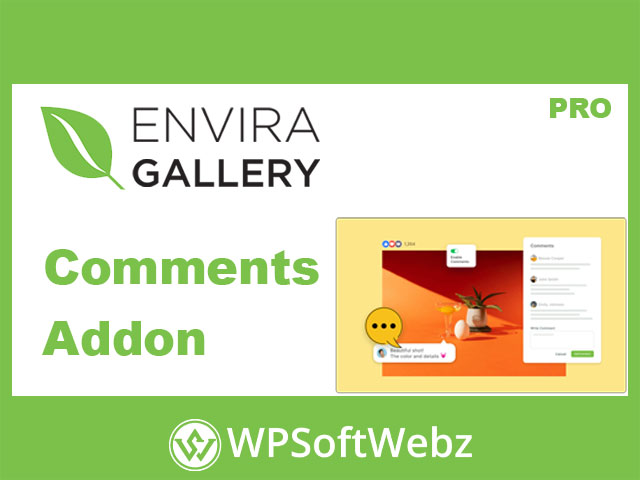
Turn passive viewers into active fans with the Envira Gallery Comments Addon. This premium extension adds native WordPress commenting to your Envira galleries, so visitors can leave feedback on individual images directly inside the lightbox—no extra plugins required. Ideal for photographers, designers, educators, and marketers who want real conversations around visual content.
Who benefits from Envira Gallery Comments Addon?
- Photographers & studios collecting critique or client reactions on specific photos.
- Agencies & designers gathering stakeholder feedback on visual concepts.
- Educators & communities encouraging discussion and Q&A around images.
- Brands & publishers boosting time-on-page and social proof through interaction.
Key Features of Envira Gallery Comments Addon
- Image-level comments in the lightbox: Let users comment on each photo without leaving the gallery view.
- Quick toggle per gallery or album: Enable comments from the Gallery/Album “Comments” tab to apply across your content.
- Flexible display behavior: Choose if the comments panel opens automatically or only when users click the comment icon.
- Customizable panel position: Show the panel to the right of the lightbox or centered to suit your layout.
- Comment counts at a glance: Optionally display total comment counts for each image in the lightbox.
- Gravatar avatars: Show or hide user avatars to personalize discussion threads.
- Replies & threading: Allow nested replies to keep conversations organized.
- Date display: Toggle timestamps to add context to discussions.
- Moderation you already know: Uses WordPress’ native comment system, so you can approve, reply, or filter spam with the tools you use today.
- Works across albums: Enable at the album level to let all contained galleries inherit your comment settings.
Why Choose Envira for Image Commenting
- Frictionless UX: Comments live in the lightbox where users are already viewing your images, keeping engagement high.
- Faster feedback loops: Capture reactions in context (per photo), perfect for proofing, critiques, and collaborative reviews.
- Brand-consistent presentation: Control visibility, position, and UI details to match your gallery style.
- SEO & shareability synergy: Pair with Envira’s lightbox and sharing features to amplify reach while keeping viewers engaged on-site.
Typical Use Cases
- Client previews: Invite clients to comment on shortlisted shots before final delivery.
- Product detail galleries: Collect questions or user tips on zoomed product images.
- Tutorials & coursework: Let learners ask about a specific step or visual.
- Community showcases: Spark discussion around art, travel, or event photos.
Getting Started (No Extra Plugins Needed)
- Install/activate the addon from Envira → Addons (Pro license or higher).
- Open your gallery or album and go to the Comments tab.
- Toggle “Enable Commenting” and choose panel position, visibility, counts, avatars, replies, and date display.
- Publish and watch engagement grow as visitors comment directly within the lightbox.
Conclusion
If you want richer engagement on every image, the Envira Gallery Comments Addon brings familiar WordPress commenting to your galleries with a streamlined, customizable lightbox experience. Perfect for creatives, teams, and brands that rely on visual feedback—add it to your workflow today and start meaningful conversations where they matter most.