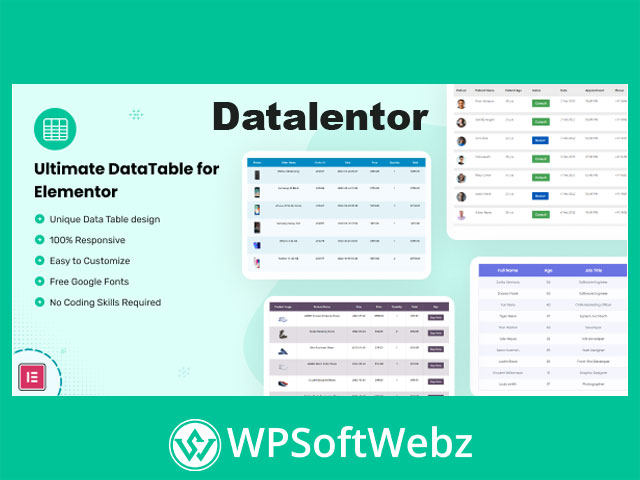

Datalentor – Advanced DataTable for Elementor
Datalentor – Advanced DataTable for Elementor is a premium Elementor addon that lets you build modern, interactive data tables in WordPress without touching a line of code. Designed for power users, agencies, and eCommerce sites, this advanced data table solution turns raw information into responsive, searchable, and beautifully styled tables directly inside the Elementor interface.
Why choose Datalentor – Advanced DataTable for Elementor?
When your site needs more than simple HTML tables, Datalentor steps in as a flexible, pro-grade Elementor data table addon. It’s built specifically for creators who want:
- Visually appealing, mobile-ready tables.
- Powerful data controls like search, sorting, and pagination.
- Full design control using familiar Elementor options.
- A streamlined workflow that avoids custom code or complex spreadsheets.
Whether you’re showcasing product specs, pricing, service comparisons, or structured datasets, Datalentor helps you present information cleanly and professionally.
Key features of Datalentor – Advanced DataTable for Elementor
Advanced data handling
- Sortable columns – Let visitors reorder data by any column for a more interactive experience.
- Filtering & search – Built-in search and filtering options so users can quickly locate the rows they care about.
- Pagination for large datasets – Break long tables into manageable pages to keep layouts clean and performance friendly.
- Import/export support – Easily reuse or back up your tables with import/export capabilities, ideal for frequently updated datasets.
Flexible layout & structure
- Create unique data tables in minutes – Add the Datalentor widget in Elementor, configure columns, and populate rows without leaving the page builder.
- Responsive column control – Define how many columns display on desktop, tablet, and mobile for fully optimized layouts.
- Rich cell content – Use text, images, icons, and even Elementor templates inside cells to build feature-rich tables, comparison grids, or showcases.
- Call-to-action friendly – Add buttons with hover effects inside your table cells to drive clicks to product pages, sign-up forms, or downloads.
Design & styling options
- Full color customization – Adjust colors for headers, rows, borders, buttons, and hover states to match your brand.
- Advanced styling controls – Fine-tune spacing, alignment, and visual hierarchy for every part of the table.
- Custom CSS ready – Add your own CSS rules when you need pixel-perfect control or highly bespoke layouts.
- 100% responsive design – Tables adapt to all screen sizes, with layouts optimized for desktops, tablets, and smartphones.
Compatibility, performance & usability
- Built for Elementor and Elementor Pro – Integrates smoothly with the Elementor editor as a dedicated data table widget.
- Theme-friendly – Designed to work with virtually any well-coded WordPress theme.
- SEO-conscious structure – Clean markup and organized data presentation support better readability for users and search engines.
- Translation ready & multi-language friendly – Ideal for multilingual projects and international audiences.
- Lightweight and performance-optimized – Focused on delivering feature-rich tables without unnecessary bloat.
Practical use cases for Datalentor – Advanced DataTable for Elementor
You can use this Elementor datatable widget in many different ways, for example:
- Product comparison tables – Compare features, specs, or plans side by side for SaaS tools, digital products, or physical items.
- Pricing and feature matrices – Present packages, tiers, or membership levels clearly with checkmarks, icons, and CTA buttons.
- Service listings – Showcase services, deliverables, and conditions in an easy-to-scan format.
- Data-heavy eCommerce sections – Highlight attributes like size, material, availability, or shipping details for large catalogs.
- Event schedules & timetables – Show sessions, speakers, and times in a structured way.
- Directories & listings – Display staff directories, branch locations, resource libraries, or document indexes.
Because the plugin lives directly inside Elementor, you can reuse your existing design system—global colors, typography, and templates—while still gaining the precision of a dedicated data table tool.
How Datalentor fits into your Elementor workflow
- Add the widget – Open an Elementor page or template and drop the Datalentor data table widget where you need it.
- Configure columns & rows – Define column labels, data types, and responsive behavior for each device breakpoint.
- Populate content – Add text, media, icons, or templates into the table cells to match your use case.
- Enable interactions – Turn on search, sorting, filtering, and pagination depending on how users should navigate your data.
- Style the table – Use Elementor’s controls plus Datalentor’s own styling options to align fonts, colors, and spacing with your brand.
The result is a professional-grade, interactive table that looks native to your site and is simple to maintain.
Who is Datalentor – Advanced DataTable for Elementor for?
Datalentor – Advanced DataTable for Elementor is a strong fit if you are:
- A WordPress agency or freelancer building data-heavy client sites that must remain easy to edit.
- An online store owner who wants richer product or specification tables without custom development.
- A blogger, educator, or publisher sharing research, comparisons, or structured content.
- A directory or listing site managing large sets of entries that visitors need to browse efficiently.
Conclusion
If you rely on Elementor and need more powerful, flexible data tables than standard widgets provide, Datalentor – Advanced DataTable for Elementor gives you a premium, no-code way to display complex information clearly. It combines responsive layouts, rich styling, and interactive controls so you can transform raw data into engaging tables that fit seamlessly into your WordPress design. Add it to your toolkit to level up the way you present, compare, and manage data across your Elementor-powered pages.