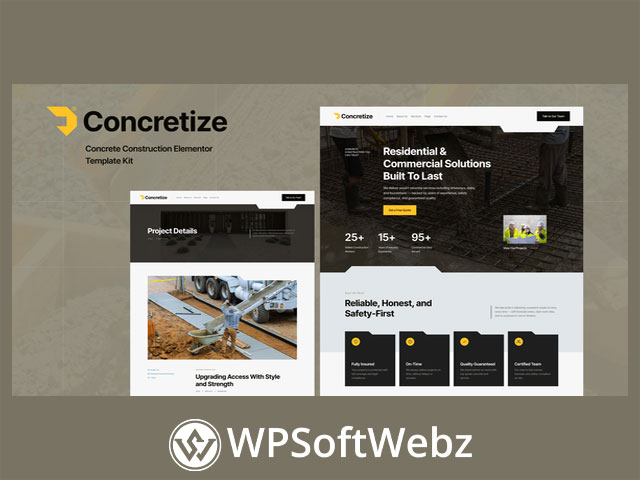

Concretize – Concrete Construction Elementor Template Kit
Concretize – Concrete Construction Elementor Template Kit is a premium Elementor design kit created for concrete companies, construction firms, contractors, and industrial service businesses that want a strong online presence without custom development. Built for professional presentation and straightforward customization, this construction website template kit is suited to businesses offering concrete paving, foundation work, general contracting, and related building services.
Why Concretize Stands Out
Concretize is positioned as a bold, modern, and professional Elementor template kit for the construction niche. Its layouts are designed to help service-based businesses present their expertise clearly, promote projects effectively, and capture inquiries through a structured, conversion-focused website experience.
Key strengths include:
- Responsive and mobile-friendly layouts
- A clean, bold visual style for construction and industrial brands
- Full customization with Elementor
- SEO-friendly design structure
- MetForm integration for lead generation
- Included header, footer, and 404 page templates
- Global theme styling for consistent branding
Core Benefits of Concretize Elementor Template Kit
Built for Construction and Concrete Businesses
This premium Elementor kit is tailored to companies that need a website aligned with the construction industry. Whether your business focuses on residential concrete work, commercial construction services, project contracting, or industrial operations, Concretize provides purpose-built page structures that support a professional brand image.
Designed for Service Promotion and Lead Capture
Concretize is especially useful for businesses that need to showcase services and encourage customer contact. With dedicated service layouts and integrated form functionality, it supports a smoother path from visitor interest to inquiry.
Flexible for Branding and Custom Content
Because it is built with Elementor, the kit can be adjusted to reflect your business identity, service offerings, and project portfolio. That makes it suitable for agencies, freelancers, and business owners who want design flexibility while still using a ready-made premium website kit.
Features of Concretize – Concrete Construction Elementor Template Kit
Professional Design System
The kit includes a global theme style to help maintain visual consistency across pages. This is useful for brands that want a polished presentation across service pages, project showcases, blog content, and contact sections.
Conversion-Focused Essentials
Verified features from the official listing include:
- Fully responsive design
- Mobile-friendly layouts
- SEO-optimized structure
- Elementor-based customization
- MetForm integration
- Header and footer templates
- 404 page template
- Global styling controls
These features make Concretize a practical choice for businesses that want a premium Elementor template kit focused on both appearance and usability.
Included Templates and Page Types
Concretize includes a broad set of templates that support a complete business website. Verified layouts include:
- Home
- About Us
- Services
- Service Details
- Projects
- Project Details
- Team
- Pricing
- FAQs
- Blog
- Single Post
- Contact Us
- 404 Page
- Subscribe MetForm
- Contact MetForm
- Global Theme Style
This mix of pages makes the kit suitable for promoting services, presenting completed work, introducing team members, publishing articles, and collecting leads.
Best Use Cases for Concretize
Concrete Contractors
Businesses specializing in paving, slabs, foundations, driveways, and structural concrete can use Concretize to present services clearly and build trust with potential clients.
Construction Companies
General contractors and building companies can use the project and service layouts to create a professional company website that highlights capabilities and completed work.
Industrial Service Providers
Because the design also targets industrial service businesses, Concretize can work well for firms that need a strong, practical, and modern online identity.
Important Product Notes
Concretize is an Elementor Template Kit, not a standalone WordPress theme. It is intended for use with Elementor and is designed to work with compatible WordPress setups. The official listing also identifies Elementor, Jeg Elementor Kit, and MetForm as required plugins for the full template experience.
Final Thoughts on Concretize
Concretize – Concrete Construction Elementor Template Kit is a strong choice for concrete contractors, construction companies, builders, and industrial service brands that want a premium Elementor website kit with modern styling, practical business pages, and lead-generation support. If you want a professional construction website template that helps present services, projects, and brand credibility more effectively, Concretize is a smart option to explore for your next website build.
Required Plugins:
- Elementor
- Jeg Elementor Kit
- MetForm
How to Use Template Kits:
This is not a WordPress theme. Template kits contain the design data for Elementor only and are installed using the Envato Elements plugin for WordPress or directly through Elementor.
Guides:
How to Import MetForms:
- Import the MetForm block templates
- Import the page where the form appears and enable the Navigator (right-click)
- Select the MetForm widget > Edit Form > New > Edit Form
- Click the gray folder icon, go to “My Templates”
- Select the MetForm you imported, click Insert
- Customize the form and click “Update & Close”
- Click Update on the page
How to Set Up Header with Jeg Elementor Kit:
- Go to Jeg Elementor Kit > Header Template
- Click “Add New Header”
- Set Display Condition: Entire Site
- Insert the header template from My Templates
- Customize and Save