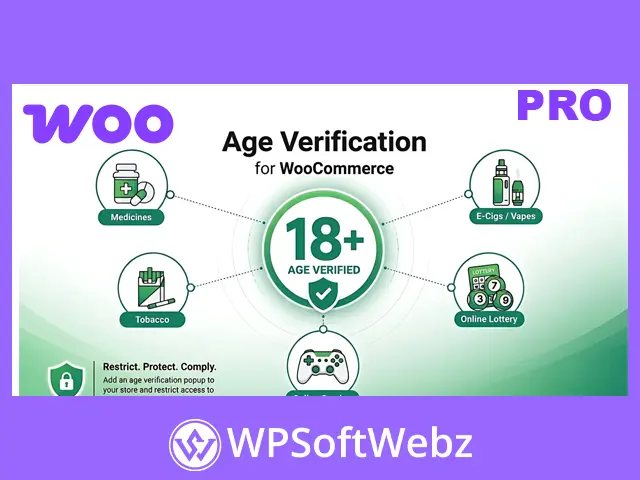

Age Verification Popup for WooCommerce is a customizable age restriction plugin that helps WooCommerce store owners control access to age-sensitive products, pages, and website content. Whether you need to verify visitors’ ages before allowing access to your entire store or restrict only selected products, this plugin provides flexible age verification methods, personalized popups, and visitor redirection options.
Designed for WooCommerce stores selling age-restricted products, the plugin makes it easier to introduce age checks while maintaining a consistent shopping experience. You can customize verification requirements, popup appearance, display conditions, and how visitors are handled after verification.
Key Features of Age Verification Popup for WooCommerce
- Flexible Age Verification: Let visitors confirm their age, enter their date of birth, type their age, or use a verification checkbox.
- Website-Wide Restrictions: Display an age verification popup across your entire WooCommerce website.
- Selective Content Restrictions: Apply age checks to specific products, product categories, tags, pages, posts, and supported post types.
- Custom Minimum Age: Define the minimum age visitors must meet before accessing restricted content.
- Customizable Popup Design: Adjust popup colors, backgrounds, headings, text, buttons, and layout settings.
- Multiple Display Options: Present the age verification interface as a centered popup or a banner-style element near the bottom of the page.
- Underage Visitor Redirection: Redirect visitors who do not meet the age requirement to an internal page or external URL.
- Remember Verified Visitors: Store verification status for a configurable period to avoid unnecessary repeated prompts.
- Popup Display Delay: Control when the age verification popup appears after a visitor opens the website.
- Logged-In User Controls: Choose whether age verification applies to registered customers.
- IP Address Exclusions: Exclude specified IP addresses from age verification prompts.
- Optional Close Button: Show or hide the popup close icon according to your requirements.
- Custom Footnotes: Display additional information, notices, or age restriction explanations within the popup.
- Yoti Integration: Support selfie-based age estimation through Yoti using the required API credentials.
Control Access to Age-Restricted Products and Content
Not every WooCommerce website needs to restrict access to all its content. With Age Verification Popup for WooCommerce, you can decide exactly where age verification is required.
Restrict Your Entire Website
Enable website-wide age verification to require visitors to confirm their age before viewing your store content.
This option is useful for websites primarily dedicated to age-restricted products or content.
Restrict Specific Products and Categories
Apply age verification only where necessary, including:
- Individual WooCommerce products
- Selected product categories
- Products with specific tags
- Particular WordPress pages
- Blog posts and post categories
- Selected post tags and supported post types
This targeted approach allows visitors to browse unrestricted content without encountering unnecessary age verification prompts.
Multiple Age Verification Methods
The plugin offers different ways to ask visitors to verify their age, allowing you to select a method that suits your website.
Date of Birth Verification
Visitors select their date of birth using a calendar-based input. The plugin checks the entered birth date against your configured minimum age.
Manual Age Entry
Customers type their age into a field before continuing to restricted content.
Age Confirmation Button
Display a confirmation button that allows visitors to declare that they meet your minimum age requirement.
Checkbox Verification
Ask visitors to select a checkbox confirming that they are above the required age.
Yoti Selfie-Based Verification
The plugin also supports integration with Yoti for selfie-based age estimation. This method uses Yoti’s facial analysis technology and requires the appropriate Yoti API credentials.
Different verification methods provide flexibility depending on your website’s content, visitors, and age-checking requirements.
Customize Age Verification Popups to Match Your Brand
A verification popup should communicate its purpose clearly while fitting naturally into your website’s design.
Age Verification Popup for WooCommerce provides appearance controls that allow you to personalize the verification interface.
Customization options include:
- Popup background colors and opacity
- Custom background images
- Popup headings and explanatory text
- Font sizes and text colors
- Submit and cancel button labels
- Button colors and hover effects
- Popup border styling
- Custom underage messages
- Additional footnotes and notices
- Popup placement and layout options
You can position the verification interface in the center of the screen or display it near the bottom of the page in a banner-style format.
These settings help create an age verification experience that complements your WooCommerce theme.
Redirect Visitors Who Do Not Meet the Age Requirement
When visitors fail the age verification process or cancel verification, you can direct them away from restricted content.
The plugin supports redirection to:
- A selected page on your WordPress website
- A custom external URL
For example, you can redirect underage visitors to an informational page explaining your store’s age restrictions or to a section containing unrestricted content.
This provides a more controlled visitor experience than leaving restricted users on the same page.
Remember Visitors and Reduce Repeated Verification
Repeated age verification prompts can interrupt the shopping experience.
The plugin allows you to remember visitors who have already completed the verification process for a configurable period.
Once that period expires, the verification popup can appear again.
You can also control verification behavior for logged-in customers and exclude specified IP addresses when needed.
These settings provide greater flexibility while maintaining your chosen age restriction rules.
Control When the Popup Appears
Age Verification Popup for WooCommerce includes additional display settings to help you manage verification prompts.
You can:
- Show the popup immediately or after a configured delay.
- Enable or disable the popup close icon.
- Display the minimum required age in the popup.
- Choose between default and customized popup settings.
- Adjust verification behavior for logged-in visitors.
- Display age checks only on the content you select.
These options make it possible to adapt the age verification process to different website structures.
Who Should Use This Plugin?
Age Verification Popup for WooCommerce is suitable for websites that need to introduce age checks or limit access to particular content.
Common use cases include:
- Age-Restricted Online Stores: Add verification prompts before visitors access restricted products.
- Mixed-Product WooCommerce Stores: Restrict selected categories while keeping general merchandise accessible.
- Online Publications: Display verification requirements on selected posts or informational pages.
- Membership and Community Websites: Introduce age confirmation for selected website sections.
- Digital Content Stores: Apply age restrictions to pages or products containing age-sensitive material.
- Business Websites: Provide visitors with an age confirmation step before accessing restricted information.
The plugin provides configurable age-checking tools, but website owners should assess whether their chosen verification method satisfies applicable legal requirements.
Add Flexible Age Verification to Your WooCommerce Store
Age Verification Popup for WooCommerce combines customizable age checks, selective content restrictions, flexible popup designs, and visitor redirection into one practical extension.
Whether you want to restrict an entire website or apply age verification only to selected products, it provides the controls needed to create an age verification experience suited to your store.
Add Age Verification Popup for WooCommerce to your website and manage age-restricted access with greater flexibility.