80 Premium Glass Photoshop Styles
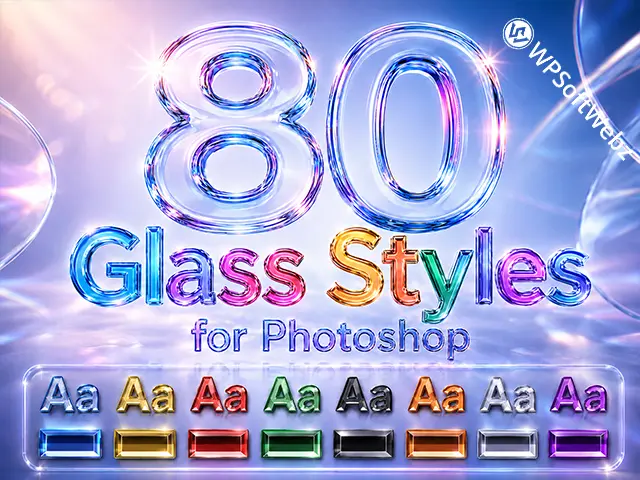
Give your text, logos, shapes and graphic elements a polished glass look with this collection of 80 Premium Glass Photoshop Styles. The pack includes a wide range of colorful, glossy, transparent and 3D glass finishes that can be applied in just a few clicks.
These Photoshop Glass Styles are designed for fast use inside Adobe Photoshop and work well for typography, logos, banners, social media graphics, posters, thumbnails, product graphics and other creative projects.
What’s Included
- 80 premium glass styles for Photoshop
- 1 ASL file for easy installation
- Colorful glass variations
- Clear and transparent glass styles
- Glossy and reflective finishes
- 3D glass text effects
- Styles for text layers and shape layers
- Installation guide included
Easy to Install and Use
Installing the styles is simple. Double-click the included ASL file and the presets will be added to Photoshop automatically.
After installation:
- Select a text layer or shape layer.
- Open the Styles panel in Photoshop.
- Choose one of the presets from the Glass_Styles group.
You can also double-click a layer, open the Layer Style window and select the style from there.
Made for Different Types of Designs
The pack includes a variety of Photoshop layer styles suitable for many design projects, including:
- Glass text effects
- Logos and branding
- Posters and flyers
- Social media graphics
- YouTube thumbnails
- Website banners
- Product graphics
- Titles and headings
- Digital artwork
- Promotional designs
Multiple Glass Colors and Finishes
The collection includes different color variations such as blue, red, green, gold, purple, orange, silver, dark glass and other glossy finishes.
Because all styles are included in one ASL file, you can quickly move between different glass text effects and test several looks without creating each effect manually.
Perfect for Text and Shape Layers
These 3D Glass Text Effects are not limited to typography. You can also apply them to shape layers and other compatible Photoshop elements, making the pack useful for buttons, icons, badges, decorative elements and logo details.
Requirements
- Adobe Photoshop
- ASL-compatible version of Photoshop
The final appearance of each Photoshop Glass Style may vary depending on the font, object size, background color and document resolution.
Digital Download
This is a digital product. No physical item will be shipped.
After downloading the files, install the included ASL file and start using the full collection of 80 Photoshop Glass Styles in your projects.