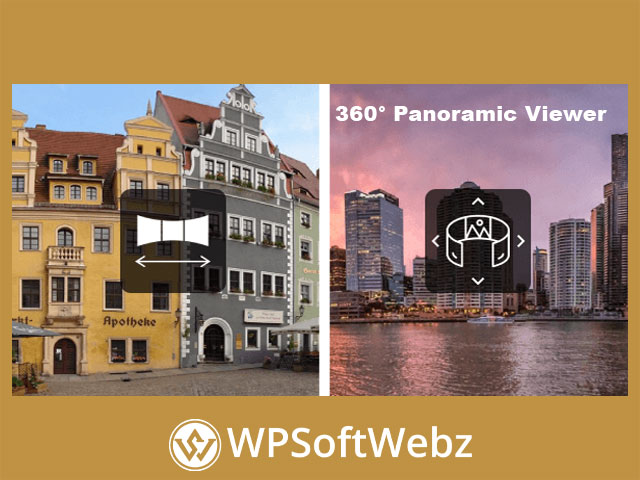

360° Panoramic Image Viewer – WordPress Plugin Overview
360° Panoramic Image Viewer – WordPress Plugin is a premium WordPress panorama plugin built for publishing immersive panoramic images directly inside your website. It is designed to display existing flat rectilinear and equirectangular panoramas with smooth scrolling, responsive behavior, and flexible placement across pages, posts, widgets, and other shortcode-ready areas. For businesses, photographers, agencies, and content creators that want a dedicated 360 image viewer for WordPress, this plugin offers a focused and practical solution.
Why Choose 360° Panoramic Image Viewer – WordPress Plugin?
This premium panoramic viewer is aimed at site owners who want to turn static panoramic photography into a more interactive on-site experience. Instead of presenting a wide image as a simple banner or gallery item, the plugin lets visitors explore the scene with movement, controls, and immersive display options.
That makes it a strong fit for websites that rely on visual storytelling, space presentation, or interactive media. Whether you run a real estate site, travel website, hospitality brand, photography portfolio, or creative agency, this WordPress panorama plugin can help make panoramic content more engaging.
Key Benefits
- Supports both flat rectilinear and equirectangular panoramic images
- Works with the Block Editor, Elementor, and shortcode-based workflows
- Includes responsive and mobile-friendly viewing
- Offers fullscreen and zoom functionality
- Supports manual controls and auto-scrolling
- Allows hotspot integration for flat panoramas
- Can be used in multiple areas of a WordPress site
- Includes documentation and localization support
Core Features of This WordPress Panorama Plugin
Support for Flat and Equirectangular Panoramas
One of the biggest strengths of 360° Panoramic Image Viewer – WordPress Plugin is its support for two important panorama formats:
- Flat rectilinear panoramic images
- Equirectangular panoramic images
This gives you more flexibility when working with different panorama types and publishing styles. It also makes the plugin useful for a wide range of visual projects, from simple panoramic banners to more immersive 360-degree scenes.
Flexible WordPress Integration
The plugin is built to fit naturally into common WordPress editing and page-building workflows. Verified information shows support for:
- Gutenberg / Block Editor custom blocks
- Elementor custom widgets
- Shortcode support for page builders and shortcode-enabled sections
- A TinyMCE shortcode generator for Classic Editor use
This mix of options makes the plugin practical for beginners, editors, and developers alike.
Interactive Viewing Controls
A good panoramic viewer needs more than image support alone, and this plugin includes several interactive controls to improve the user experience. Depending on the panorama type and setup, you can use features such as:
- Auto-scroll left or right
- Manual sliding controls
- Fullscreen mode
- Zoom for equirectangular panoramas
- Mousewheel interaction
- Adjustable starting position
- 180-degree or 360-degree visibility for flat panoramas
These features help create a more immersive browsing experience while giving site owners flexibility over how each panorama is presented.
Responsive and Mobile-Friendly Display
The plugin is designed to work in responsive layouts and supports mobile and touch interaction. It can adapt to the width of its container, which makes it easier to integrate into modern WordPress designs across desktop, tablet, and smartphone screens.
Hotspots for Flat Panorama Content
For flat panorama images, the plugin supports hotspots through a standard map tag. This can be useful for interactive presentations where visitors click on selected areas for more detail, linked content, or enhanced image exploration. It can also integrate with a compatible lightbox setup for flat panorama hotspot workflows.
Practical Use Cases
Real Estate and Property Marketing
Use panoramic scenes to help visitors explore interiors, commercial spaces, and property layouts in a more dynamic way than standard gallery images.
Travel, Hospitality, and Venue Promotion
Hotels, resorts, restaurants, and event venues can use panoramic views to present atmosphere and space more effectively.
Photography and Creative Portfolios
Photographers and visual artists can showcase wide-format and immersive work in a presentation style that feels more interactive and professional.
Agency and Client Websites
Web agencies can use this panoramic image viewer plugin when building sites for clients who need a specialist 360 viewer without custom development.
Important Notes
This plugin is designed to work with existing panoramic images. It displays and manipulates flat 180/360 or equirectangular panorama files, but it is not intended to stitch multiple images into a single panorama. It also supports multisite configuration, includes localization readiness, and comes with documentation to help with setup and use.
Who 360° Panoramic Image Viewer – WordPress Plugin Is For
360° Panoramic Image Viewer – WordPress Plugin is best suited to WordPress users who want a dedicated premium panorama viewer for interactive visual content. It is especially useful for photographers, real estate professionals, hospitality brands, tourism sites, agencies, and businesses that want to present panoramic imagery in a more engaging format.
If you want to make your panoramic content more immersive, interactive, and easier to publish in WordPress, 360° Panoramic Image Viewer – WordPress Plugin is a strong choice. It gives you the tools to present panorama images more professionally and create a richer viewing experience for your visitors. Add it to your workflow if you want your website visuals to feel more dynamic and memorable.