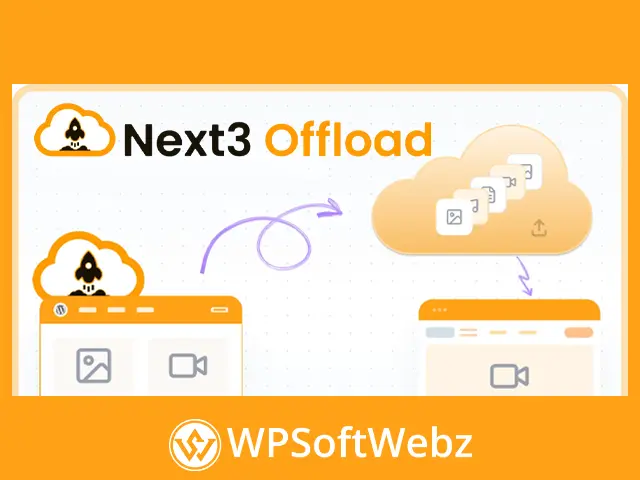

Next3 Offload is a premium WordPress media offloading and performance optimization plugin that helps website owners move images, videos, documents, and other media files from local hosting to cloud storage. By serving media from a cloud provider or content delivery network, the plugin can reduce pressure on the WordPress server, free local disk space, and support faster, more scalable file delivery.
The plugin combines cloud media management, automatic URL rewriting, image optimization, static asset offloading, database cleanup, and migration tools within the WordPress dashboard. It is designed for bloggers, agencies, online stores, membership websites, learning platforms, publishers, and other WordPress projects that manage growing media libraries.
Next3 Offload WordPress Media Offloading Plugin
Next3 Offload connects a WordPress website with supported cloud storage services and transfers media files away from the primary hosting server. Existing content can continue displaying its images and files because the plugin automatically updates media URLs after offloading.
Website administrators can offload an entire media library, process selected files, or configure new uploads to move automatically. This provides flexibility for small websites as well as content-heavy WordPress installations with extensive image, video, and document collections.
Key capabilities include:
- Automatic WordPress media offloading
- Bulk processing for existing media libraries
- Individual file offloading
- Automatic media URL rewriting
- Cloud and local storage monitoring
- Pause and resume controls
- Local file cleanup after successful offloading
- Cloud-to-local media restoration
- Multiple cloud provider options
- CDN-based media delivery
- Image compression and WebP conversion
- CSS and JavaScript asset offloading
- Database optimization tools
- Cloud provider migration
- WordPress dashboard media management
Automatically Offload Existing WordPress Media
Next3 Offload can process media files that were uploaded before the plugin was installed. Administrators can start a bulk offloading operation from the plugin dashboard instead of manually transferring every file to cloud storage.
The offloading workflow includes progress information that helps administrators monitor how many files remain on the local server and how many have been copied or moved to the connected cloud provider.
This feature is useful when migrating:
- Established blogs with large image archives
- WooCommerce stores with extensive product galleries
- Membership websites containing downloadable resources
- Learning platforms with videos and lesson materials
- Photography and portfolio websites
- News, magazine, and publishing websites
- Business websites with document libraries
Background processing helps large offloading tasks run without requiring each file to be managed separately.
Offload New Media Uploads Automatically
In addition to processing an existing WordPress media library, the plugin can offload newly uploaded media files. Once cloud storage has been configured, new images and other supported files can be transferred according to the selected storage settings.
This automated workflow reduces the need for recurring manual media management. Content editors can continue uploading files through WordPress while Next3 Offload handles the connection between the Media Library and the selected storage provider.
Support for Popular Cloud Storage Providers
Next3 Offload supports Amazon S3 and a broad range of S3-compatible storage services. This allows website owners to select a provider based on their infrastructure, performance needs, storage strategy, or preferred CDN configuration.
Officially supported options include services such as:
- Amazon S3
- DigitalOcean Spaces
- Wasabi Cloud Storage
- Bunny Storage and Bunny CDN
- Cloudflare R2
- Google Cloud Storage
- Google Drive
- Other S3-compatible object storage providers
The availability of individual providers may depend on the installed modules and selected plugin configuration.
Deliver WordPress Media Through a CDN
Cloud storage and CDN delivery can reduce the amount of media traffic handled directly by a WordPress hosting server. Instead of loading every image, document, or downloadable file from the website’s local hosting account, files can be delivered from the configured cloud or CDN endpoint.
Next3 Offload supports flexible delivery configurations, including CDN services such as Bunny CDN, Amazon CloudFront, and other compatible delivery networks.
This approach can help:
- Reduce media requests to the origin server
- Improve delivery for geographically distributed visitors
- Support websites with traffic spikes
- Reduce local bandwidth consumption
- Create a more scalable media infrastructure
- Keep growing media libraries manageable
Actual performance results depend on the hosting environment, cloud provider, CDN configuration, file sizes, and overall WordPress setup.
Automatic URL Rewriting
After a media file is offloaded, Next3 Offload can rewrite its URL so that WordPress loads the file from cloud storage rather than the local uploads directory.
Automatic URL handling helps preserve images and files already used in:
- WordPress posts
- Pages
- Product descriptions
- Product galleries
- Custom post types
- Page-builder layouts
- Featured images
- Media attachments
This reduces the need to manually edit content after moving a WordPress media library to cloud storage.
Bulk and Individual Media Management
Not every website needs to move its complete media library at once. Next3 Offload provides bulk and individual file controls, allowing administrators to choose how much content should be transferred.
Users can select multiple files from the WordPress Media Library or manage individual items according to their storage requirements.
Available actions include:
- Copy selected files to cloud storage
- Move media away from the local server
- Restore cloud files to local hosting
- Remove selected files from cloud storage
- Clean up local copies after offloading
- Manage multiple generated image sizes
- Review cloud and local storage status
These controls make the plugin suitable for both complete cloud migrations and selective media offloading strategies.
Free Local Server Storage Space
Media libraries can consume a significant portion of a WordPress hosting account. Next3 Offload includes cleanup tools that remove local files after they have been safely transferred to cloud storage.
Clearing successfully offloaded media can help website owners:
- Recover hosting disk space
- Reduce the size of local backups
- Avoid storage limit problems
- Keep the WordPress uploads directory smaller
- Manage large content libraries more efficiently
Administrators can monitor cleanup progress and use pause or resume controls when managing larger operations.
Restore Offloaded Files to WordPress
The plugin also supports restoring cloud-hosted media to the local WordPress server. This is useful when changing infrastructure, creating a local backup, troubleshooting a delivery configuration, or preparing to migrate between cloud providers.
Restoration tools allow administrators to retrieve files without manually downloading each object from the cloud storage dashboard.
The ability to move files in both directions provides more control than a one-way upload process.
Switch Between Cloud Providers
Next3 Offload includes migration functionality for website owners who need to change storage services. Media can be moved between supported providers while preserving the relationship between WordPress content and the stored files.
Provider migration tools can help organizations:
- Move from one S3-compatible service to another
- Change CDN or storage infrastructure
- Avoid permanent dependence on one provider
- Preserve existing media references
- Manage cloud migrations from WordPress
- Reduce manual downloading and re-uploading
The plugin also supports migration from WP Offload Media, helping users transfer an existing offloading configuration and media structure.
Secure File Delivery with Presigned URLs
Next3 Offload supports presigned object URLs for controlled file delivery. A presigned URL grants temporary access to a private cloud object without requiring the entire storage bucket to be publicly accessible.
This feature can be valuable for websites serving:
- Private documents
- Membership resources
- Customer downloads
- Protected course materials
- Internal business files
- Restricted media content
The effectiveness of private delivery depends on the connected storage provider and the website’s access-control configuration.
Optimize WordPress Images
The premium plugin includes image optimization tools for reducing media file sizes before or during the cloud workflow. Smaller images can use less storage and bandwidth while improving page efficiency.
Image optimization features include:
- Bulk image compression
- Optimization of existing images
- Automatic processing workflows
- Progress monitoring
- Original image backup and restoration options
Compression should be configured carefully to balance image quality with file-size reduction.
Convert Images to WebP
Next3 Offload can convert supported WordPress images to WebP, a modern image format designed to provide efficient compression.
WebP conversion can help reduce image file sizes while keeping visual quality appropriate for websites. The plugin can process existing media and integrate optimized images with the cloud offloading workflow.
This functionality is useful for:
- Blog illustrations
- Product photographs
- Portfolio images
- Featured images
- Landing-page graphics
- Educational content
- News and magazine websites
Compatibility and output may depend on the original image format and server environment.
Offload CSS and JavaScript Assets
Next3 Offload is not limited to images and Media Library files. It can also identify and offload existing CSS and JavaScript assets to connected cloud storage.
Serving static assets through a cloud or CDN configuration can reduce requests handled by the origin server. The plugin provides separate controls for detecting and processing CSS and JavaScript files.
Asset-related capabilities include:
- Existing CSS file offloading
- Existing JavaScript file offloading
- Cloud delivery for static assets
- Asset processing progress
- CSS and JavaScript minification options
- Individual asset controls
Careful testing is recommended after optimizing or relocating front-end assets, especially on websites using complex themes, page builders, or performance plugins.
Optimize the WordPress Database
The plugin includes database optimization tools for cleaning unnecessary WordPress data and maintaining database tables.
Database maintenance can help remove accumulated information that is no longer required. Depending on the selected settings, cleanup tools can address items such as revisions, expired transients, discarded comments, and other unnecessary database records.
Available database tools include:
- Unused data cleanup
- Database table optimization
- Scheduled maintenance
- Manual optimization controls
A current database backup should be maintained before running any cleanup process.
Manage Cloud Media from WordPress
Next3 Offload allows administrators to manage cloud media through the WordPress dashboard and Media Library. This reduces the need to log in separately to the storage provider for routine file operations.
The integrated workflow can be used to:
- Select media for offloading
- Review file storage locations
- Copy files between local and cloud storage
- Remove cloud or local copies
- Restore offloaded media
- Monitor processing status
- View storage distribution
- Upload files using drag-and-drop controls
Centralized management is particularly useful for editorial teams and agencies that want to keep media workflows inside WordPress.
Copy Mode and Move Mode
The plugin supports different approaches to local file retention.
Copy Mode
Copy mode sends files to cloud storage while retaining the local versions. This approach can provide a local copy while media is also available through the cloud configuration.
Move Mode
Move mode transfers files to cloud storage and allows local copies to be removed. It is designed for websites that prioritize reducing hosting storage usage.
The appropriate mode depends on backup policies, storage limits, migration plans, and recovery requirements.
Real-Time Offloading Progress
Large media libraries can take time to process. Next3 Offload provides progress information for media files and supported static assets, helping administrators understand what has been completed and what remains pending.
Status indicators can show the distribution of media between cloud and local storage. Pause and resume controls provide additional flexibility when working with large batches or limited server resources.
Optional Add-Ons and Extended Workflows
The official Next3 Offload ecosystem includes optional modules that extend the main cloud media workflow. These additions cover specialized provider connections, backup processes, external media, and assisted optimization features.
Available extensions include:
- Media backup functionality
- External media offloading
- Google Drive integration
- Dropbox integration
- Additional media optimization workflows
External media offloading is useful for files created outside the standard WordPress Media Library, including assets generated by themes, plugins, or custom processes.
Who Should Use Next3 Offload?
Next3 Offload is suitable for WordPress users who need a more scalable way to store, optimize, and deliver media.
It is particularly relevant for:
- Bloggers with image-heavy content
- WooCommerce stores with product galleries
- Digital agencies managing client websites
- Online course and membership platforms
- News and magazine publishers
- Photography and portfolio websites
- Businesses storing downloadable documents
- Websites approaching hosting storage limits
- High-traffic WordPress projects
- Developers using S3-compatible infrastructure
Smaller websites can use the plugin to simplify media management, while larger projects can use it to reduce reliance on local hosting storage.
Build a More Scalable WordPress Media Workflow
Next3 Offload brings cloud storage, CDN delivery, media optimization, local storage cleanup, asset offloading, database maintenance, and provider migration into one premium WordPress solution. It is designed for website owners who want to reduce server storage usage and gain more control over how media files are stored and delivered.
Choose Next3 Offload to move your WordPress media library to the cloud, streamline file management, optimize website assets, and create a more flexible foundation for future content growth.