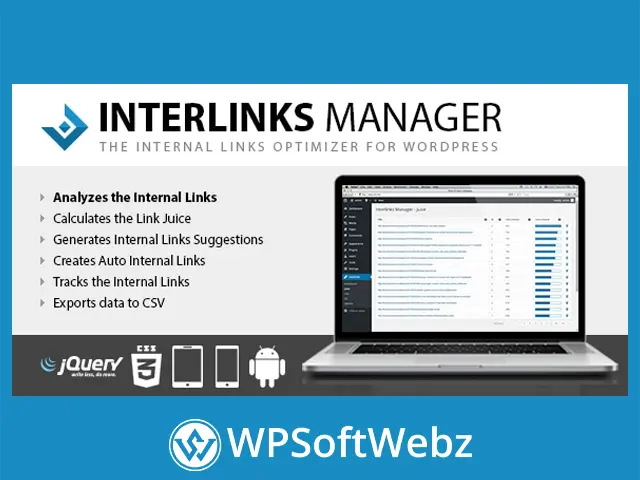

Interlinks Manager is a premium WordPress SEO plugin designed to help website owners analyze, optimize, automate, and monitor their internal linking strategy. It provides detailed information about links between posts, link equity distribution, inbound links, click activity, and content optimization, giving administrators practical data for building a more organized website structure.
Rather than relying entirely on manual reviews, Interlinks Manager scans WordPress content using server-side analysis and presents the results through dedicated administration tools. Content publishers, SEO professionals, affiliate marketers, agencies, and online stores can use these insights to identify underlinked content, strengthen important pages, discover relevant linking opportunities, and create controlled automatic internal links.
Interlinks Manager Internal Links Optimizer
Interlinks Manager combines internal link auditing, optimization recommendations, link equity analysis, keyword-based autolinking, click tracking, and reporting within one WordPress plugin.
Its main capabilities include:
- Internal link analysis for WordPress content
- Manual and automatic link identification
- Inbound internal link monitoring
- Link equity analysis for linked URLs
- Internal linking optimization recommendations
- Contextual link suggestions in the post editor
- Keyword and phrase-based automatic links
- Internal link click tracking
- HTTP status analysis for problematic links
- CSV data export
- Import and export tools for plugin configurations
- Support for custom post types
- Gutenberg block controls
- WordPress Multisite compatibility
- Role-based access to plugin features
Analyze Your WordPress Internal Links
The plugin includes a dedicated dashboard that provides an overview of internal links across your website. It analyzes published content and displays useful metrics for each supported post, page, or custom post type.
Available information can include:
- Number of manually created internal links
- Number of automatically generated internal links
- Number of inbound links received
- Recommended internal link range
- Internal linking optimization status
- Visits generated through internal links
Filtering, searching, and sorting tools help administrators locate content that requires attention. For example, an SEO manager can identify articles with too few links, pages receiving limited internal authority, or posts that may contain more links than the configured recommendations.
Evaluate Internal Link Optimization
Interlinks Manager provides optimization guidance while content is being edited. Its internal linking panel compares the number of links in an article with recommendations generated from administrator-defined criteria and content length.
Because the calculation can be adjusted through the plugin settings, website owners are not limited to a universal link recommendation. They can configure the analysis to better reflect their content format, editorial standards, and internal SEO strategy.
This functionality can help teams:
- Find content with insufficient internal links
- Avoid adding an excessive number of links
- Maintain consistent editorial practices
- Review link optimization before publishing
- Prioritize older content that requires improvement
The recommendations provide guidance rather than replacing editorial judgment, allowing writers and SEO specialists to decide which links are genuinely useful to readers.
Analyze Link Equity Distribution
The link equity analysis tools estimate how internal authority flows through the links included in WordPress content. The plugin displays the calculated equity associated with linked URLs and provides details about the individual links contributing to each result.
This information can be used to:
- Strengthen cornerstone content
- Review links pointing to important landing pages
- Improve support for product or service pages
- Identify URLs receiving limited internal authority
- Evaluate the structure of content clusters
- Balance link distribution across a website
Administrators can customize aspects of the calculation, including default equity values, position-related adjustments, URL aggregation, and the treatment of URL parameters.
Receive Relevant Internal Link Suggestions
The premium plugin includes an internal link suggestion tool within the WordPress editor. It analyzes the content being edited and recommends potentially related articles that may be suitable internal link targets.
The suggestion algorithm can consider elements such as:
- Words used in the current article
- Words included in post titles
- Categories
- Tags
- Custom post types
- Included or excluded content
- Manually prioritized posts
These controls help editors narrow the suggestions to content that fits the website’s structure. Instead of searching the entire content library manually, writers can review a focused set of possible destinations and select links that add meaningful context.
Create Automatic Internal Links
Interlinks Manager includes an automatic internal linking system that converts specified keywords or phrases into links. Administrators can assign a destination URL to a keyword and configure where and how the conversion should occur.
Automatic links can be useful for:
- Connecting glossary terms to definition pages
- Linking recurring topics to cornerstone articles
- Directing readers to relevant product pages
- Supporting service and conversion pages
- Creating links to documentation or knowledge-base content
- Reinforcing structured content hubs
This keyword autolinking functionality can reduce repetitive editing when the same term appears across numerous posts.
Control Keyword-Based Autolinking
Automatic links require careful control to prevent excessive or irrelevant link placement. Interlinks Manager provides settings that allow administrators to define how keyword substitutions are applied.
Available controls include:
- Custom keyword and phrase boundaries
- Case-sensitive or case-insensitive matching
- Selection of eligible post types
- Maximum conversions for an individual keyword
- Maximum automatic links within one post
- Keyword substitution priority
- Protected HTML tags
- Gutenberg block selection
- Optional opening in a new browser tab
- Optional
nofollowattributes - Self-link prevention controls
These options help maintain a natural reading experience while reducing accidental keyword matches.
Test Automatic Links Before Publishing Them
A testing mode allows administrators to evaluate automatic internal link rules and review related statistics without immediately displaying those links to regular visitors or search engines.
This provides an opportunity to check:
- Whether keywords are matched correctly
- Whether links appear in appropriate content
- Whether conversion limits are suitable
- Whether protected elements remain unchanged
- Whether the intended destination URLs are used
After reviewing the results, administrators can decide when the autolinking configuration is ready for public use.
Track Internal Link Clicks
Interlinks Manager can track visitor clicks on internal links, helping website owners evaluate whether their linking strategy encourages navigation.
The tracking reports can identify:
- The page where the click occurred
- The destination of the clicked link
- Whether the link was manual or automatic
- Individual recorded click activity
- Visits generated by links in specific content
Click tracking can also be disabled through the plugin options when it is not required.
By comparing link placement with actual interaction, content teams can identify links that attract attention and pages that may need clearer anchor text or better contextual positioning.
Detect Broken Links and Redirects
The plugin can analyze HTTP responses for internal links, helping administrators discover destinations that may create navigation or SEO issues.
This analysis can assist with identifying:
- Links leading to unavailable pages
- Internal URLs returning error responses
- Links pointing through redirects
- Destinations requiring review
- Outdated internal references
Correcting problematic links can improve the visitor experience and help maintain a cleaner internal website structure.
Export Internal Linking Data to CSV
Internal link statistics, link equity information, and tracked click data can be exported in CSV format. The resulting files can be opened in compatible spreadsheet software for additional filtering, reporting, sharing, or analysis.
CSV exports are useful for:
- SEO audits
- Client reports
- Editorial planning
- Content inventories
- Link-building assignments
- Custom performance comparisons
- Long-term internal linking reviews
The premium plugin also includes tools for importing and exporting plugin data and settings, which can help administrators back up configurations or reproduce selected setups across multiple websites.
Configure Access by User Role
Website administrators can define the capabilities required to access different plugin areas. This allows selected features to be made available to appropriate team members without granting every user access to the complete configuration system.
For example, a site owner may allow editors to view internal link suggestions while reserving analysis, imports, exports, and advanced options for administrators or SEO managers.
This role-based approach is useful for agencies, publishing teams, membership websites, and organizations with structured editorial workflows.
Gutenberg and Custom Post Type Support
Interlinks Manager supports the WordPress block editor and allows administrators to control which Gutenberg blocks are eligible for automatic keyword linking. This can help prevent substitutions inside blocks where generated links would be inappropriate.
The plugin can also analyze selected custom post types, making it relevant for websites that use content structures beyond standard posts and pages.
Potential applications include:
- WooCommerce product content
- Documentation entries
- Portfolio items
- Knowledge-base articles
- Directory listings
- Educational resources
- Custom editorial content
Compatibility with page-builder content can depend on how the builder stores its HTML, so link detection may vary when content is not saved in the standard WordPress posts database structure.
WordPress Multisite and Multilingual Use
Interlinks Manager can be used within WordPress Multisite environments through network-wide or individual-site activation. This provides flexibility for organizations managing several websites within one WordPress network.
The plugin is also translation-ready. Language files or multilingual tools can be used to adapt its interface for different administrative teams.
Local Server-Side Content Analysis
The plugin performs its main content analysis using PHP regular expressions and does not require an external analysis service. The processing is handled by the website’s own server environment.
Administrators can adjust technical analysis settings such as:
- Memory allocation
- Maximum execution time
- Number of analyzed articles
- Included post types
- Content processing limits
These controls are especially useful for content-heavy websites that need to balance detailed internal link analysis with available server resources.
Who Should Use Interlinks Manager?
Interlinks Manager is suitable for:
- SEO professionals
- Content marketing teams
- WordPress publishers
- Affiliate website owners
- News and magazine websites
- Online stores
- Documentation websites
- Knowledge bases
- Digital marketing agencies
- Website administrators
- Bloggers with extensive archives
- Businesses managing cornerstone content
The plugin is particularly valuable for websites with enough published material that manual internal link auditing has become inefficient.
Important Product Context
The original developer identifies Link Manager as the successor to Interlinks Manager and directs new feature development toward that broader product. The capabilities described here relate specifically to the verified premium features of Interlinks Manager.
Improve Your WordPress Internal Linking Workflow
Interlinks Manager provides a comprehensive collection of tools for auditing internal links, analyzing link equity, finding relevant linking opportunities, creating controlled keyword autolinks, monitoring clicks, and exporting SEO data. It is designed for WordPress users who want greater visibility and control over the relationships between their pages.
Use Interlinks Manager to organize your content structure, support important pages, locate internal linking problems, and develop a more consistent SEO workflow across your WordPress website.