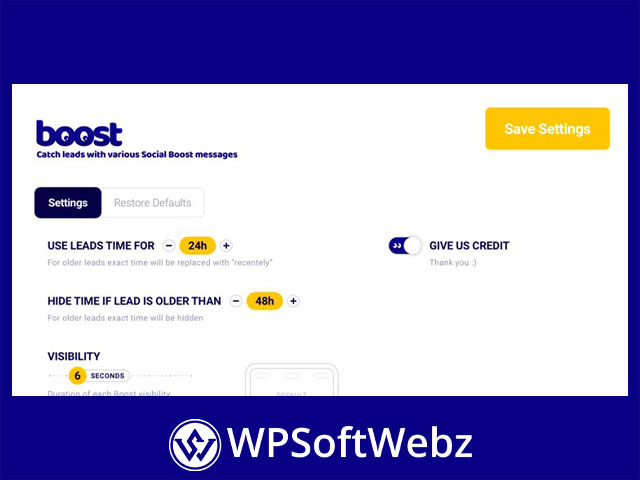

The Boost Plugin is a premium WordPress social proof plugin designed to display recent customer and visitor activity through attractive, automatically disappearing notification popups. Developed by PixelYourSite, it captures real interactions from WooCommerce, Easy Digital Downloads, integrated forms, and other WordPress forms, then converts that activity into customizable messages that can support trust, urgency, and product discovery.
Instead of depending on an external social proof platform, the plugin works directly within WordPress. Website owners retain access to the captured activity data and can review, edit, or delete records from their own dashboard.
The Boost Plugin for WordPress Social Proof
The Boost Plugin helps businesses transform genuine website interactions into visible social proof. These notifications, called boosts, can show visitors that other people are purchasing products, adding items to their carts, submitting forms, or interacting with digital downloads.
Social proof popups can be useful for demonstrating that a website is active and that customers are engaging with its products or services. Carefully targeted notifications may also help visitors discover popular products and feel more confident about taking the next step.
The plugin is suitable for:
- WooCommerce stores
- Easy Digital Downloads websites
- Lead-generation websites
- Service business websites
- Membership and digital product platforms
- Landing pages with contact or registration forms
- Websites using custom HTML forms or popups
Capture Real WooCommerce Activity
The Boost Plugin includes dedicated WooCommerce integration for creating notifications from store activity. It can capture transactions, selected product or category purchases, add-to-cart interactions, and stock-related information.
WooCommerce Transaction Notifications
Store owners can create broad transaction boosts that use recent purchases from across the product catalog. These notifications can display information such as the customer’s abbreviated name, location, purchased product, and relative transaction time when that data is available.
Businesses can also create more focused campaigns based on specific products or product categories. This makes it possible to highlight activity around best-selling items, featured collections, seasonal products, or targeted landing pages.
Add-to-Cart Social Proof
Add-to-cart boosts use customer interest signals instead of completed transactions. When visitors add products to their carts, the activity can be captured and displayed through social proof notifications.
This trigger can be useful for:
- Newer stores with fewer completed orders
- Products with longer purchase decision cycles
- High-value items that require consideration
- Product launches and promotional campaigns
- Demonstrating interest in selected catalog items
Add-to-cart activity does not represent a completed purchase, so messages can be customized to describe the action accurately.
Stock and Urgency Messages
The WooCommerce integration can also support stock-based messages. These notifications can draw attention to product availability and help customers recognize when stock is limited.
Stock messaging should be based on accurate store information, allowing businesses to create legitimate urgency without manually updating notification text.
Easy Digital Downloads Integration
The Boost Plugin works with Easy Digital Downloads for websites selling software, downloadable files, licenses, memberships, educational resources, and other digital products.
EDD activity can be used to create notifications based on:
- Purchases across the digital product catalog
- Transactions involving selected downloads
- Purchases within chosen categories
- Add-to-cart interactions
- Product-specific activity
This integration enables digital sellers to display recent customer activity in the same way that WooCommerce stores display physical or service-based transactions.
Product names, customer information, locations, and relative times can be inserted into notification messages when the relevant data is available. Sellers can use general EDD boosts across the website or build focused campaigns for important downloads and categories.
Create Social Proof from WordPress Forms
Form submissions can be valuable social proof for service companies, agencies, course providers, membership websites, and other businesses that generate leads rather than traditional online sales.
The Boost Plugin supports integrated forms as well as a flexible Any Form option.
Integrated Form Support
Built-in form integrations can use successful form activity to generate notifications. This makes it possible to display messages when visitors complete actions such as:
- Sending an inquiry
- Requesting a consultation
- Registering for an event
- Joining a mailing list
- Applying for a service
- Submitting a quote request
- Signing up for a program
The exact information available in a notification depends on the fields and data captured by the form.
Track Other Forms with Any Form
For forms without a dedicated integration, the Any Form feature can scan a selected page and identify available HTML forms. Administrators can choose the correct form and optionally map name fields for use in notification messages.
This option can work with custom forms, embedded forms, and forms displayed inside popups. Because generic form tracking may rely on submit-button interaction rather than a confirmed success response, integrated form support should be preferred when available.
Customize Messages with Dynamic Variables
The Boost Plugin provides dynamic variables that automatically insert information from captured events into notification messages. This allows a single message template to produce personalized social proof for different visitors, products, and actions.
Available message data can include:
- Customer or visitor name
- Product name
- Clickable product name
- Town or city
- State or region
- Country
- Relative activity time
- Stock information
A WooCommerce notification could show that someone from a particular location recently purchased a product. A lead-generation website could display that a visitor submitted an inquiry. An EDD store could highlight a recent digital product purchase.
Dynamic messages reduce the need to create separate static notifications for every individual interaction.
Flexible Notification Appearance
Website owners can customize how boosts appear on desktop and mobile devices. The plugin includes visual templates and presentation controls for creating notifications that complement the website’s design.
Appearance options include:
- Separate desktop and mobile templates
- Different popup shapes and visual styles
- Product image display
- Map-based visuals
- Icon-based notifications
- Configurable popup placement
- Custom header and message text
- Automatic notification disappearance
Using different mobile and desktop designs helps keep notifications readable without covering important website content on smaller screens.
Advanced Display and Page Targeting
Not every social proof campaign should appear throughout an entire website. The Boost Plugin provides display rules for controlling where individual notifications are shown.
Boosts can be targeted to areas such as:
- The homepage
- Product pages
- Product category archives
- Shopping cart pages
- Checkout pages
- Selected posts or pages
- Specific URLs
- Chosen post types
- Selected taxonomies
Exclusion rules can prevent notifications from appearing on thank-you pages, account areas, private landing pages, or other locations where popups may be unnecessary.
Device targeting allows each campaign to appear on desktop devices, mobile devices, or both. This gives marketers greater control over the customer experience across different screen sizes.
Manage Multiple Social Proof Campaigns
The Boost dashboard provides a central location for creating and managing notification campaigns. Administrators can enable or disable boosts, edit existing campaigns, duplicate successful configurations, delete unwanted campaigns, and save unfinished setups as drafts.
Duplicating campaigns is helpful when creating similar notifications for different products, categories, forms, or landing pages. Instead of rebuilding every setting, users can copy a campaign and modify its trigger, content, or display conditions.
The dashboard also identifies important campaign details, including:
- Internal campaign name
- Activity source
- Social proof category
- Display location
- Supported devices
- Current campaign status
This structure makes the plugin practical for websites running several targeted social proof strategies.
Control Captured Activity Data
Because The Boost Plugin operates inside WordPress, captured activity remains accessible through the website dashboard. Administrators can inspect, edit, or remove captured records when necessary.
This local approach gives website owners more direct control than services that require activity data to be processed through an external social proof platform. However, businesses remain responsible for configuring notifications and handling personal information according to the privacy laws and policies applicable to their websites.
Names can be presented in an abbreviated format where supported, helping businesses create credible notifications without unnecessarily displaying complete customer identities.
Built-In Banned Words Filter
Form submissions can contain unwanted, offensive, or inappropriate language. The plugin includes a profanity and banned-words filter to help prevent unsuitable content from appearing in public notifications.
Administrators can manage the filter by editing existing entries, removing unnecessary terms, or adding custom banned words. This is particularly valuable for boosts generated from user-controlled form fields.
Use Existing and Optional Activity Data
The plugin can use existing customer information to populate social proof without requiring a newly installed website to wait for future interactions. It also includes options for creating controlled social proof data where appropriate.
Any simulated or manually created activity should be used transparently and responsibly. Real transaction, cart, download, and form activity generally provides the most credible foundation for customer-facing notifications.
Benefits of The Boost Plugin
The Boost Plugin provides several practical advantages for WordPress businesses:
- Converts real website activity into social proof
- Supports WooCommerce and Easy Digital Downloads
- Works with integrated and generic WordPress forms
- Creates dynamic messages from captured data
- Targets notifications to selected website areas
- Provides independent desktop and mobile presentation
- Allows administrators to manage captured records
- Reduces dependence on an external social proof service
- Supports focused product and category campaigns
- Includes tools for filtering inappropriate content
- Requires no manual coding for standard configuration
The plugin provides marketing and presentation tools, but it does not guarantee a specific conversion result. Performance will depend on website traffic, offer quality, campaign placement, message accuracy, and the overall customer experience.
Who Should Use The Boost Plugin?
The Boost Plugin is a strong option for WooCommerce merchants, digital product sellers, marketers, agencies, service businesses, and lead-generation websites that want to make recent visitor activity more visible.
It is especially useful for businesses that need:
- Purchase and cart activity notifications
- Social proof for digital product sales
- Lead and form submission popups
- Product-specific notification campaigns
- Location-based dynamic messages
- Mobile-friendly social proof templates
- Detailed page and device targeting
- Direct control over captured activity data
Build Trust with The Boost Plugin
The Boost Plugin combines WordPress social proof notifications, WooCommerce activity, Easy Digital Downloads integration, flexible form support, dynamic message variables, responsive templates, and detailed display controls. It gives online businesses a practical way to turn real interactions into timely, relevant notifications while managing campaigns directly from WordPress.
Choose The Boost Plugin to showcase authentic website activity, highlight customer interest, and create a more active and engaging buying experience.