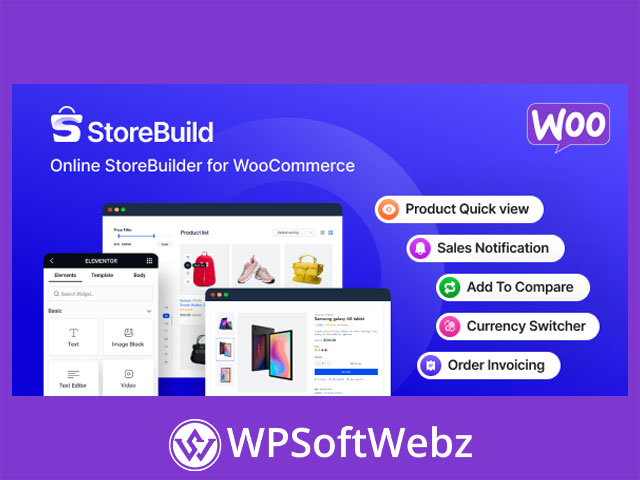

StoreBuild – Elementor Addon for WooCommerce Store Builder Overview
StoreBuild – Elementor Addon for WooCommerce Store Builder is a premium WooCommerce builder plugin made for WordPress stores that use Elementor. It helps store owners, designers, and developers create customized WooCommerce pages with a visual drag-and-drop workflow instead of relying only on default WooCommerce layouts or custom code.
Built as the pro version of StoreBuild, this Elementor WooCommerce addon focuses on giving merchants more control over important eCommerce pages such as shop pages, product details pages, cart pages, checkout pages, thank you pages, My Account pages, login pages, register pages, and other store-related layouts. It is designed for users who want a modern, flexible, and conversion-focused WooCommerce storefront built visually with Elementor.
Why Choose StoreBuild – Elementor Addon for WooCommerce Store Builder?
WooCommerce is powerful, but its default templates often need customization to match a brand, improve product presentation, and create a smoother shopping journey. StoreBuild – Elementor Addon for WooCommerce Store Builder extends the Elementor design experience into WooCommerce, allowing users to build and adjust key store pages more easily.
This makes the plugin useful for:
- Creating custom WooCommerce pages with Elementor
- Designing shop, product, cart, and checkout layouts visually
- Improving product discovery and presentation
- Adding useful shopping features without relying on multiple separate plugins
- Building responsive eCommerce pages for modern online stores
- Enhancing customer experience with quick view, wishlist, compare, and floating cart tools
- Supporting promotional campaigns with badges, countdowns, popups, and sale notifications
Core StoreBuild Features
Elementor-Based WooCommerce Page Building
StoreBuild – Elementor Addon for WooCommerce Store Builder allows users to customize major WooCommerce pages using Elementor. This visual approach gives store owners more control over layout, spacing, content placement, and store design without requiring advanced development knowledge.
Supported page-building use cases include:
- Shop page customization
- Product details page design
- Cart page layout control
- Checkout page customization
- Thank you page design
- My Account page layouts
- Login page creation
- Register page creation
- Other eCommerce-related page layouts
Drag-and-Drop Store Design
The plugin is built around an Elementor workflow, so users can build WooCommerce layouts with a drag-and-drop interface. This is valuable for agencies, freelancers, and store owners who want to create branded shopping experiences while keeping editing flexible and visual.
Instead of editing WooCommerce templates manually, StoreBuild helps users place store elements as Elementor widgets and arrange them according to the needs of the shop.
Pre-Made WooCommerce Templates
StoreBuild includes pre-made layout options for important WooCommerce pages. These templates can help speed up the design process by giving users a starting point for store pages instead of building every section from scratch.
Template areas include:
- Shop templates
- Single product templates
- Cart templates
- Checkout templates
- Thank you templates
- My Account templates
- Login templates
WooCommerce Product Page Enhancements
Product Details Page Builder
StoreBuild – Elementor Addon for WooCommerce Store Builder helps create customized product details pages with Elementor widgets for key product information. This gives merchants more control over how product content is displayed and how shoppers interact with each product.
Product page elements may include:
- Product galleries
- Review forms
- Product price
- Product ratings
- Product SKU
- Product categories
- Product tags
- Product compare
- Social sharing
- Quick checkout or direct checkout options
Variation Swatches
The plugin includes variation swatch functionality for showing product options in a more visual and user-friendly way. Store owners can present variations such as colors, sizes, labels, buttons, or images instead of relying only on standard dropdowns.
Variation swatches can be especially useful for fashion, accessories, furniture, cosmetics, electronics, and other stores where product options are important to the buying decision.
Quick View Popup
StoreBuild includes a quick view popup feature that lets customers preview product details without leaving the product listing page. This can help shoppers browse faster, compare products more easily, and add items to the cart with fewer page changes.
Quick view functionality may display details such as:
- Product information
- Ratings
- Add-to-cart options
- Variation selections
Storefront Shopping Features
Floating Cart
The floating cart feature gives customers a convenient way to access their cart while browsing the store. It can show cart activity and open an off-canvas cart interface, allowing shoppers to review and manage selected items without leaving the current page.
This feature supports a smoother WooCommerce shopping experience by keeping cart access visible and easy to use.
Add-to-Cart Notification
StoreBuild includes add-to-cart notifications that provide instant feedback when customers add products to their cart. These notifications can improve the browsing experience by confirming customer actions and encouraging continued shopping.
Product Wishlist
The wishlist feature allows customers to save products for later. This is useful for shoppers who are comparing options, planning future purchases, or sharing product ideas with others.
Wishlist functionality can help WooCommerce stores improve engagement by giving visitors a reason to return to saved products.
Product Compare
StoreBuild includes product comparison functionality so customers can review products side by side. This is helpful for stores where shoppers need to compare specifications, prices, ratings, variations, descriptions, or product features before making a decision.
Product comparison is especially valuable for electronics, tools, furniture, appliances, and other product categories where feature differences matter.
Promotional and Conversion Features
Newsletter Popup
The newsletter popup module helps store owners capture leads and grow an email list. It can be used to promote special offers, announce new arrivals, share discounts, or encourage visitors to subscribe for future updates.
Sale Badge
StoreBuild includes product badge functionality for highlighting special offers. Badges can help draw attention to discounted products, promotional items, featured products, or products that need more visibility.
Flash Sale Countdown
The flash sale countdown feature helps create urgency around limited promotions. Store owners can use countdown-based messaging to support time-sensitive sales and encourage faster purchase decisions.
Sale Notification
Sale notification alerts can display promotional or sales-related messages to customers while they browse. These notifications are designed to increase attention around offers and encourage engagement during the shopping journey.
Cart Cross-Sell Popup
StoreBuild includes a cart cross-sell popup feature that can recommend related products based on the products customers have already chosen. This can support upselling, cross-selling, and product discovery during the add-to-cart experience.
Advanced Store Modules
Back Order Support
The back order feature helps WooCommerce stores accept orders for products that are not currently in stock. This is useful for merchants who want to continue capturing demand while waiting for inventory to become available.
PreOrder Support
StoreBuild includes preorder functionality for upcoming products. This can help stores measure customer interest, accept early reservations, and promote products before they are ready for general availability.
Currency Switcher
The currency switcher module allows customers to view store pricing in different currencies. This can be useful for WooCommerce stores that sell internationally and want to provide a more localized shopping experience.
Invoice Settings
StoreBuild includes invoice-related settings for WooCommerce order documentation. Store owners can customize invoice templates, add business details, include a company logo, and support downloadable or printable invoice formats.
AJAX Sidebar Filters
The plugin supports AJAX-based sidebar filters for WooCommerce shops. These filters can improve product discovery by allowing customers to refine product listings in real time without unnecessary page reloads.
Filter-related functionality may include:
- Price filtering
- Category search
- WooCommerce sidebar filtering
- Real-time AJAX updates
Checkout and Cart Improvements
Custom Cart Templates
StoreBuild – Elementor Addon for WooCommerce Store Builder provides cart template options that help store owners improve the cart experience. A better cart layout can make order review clearer and help move shoppers toward checkout.
Checkout Page Customization
The plugin includes checkout-focused widgets and layout options for important checkout sections, including billing forms, shipping forms, order details, payment methods, and coupon areas.
This is valuable because checkout design directly affects the buying experience. With StoreBuild, merchants can build a checkout layout that feels more consistent with the rest of the store.
Direct Checkout Options
StoreBuild supports quick checkout or direct checkout-style options, helping shoppers move faster from product selection to purchase. This can be useful for stores that want to reduce friction and simplify the path to conversion.
Best Use Cases for StoreBuild
StoreBuild – Elementor Addon for WooCommerce Store Builder is a good fit for WooCommerce websites that need more design flexibility and built-in eCommerce enhancements.
Ideal For:
- WooCommerce stores built with Elementor
- Store owners who want custom shop and product pages
- Agencies building WooCommerce websites for clients
- Designers who prefer visual editing over template coding
- Stores selling products with multiple variations
- Shops that need wishlist, compare, and quick view features
- Merchants running flash sales or promotional campaigns
- International stores that benefit from currency switching
- Businesses that want custom cart and checkout layouts
Benefits for WooCommerce Store Owners
More Control Over Store Design
StoreBuild gives users more control over WooCommerce page layouts while staying inside the Elementor design environment. This helps create a more branded and professional storefront.
Better Customer Experience
Features such as quick view, wishlist, product compare, floating cart, AJAX filters, and add-to-cart notifications help shoppers browse products more easily and interact with the store more smoothly.
Stronger Product Presentation
Product galleries, variation swatches, product details widgets, review elements, product badges, and countdown features help store owners present products in a more engaging way.
Reduced Need for Multiple Plugins
Because StoreBuild combines page-building tools with several WooCommerce shopping modules, it can help reduce reliance on separate plugins for common store enhancements. This makes it a practical toolkit for users who want many WooCommerce design and conversion features in one premium addon.
Conclusion
StoreBuild – Elementor Addon for WooCommerce Store Builder is a premium Elementor WooCommerce builder plugin for users who want to create custom store pages, improve product presentation, and add practical shopping features without heavy coding. It combines WooCommerce page templates, Elementor widgets, cart and checkout customization, product comparison, wishlist, quick view, variation swatches, popups, filters, and promotional modules into one flexible store-building solution.
For WooCommerce store owners, freelancers, and agencies who want a more customizable Elementor-based shopping experience, StoreBuild – Elementor Addon for WooCommerce Store Builder offers a strong premium toolkit for building modern, user-friendly, and conversion-focused online stores.