
SigmaForms Pro
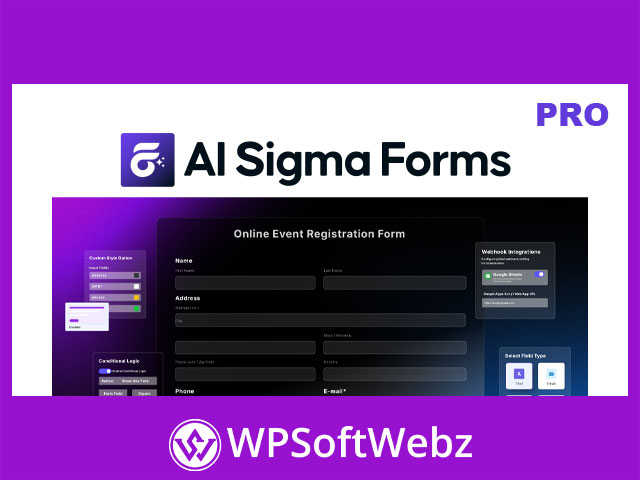
SigmaForms Pro is a premium AI-powered WordPress form builder plugin from BdThemes, designed to help website owners, agencies, marketers, developers, and business teams create professional forms without coding. It supports AI form generation, manual form building, pre-built templates, customizable fields, submission management, abandoned form tracking, analytics, CAPTCHA protection, webhooks, SMTP email configuration, shortcode embedding, and form styling controls for modern WordPress websites.
SigmaForms Pro for AI-Powered WordPress Form Building
SigmaForms Pro focuses on making form creation easier by combining AI-assisted generation with flexible manual customization. Users can describe the type of form they need, start from a ready-made template, or build a custom form from scratch.
This makes the plugin suitable for websites that need contact forms, lead generation forms, quote request forms, appointment forms, newsletter signup forms, survey forms, customer feedback forms, job application forms, event registration forms, and other data collection forms.
Key Features of SigmaForms Pro
SigmaForms Pro includes a strong set of confirmed features for creating, managing, securing, and optimizing WordPress forms:
- AI-powered form generation from natural language prompts
- Manual form creation for custom workflows
- Pre-built form templates for faster setup
- Customizable form fields
- Field duplication, editing, and removal options
- Required field controls
- Field label visibility settings
- Column width controls for form layouts
- Help text and CSS class options for individual fields
- Conditional logic for dynamic form behavior
- Math function support for calculated fields
- Form success message configuration
- Database storage option for form submissions
- Admin notification email settings
- User confirmation email settings
- Shortcode support for embedding forms
- Gutenberg and Elementor shortcode placement support
- Submission management inside WordPress
- Abandoned form tracking
- Analytics dashboard for form performance insights
- AI provider configuration options
- SMTP email sending support
- Form styling controls
- CAPTCHA protection options
- Webhook integrations
- Google Sheets, Slack, Discord, Telegram, and custom webhook support
- Advanced cleanup settings for form data management
AI Form Generation and Manual Form Creation
One of the main strengths of SigmaForms Pro is its AI-based form generation. Instead of starting every form manually, users can describe the form they want and generate a usable structure that can then be reviewed and customized.
For users who prefer full control, SigmaForms Pro also supports manual form building. This allows site owners to add fields, adjust labels, configure placeholders, define default values, and customize each form according to the website’s exact requirements.
Custom Fields, Layouts, and Conditional Logic
SigmaForms Pro includes practical field customization features that help users create smarter forms. Available field options include common input types such as name, email, phone, select, checkbox, radio, textarea, and file upload fields.
The plugin also supports layout controls such as full-width, half-width, one-third, two-thirds, quarter-width, and other column arrangements. This helps create cleaner form layouts for contact pages, landing pages, application forms, and multi-field inquiry forms.
Conditional logic allows fields to appear or become active based on user input. This is useful for building personalized forms where users only see the fields relevant to their choices.
Math Functions for Calculated Forms
SigmaForms Pro supports math functions for fields that require calculations. Users can configure calculation types such as sum, division, multiplication, percentage, average, and custom formulas.
This feature is useful for quote request forms, cost estimate forms, booking forms, order-style forms, service calculators, and other forms that need calculated values based on user input.
Submission Management and Database Storage
SigmaForms Pro can store form submissions in the WordPress database when enabled. Administrators can view submitted entries, check submission details, mark statuses such as read or unread, and delete submissions when needed.
Submission details may include form data, submission ID, date, IP address, and user agent information. This gives site owners a central place to monitor inquiries, leads, messages, and form responses from the WordPress dashboard.
Abandoned Form Tracking
Abandoned form tracking is one of the plugin’s most useful conversion-focused features. SigmaForms Pro can track forms that users started but did not complete, helping website owners understand where visitors may be dropping off.
The abandoned forms area includes information such as completion progress, fields filled, time spent, last activity, status, and partial field values. This can help marketers and site owners review incomplete submissions, identify friction points, and improve form completion rates.
Analytics Dashboard for Form Performance
SigmaForms Pro includes an analytics dashboard for monitoring form activity. Users can view information such as total submissions, active forms, unread submissions, and recent submissions.
For lead generation websites, agencies, sales teams, and service businesses, these insights can help track form engagement and evaluate how well different forms are performing.
Email Notifications and SMTP Support
SigmaForms Pro includes configurable email settings for form notifications and user confirmations. Administrators can define default admin email settings, confirmation subjects, email messages, and per-form email overrides.
The plugin also supports SMTP configuration, allowing site owners to send form emails through an authenticated mail server. This can help improve email reliability compared with relying only on default WordPress mail behavior.
Form Styling and Design Controls
SigmaForms Pro includes form styling options that help users match forms to their website branding. Available style options include theme styles, custom input field colors, background colors, text colors, placeholder colors, border colors, border radius, padding, spacing, button styling, hover colors, and font family controls.
These design settings make it easier to create professional forms that fit naturally into landing pages, business websites, portfolios, blogs, and service pages.
CAPTCHA and Spam Protection
SigmaForms Pro includes CAPTCHA protection options to help defend forms from spam and automated abuse. Supported protection options include Google reCAPTCHA, hCaptcha, Cloudflare Turnstile, and CleanTalk.
These options give website owners flexibility when choosing a spam protection method that fits their privacy, security, and user experience needs.
Webhook Integrations and Automation
SigmaForms Pro supports webhook integrations for sending form data to external platforms and automation workflows. Confirmed webhook options include Google Sheets, Slack, Discord, Telegram, and custom webhook endpoints.
This makes the plugin useful for teams that want to send form submissions to spreadsheets, notify internal channels, trigger external workflows, or connect WordPress form data with third-party systems.
Shortcode Support for Gutenberg and Elementor
SigmaForms Pro generates a shortcode for each published form. The shortcode can be placed inside the WordPress block editor or added through an Elementor shortcode widget.
This gives users flexibility to display forms on landing pages, contact pages, service pages, blog posts, popups, custom layouts, and other WordPress content areas where shortcode output is supported.
Ideal Use Cases for SigmaForms Pro
SigmaForms Pro is suitable for:
- Contact forms and inquiry forms
- Lead generation forms
- Quote request forms
- Customer feedback forms
- Survey and questionnaire forms
- Appointment and booking request forms
- Job application forms
- Event registration forms
- Newsletter signup forms
- Service calculator forms
- Agency client websites
- Business landing pages
- Marketing campaign pages
- WordPress websites using Gutenberg or Elementor
SEO and Conversion Value
SigmaForms Pro can support conversion-focused WordPress websites by helping site owners create cleaner forms, track submissions, analyze form activity, recover abandoned leads, and connect form data with external tools.
For SEO and content marketing pages, keyword variations such as AI form builder plugin, WordPress form builder plugin, advanced form plugin, lead generation form plugin, contact form builder, abandoned form tracking plugin, and webhook form integration can be used naturally when describing form-building workflows and business use cases.
Conclusion
SigmaForms Pro is a practical premium WordPress form builder plugin for users who want AI-assisted form creation, flexible customization, form analytics, abandoned form tracking, secure CAPTCHA options, SMTP email settings, webhooks, and shortcode-based embedding. For agencies, marketers, developers, and business website owners who need smarter form creation and better lead management, SigmaForms Pro offers a powerful solution for building and managing WordPress forms with confidence.