
Dropshipping Export Products for WooCommerce – Advanced Product Export for Dropshipping Stores
Dropshipping Export Products for WooCommerce is a premium WooCommerce product export plugin designed for store owners working with dropshipping suppliers, wholesalers, and external marketplaces. It helps you export products from WooCommerce to structured CSV or XML files, automate supplier feeds, and control exactly which items, fields, and values are included in each export.
What is Dropshipping Export Products for WooCommerce?
This plugin is a dedicated WooCommerce product export manager built for professional dropshipping workflows. Instead of manually copying product data for suppliers, Dropshipping Export Products for WooCommerce lets you configure export templates with:
- Chosen product types and categories
- Fine-tuned product filters using conditional logic
- Customizable columns and field names
- Automated schedules powered by WordPress cron
The result is a flexible export system that keeps your suppliers, feeds, and integrations updated with minimal manual work.
Key Features of Dropshipping Export Products for WooCommerce
Flexible WooCommerce Product Export to CSV and XML
With this plugin you can:
- Export products from WooCommerce to CSV or XML files
- Choose which product types to include (e.g. simple, variable, grouped, external)
- Use clear step-by-step screens to configure each export
- Create files tailored for specific suppliers or systems
You have full control over the structure of the exported file, so it’s easy to match external requirements.
Advanced Conditional Logic for Precise Exports
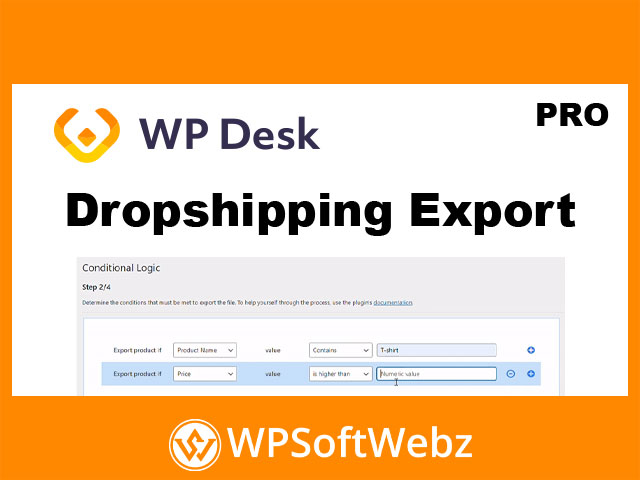
Dropshipping setups often require sending only selected products to each partner. The plugin includes advanced conditions so you can export only the items that match your rules, such as:
- Product name or title
- Category name or tag
- Regular price or sale price
- Product description or SKU
- Product stock level
You can combine multiple filters to build accurate, targeted exports instead of dumping your entire catalog every time.
Price and Stock Modifiers for Supplier Feeds
To keep margins and inventory aligned with each supplier, Dropshipping Export Products for WooCommerce gives you built-in modifiers:
- Adjust product prices by a fixed amount or percentage during export
- Change exported stock values using custom rules
- Apply these changes conditionally, based on product parameters
This means you can generate supplier-ready files with adjusted pricing and stock without changing actual values in your WooCommerce store.
Attribute Management and Custom Field Names
Exported data often needs to follow the naming conventions of external platforms. The plugin helps with that by letting you:
- Select which product attributes to export (including the option to exclude specific ones)
- Choose exactly which product fields appear as columns in the export
- Define custom field names that override the default WooCommerce field labels
This “product mapper” style control makes it easy to align your file format with supplier or marketplace requirements.
Google Merchant Center Product Feed Support
The plugin can also export products in a format tailored for Google Merchant Center product feeds. You can:
- Generate an export especially for your Google Shopping campaigns
- Combine this with conditional logic, price modifiers, and attributes settings
- Keep marketing feeds consistent with your store’s current catalog
This is especially useful for stores running paid product listing campaigns alongside dropshipping operations.
Export Manager, Scheduling & Automation
A built-in Export Manager keeps your exports organized and repeatable:
- View all created export configurations in one place
- Quickly create new export files based on saved settings
- See basic information and statistics for existing exports
For automation and synchronization, you can:
- Schedule exports via cron on chosen days and times
- Control batch size (number of products per batch) for smoother processing
- Decide where the file is stored (local path, FTP path, etc.)
- Optionally include product images in a ZIP archive alongside the export file
Once configured, exports can run automatically in the background, delivering fresh data to your suppliers or systems.
How Dropshipping Export Products for WooCommerce Fits Your Workflow
For Dropshipping Store Owners
If you work with multiple suppliers, each expecting a different file format, this plugin helps you:
- Maintain separate export templates for different partners
- Send only in-stock or selected products to each supplier
- Adjust prices for each partner without touching store prices
- Keep catalog data synchronized without repetitive manual exports
For Agencies and WooCommerce Implementers
Agencies and freelancers managing clients’ dropshipping stores can use the plugin to:
- Standardize how product exports are configured and delivered
- Reduce support work caused by manual spreadsheet edits
- Provide a cleaner, more automated integration between WooCommerce and suppliers
Benefits at a Glance
- Dedicated WooCommerce product export plugin optimized for dropshipping
- CSV and XML export formats suitable for suppliers and integrations
- Powerful conditional logic for fine-grained filtering of products
- On-the-fly price and stock modification during export
- Control over attributes, fields, and column names
- Export manager to organize and reuse export templates
- Cron-based scheduling and automation for regular feeds
- Options for file location, FTP export, and image ZIP creation
- Clear, guided steps so non-technical users can configure exports confidently
Conclusion: Streamline Product Exports with Dropshipping Export Products for WooCommerce
Dropshipping Export Products for WooCommerce is built for store owners and professionals who need reliable, automated, and highly configurable product exports for dropshipping and supplier workflows. By combining conditional logic, pricing and stock modifiers, attribute control, and scheduled exports, it can replace manual spreadsheet work with a repeatable, professional export pipeline.
If you manage a WooCommerce dropshipping store and want more control over how product data flows to suppliers, marketplaces, or Google Merchant Center, Dropshipping Export Products for WooCommerce is a powerful premium plugin to add to your toolkit.